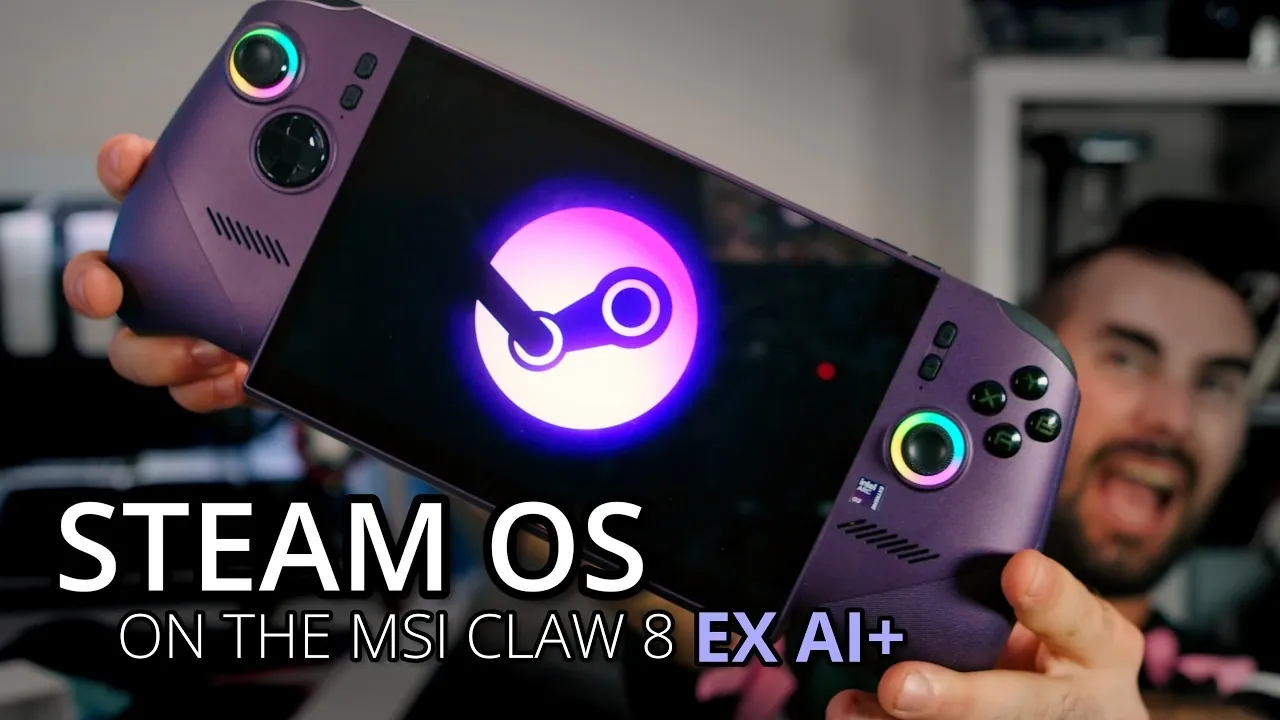
Within minutes, the CachyOS operating system had games running on the MSI Claw 8 EX AI+ gaming handheld. You can adjust brightness, volume and microphone settings through its game interface without visiting Windows settings. I’m CheCo Tech reports on battery-powered play, including Forza Horizon 6 running at around 80 frames per second on high settings. You’ll see how the games performed and where launch errors complicated the switch, as well as the controls available when you want to play without a keyboard and mouse.
CachyOS Brings a SteamOS-Like Interface to the Claw
TL;DR Key Takeaways :
- CachyOS is an Arch-based Linux alternative to Windows 11 Home on the MSI Claw 8 EX AI+, with Steam Big Picture built in.
- Valve’s AMD-focused SteamOS recovery image produced PCI error floods and kernel panics on the Intel-based Claw, unresolved after roughly two hours of troubleshooting.
- CachyOS detected the Claw’s hardware on the first attempt, with games running within minutes.
- Forza Horizon 6 ran at around 80 fps on high settings at 1920 × 1200, on battery with the TDP capped at 40W.
- Three tested games returned errors when opened, despite playable results in the successful tests.
The MSI Claw 8 EX AI+ normally runs Windows 11 Home, but you can replace it with CachyOS, an Arch-based Linux system. CachyOS offers a controller-oriented interface through Steam Big Picture, providing an alternative if you prefer the SteamOS experience.
Like SteamOS, CachyOS is based on Arch Linux. It uses a rolling-release model, with ongoing updates that bring new kernels and features.
Steam Big Picture Runs on the Claw
Valve’s official SteamOS recovery image is built mainly for AMD hardware, and Intel handheld support has only reached beta builds. On the Claw, an attempt to use it produced PCI error floods and kernel panics. Around two hours of troubleshooting, drawing on Gemini, ChatGPT, Claude, Reddit, forums and other creators’ advice, did not resolve the problem.
CachyOS detected the Claw’s hardware on the first attempt, and games were running within minutes. It runs Steam Big Picture out of the box. I’m CheCo Tech rates the experience about 99% of the way to official SteamOS, though CachyOS is not Valve’s operating system.
Windows was not generally built to be controlled with two thumbsticks, which is the case for switching. Steam Big Picture brings together games, friends, recently played titles and playtime, and it provides brightness, volume and microphone controls, so you do not need to visit Windows system settings for those adjustments. I’m CheCo Tech says the interface is simple enough to hand to his children on a road trip, with no pop-ups to deal with.

Become an expert in SteamOS and Proton gaming with the help of our in-depth articles and helpful guides.
- Proton for PC Gaming, a Clear Guide to How It Works, Speed, and Compatibility
- Valve Adds Desktop Mode Toggle to SteamOS for PC Tasks
- Valve Restructures SteamOS with Distinct X86 and ARM Builds
- Valve Adds Initial NVIDIA GPU Driver Support to SteamOS
Games Ran Well on Battery, With Some Spikes
CachyOS delivered playable results across the games tested on battery, with TDP capped at 40W, which I’m CheCo Tech calls the device’s maximum.
Forza Horizon 6 ran at around 80 frames per second on high settings at the Claw’s native 1920 × 1200 resolution while driving and drifting.
Lego Batman ran with upscaling and frame generation, with its frame rate capped because it exceeded what was needed. Silksong also ran fast enough to be capped at 120 or 60 frames per second.
Cyberpunk 2077 held up using the Steam Deck preset during fights and walks through busy streets. Stride and Spider-Man 2 ran smoothly, although Spider-Man 2 had a few frame-time spikes that were noticeable when paying close attention.
Some Games Still Fail to Launch
Proton translates Windows games so they can run on Linux. Forza Horizon 6 has no native Linux build, so it also ran through Proton, which Steam applies automatically.
That translation has a cost. Three of the games tested returned errors when opened and would not run, frame rates may be lower than on Windows, and stutters can occur.
We think this suits tinkerers who mostly play through Steam and can live with a few games failing. It is not for anyone who needs every title to launch, or who wants a device that never needs troubleshooting. Before wiping Windows, we would check that the games you care most about run under Proton. A few failures are easy to shrug off until one of them is your favorite, so plan a way back.
I’m CheCo Tech likes CachyOS on the MSI Claw 8 EX AI+ for its console-style controls, but says it is not perfect. Most of what he tried ran out of the box, so the result is a strong option for Steam players rather than an all-games replacement for Windows.
Media Credit: I’m CheCo Tech
Disclosure: Some of our articles include affiliate links. If you buy something through one of these links, Geeky Gadgets may earn an affiliate commission. Learn about our Disclosure Policy.
