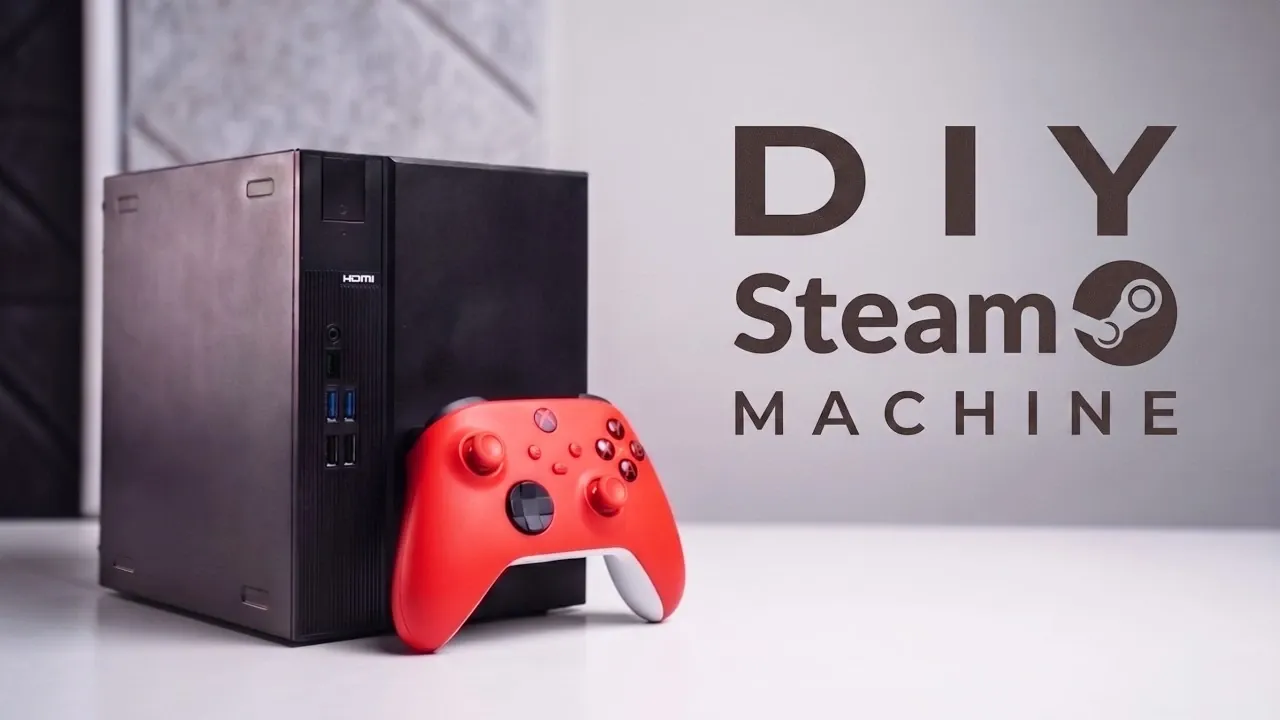
Building a compact gaming PC capable of handling both 1440p and 4K gaming involves thoughtful planning and component selection, as outlined by SpecLog. Central to this project is the ASRock DeskMeet X600, a small-form-factor barebone system that includes a compact case, integrated motherboard and a 500W 80+ Gold PSU. This setup is paired with components like the AMD Ryzen 9700X CPU, PowerColor 960 XT Reaper GPU and a custom Linux-based gaming OS called Bazzite. Together, these elements address the challenges of space constraints and power efficiency while delivering smooth performance and effective thermal management.
Learn how to navigate the specific limitations of the DeskMeet X600, such as its 200mm GPU length restriction and optimize cooling with the Thermaride EXP90X47. Gain insight into configuring Bazzite for compatibility with AMD hardware and achieving performance benchmarks like 90 FPS at 1440p in demanding games such as Cyberpunk 2077. This feature provides the steps and considerations necessary to assemble a compact gaming PC that balances performance, efficiency and design.
DIY 1440p Steam Machine Build 2026
TL;DR Key Takeaways :
- The ASRock DeskMeet X600 serves as the foundation for a compact gaming PC, featuring a small case, motherboard and 500W 80+ Gold PSU, optimized for high-performance components within a minimal footprint.
- Key components include an AMD Ryzen 9700X CPU, 32GB Patriot DDR5 RAM, PowerColor 960 XT Reaper GPU, Lexar One Tig EQ790 SSD and a Thermaride EXP90X47 cooler, all selected for performance and compatibility with the compact design.
- A custom Linux-based gaming OS called Bazzite is recommended for this build, offering enhanced compatibility with AMD GPUs and optimized gaming performance compared to Steam OS.
- The build delivers impressive gaming performance, achieving 90 FPS at 1440p and 55-60 FPS at 4K in modern titles like Cyberpunk 2077, with effective thermal management for sustained performance.
- Careful planning is essential due to the compact design’s limitations on GPU size and thermal capacity, making this build ideal for gamers seeking high performance in a small form factor.
Core Components for the Build
The ASRock DeskMeet X600 is the centerpiece of this compact gaming PC. This barebone system includes a small yet versatile case, a motherboard and a 500W 80+ Gold power supply unit (PSU). Its design is optimized for high-performance components while maintaining a minimal footprint. To complete the build, you’ll need the following components:
- CPU: AMD Ryzen 9700X, an AM5 processor with a 65W TDP, offering a strong balance between performance and energy efficiency.
- RAM: 32GB of Patriot DDR5 RAM, making sure smooth multitasking and optimal gaming performance.
- CPU Cooler: Thermaride EXP90X47, a compact cooler designed to fit within the DeskMeet X600’s limited space while providing efficient thermal management.
- GPU: PowerColor 960 XT Reaper, a high-performance graphics card that fits within the 200mm GPU length restriction of the case.
- Storage: Lexar One Tig EQ790 SSD with an integrated heatsink, offering fast load times and improved thermal performance.
- Wi-Fi Card: A compact Wi-Fi card to ensure reliable wireless connectivity.
These components are carefully chosen to maximize performance while adhering to the space and power constraints of the ASRock DeskMeet X600.
Step-by-Step Assembly
Building a compact gaming PC requires precision and attention to detail due to the limited space available. Follow these steps to assemble your system efficiently:
- Begin by removing the default mounting brackets inside the DeskMeet X600 case to create space for your components.
- Install the AMD Ryzen 9700X CPU onto the motherboard, making sure proper alignment. Secure the Thermaride EXP90X47 cooler on top of the CPU for effective heat dissipation.
- Insert the 32GB Patriot DDR5 RAM into the designated memory slots. This capacity ensures smooth performance for modern games and multitasking.
- Install the Lexar One Tig EQ790 SSD into the M.2 slot. Its integrated heatsink helps manage temperatures during extended gaming sessions.
- Connect the PowerColor 960 XT Reaper GPU to the PCIe slot, making sure it fits within the 200mm length limit of the case.
- Attach the compact Wi-Fi card to the motherboard to enable wireless connectivity.
- Carefully connect the non-modular PSU cables to the motherboard, CPU and GPU, making sure all connections are secure and properly routed to maintain airflow.
Take your time during assembly to avoid damaging components and to ensure proper cable management, which is crucial in a compact build.

Browse through more resources below from our in-depth content covering more areas on building DIY Steam Machines.
- Don’t Wait for Valve: Build Your Own Steam Machine in 2026
- DIY Steam Machine : Why This Corsair Mini PC is the Ultimate Blueprint
- DIY Steam Machine Build : Skip the Mini PC, This Linux Steam Build Hits 1440p with Headroom
- How to Recreate Valve’s Delayed Steam Machine at Home Today
- Building a Steam Box in 2026 Is Viable, but Smart Parts and Linux Know-How Win
- DIY Steam Machine Build with Framework Desktop and S4T Case
- DIY Steam Machine : SteamOS Mini PC Build Targets $350 Budget
- Can’t Wait for Valve’s Steam Machine : Build One Yourself
Installing the Operating System
For this build, a custom Linux-based gaming OS called Bazzite is recommended. While Steam OS is a popular choice, Bazzite offers enhanced compatibility with the ASRock DeskMeet X600 and AMD GPUs. Follow these steps to install Bazzite:
- Download the Bazzite OS image and create a bootable USB stick using a tool like Rufus or Etcher.
- Insert the USB stick into your newly assembled PC and boot from it. Follow the on-screen instructions to install Bazzite onto the Lexar SSD.
- After installation, configure the operating system settings and install the necessary drivers for your GPU and Wi-Fi card to ensure optimal performance.
Bazzite’s lightweight design and gaming-focused optimizations make it an excellent choice for this compact build, providing smooth gameplay and efficient resource management.
Performance Overview
Once assembled and configured, this compact gaming PC delivers impressive performance across a variety of modern games, even at higher resolutions. Here’s a closer look at its capabilities:
- Cyberpunk 2077: Achieves 90 FPS at 1440p and 55-60 FPS at 4K with FidelityFX Super Resolution (FSR4) balanced settings, making sure smooth gameplay and stunning visuals.
- Kingdom Come: Deliverance 2: Reaches 90 FPS at 1440p and 50 FPS at 4K with similar FSR4 settings, providing an immersive gaming experience.
- Thermal Performance: The Thermaride EXP90X47 cooler effectively manages CPU temperatures during extended gaming sessions, while the GPU’s thermal design ensures stable performance within the compact case.
This build is capable of handling demanding titles at both 1440p and 4K resolutions, making it a versatile choice for gamers seeking high-quality visuals and smooth frame rates.
Important Considerations
Building a compact gaming PC requires careful planning and attention to detail. Keep the following points in mind to ensure a successful build:
- The ASRock DeskMeet X600’s compact design imposes limitations on GPU size and thermal capacity. Double-check component dimensions and thermal requirements before purchasing.
- AMD GPUs and Linux-based operating systems like Bazzite are optimized for gaming, offering excellent compatibility and performance with modern titles.
- For high refresh rate monitors, 1440p resolution is ideal, while 4K is better suited for 60Hz screens due to the performance trade-offs involved.
By carefully selecting components and considering these factors, you can create a compact gaming PC that meets your performance and design goals.
This DIY compact gaming PC is a cost-effective and customizable solution for gamers who value high performance in a small form factor. Whether you’re exploring the neon-lit streets of Cyberpunk 2077 or immersing yourself in the medieval world of Kingdom Come: Deliverance 2, this build delivers smooth gameplay, efficient thermal management and a sleek, compact design.
Media Credit: SpecLog
Disclosure: Some of our articles include affiliate links. If you buy something through one of these links, Geeky Gadgets may earn an affiliate commission. Learn about our Disclosure Policy.
