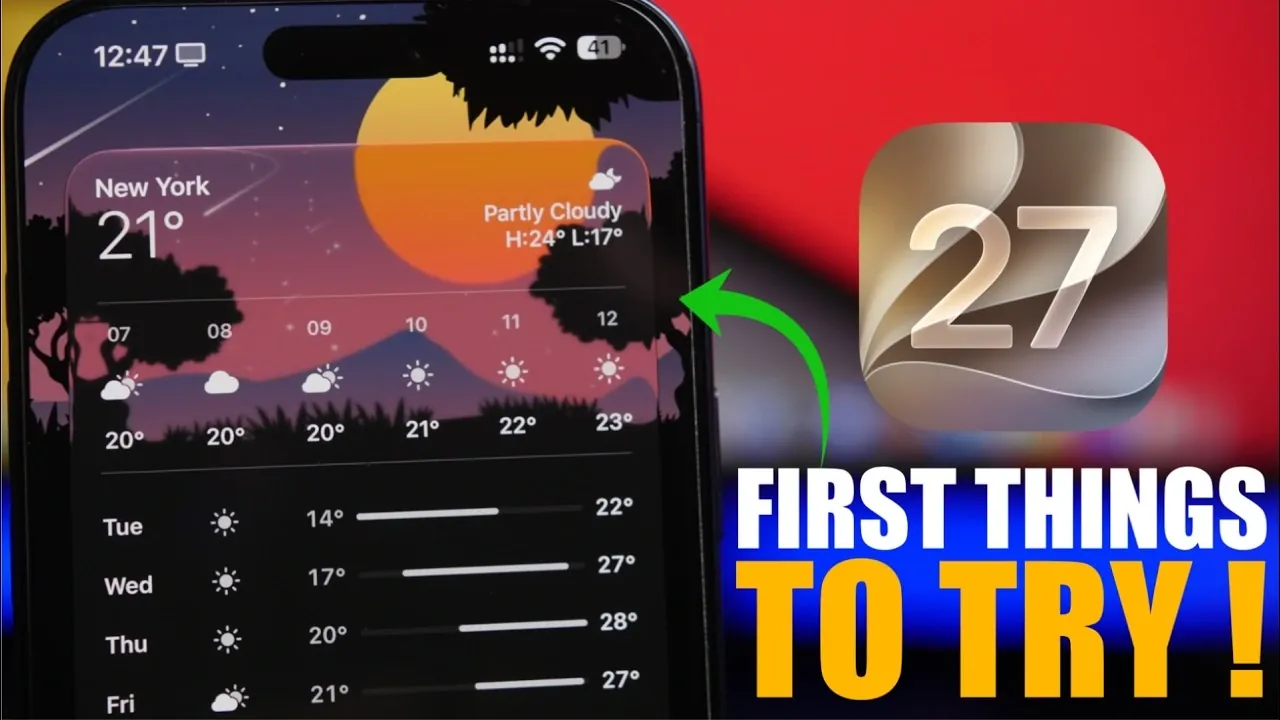
iOS 27 brings a host of new features designed to enhance customization, improve efficiency, and elevate the overall user experience. Whether you’re managing tasks, communicating, or personalizing your device, this update introduces tools that streamline daily interactions and make your device more intuitive. Below are the top 10 features you should explore to make the most of iOS 27.

1. Smarter Siri with Advanced AI
Siri in iOS 27 is now equipped with advanced AI capabilities, making it more proactive and context-aware. It can perform tasks based on your recent activity, such as locating specific photos, suggesting actions, or executing text-based commands. For instance, you can ask Siri to “find photos from last weekend” or “send a message to the team about the meeting.” This deeper integration transforms Siri into a highly intuitive assistant, helping you stay productive and organized.
2. Interactive Widgets for Seamless Access
Widgets in iOS 27 have been upgraded to offer larger, interactive designs that enhance functionality. Apps like Weather, Notes and Music now support full-page widgets, allowing you to interact with content directly from your home screen. For example, you can check detailed weather forecasts, edit notes, or control music playback without opening the respective apps. These interactive widgets simplify multitasking and improve your workflow by reducing unnecessary steps.
3. Automated Screen Recording Edits
Screen recording has become smarter with the introduction of automatic trimming. When you stop recording, iOS 27 automatically removes the final segment where you end the session. This eliminates the need for manual edits, allowing you to share polished recordings instantly. Whether you’re creating tutorials, sharing gameplay, or troubleshooting, this feature saves time and ensures a more professional result.
4. Drawing Tools in Messages
The Messages app now includes built-in drawing and markup tools, allowing you to create custom sketches or annotate images directly within iMessage. This feature is perfect for adding a personal touch to conversations, sharing quick diagrams, or collaborating visually. Whether you’re brainstorming ideas or simply having fun, these tools make communication more creative and engaging.
5. Adjustable Camera Filters
Photography enthusiasts will appreciate the new filter customization options in the Camera app. With an adjustable intensity slider, you can fine-tune the strength of filters applied to your photos. This allows for greater creative control, whether you’re enhancing a landscape shot or experimenting with artistic effects. Additionally, you can reset filters to their default settings if needed, making sure flexibility in your editing process.
6. Clipboard Preview for Accuracy
The new clipboard preview feature makes copying and pasting more efficient. Whenever you copy text, links, or images, a preview appears above the keyboard, allowing you to confirm the content before pasting it. This reduces errors and speeds up multitasking, especially when working across multiple apps or managing detailed information.
7. Smarter File Organization
The Files app in iOS 27 introduces intelligent folder naming suggestions based on the content you add. For example, if you’re creating a folder for vacation photos, the app might suggest names like “Summer Trip” or “Beach Memories.” This feature simplifies organization, saving you time and effort while keeping your files neatly categorized.
8. Enhanced Photo Cleanup Options
Photo editing is now more efficient with the addition of automatic cleanup modes. You can choose between fast, high-quality, or standard cleanup options to remove blemishes, adjust lighting, or enhance details. These modes cater to different editing needs, making sure your photos always look polished and professional without requiring extensive manual adjustments.
9. Dynamic Island Timer
The Dynamic Island feature now supports quick timer setup, allowing you to set durations ranging from one minute to two hours directly from the interface. This is particularly useful for tasks like cooking, workouts, or setting reminders. The seamless integration of this feature ensures you can manage your time effectively without navigating through multiple menus.
10. Flexible Location Sharing
The Find My app introduces customizable location-sharing options, giving you more control over your privacy. You can now set specific durations for sharing your location, ranging from a few minutes to several days. This flexibility is ideal for coordinating meetups, making sure safety during travel, or sharing your whereabouts temporarily without compromising long-term privacy.
Unlock the Potential of iOS 27
iOS 27 is packed with features that emphasize usability, customization, and efficiency. From the smarter Siri integration and interactive widgets to enhanced photo editing and file management, these updates are designed to make your device more intuitive and powerful. By exploring these features, you can unlock new ways to streamline your daily tasks and enhance your overall experience with iOS 27.
Browse through more resources below from our in-depth content covering more areas on iOS 27 Features.
- iOS 27: Features That Change Everything
- iOS 27: Apple’s Massive Siri AI Upgrade Finally Delivers
- Apple’s iOS 27: Here Are the Features That Matter
- Apple iOS 27 Reportedly Resolves a Major iPhone Problem
- New AirPods Features Coming to Your iPhone in iOS 27
Source & Image Credit: iReviews
Disclosure: Some of our articles include affiliate links. If you buy something through one of these links, Geeky Gadgets may earn an affiliate commission. Learn about our Disclosure Policy.
