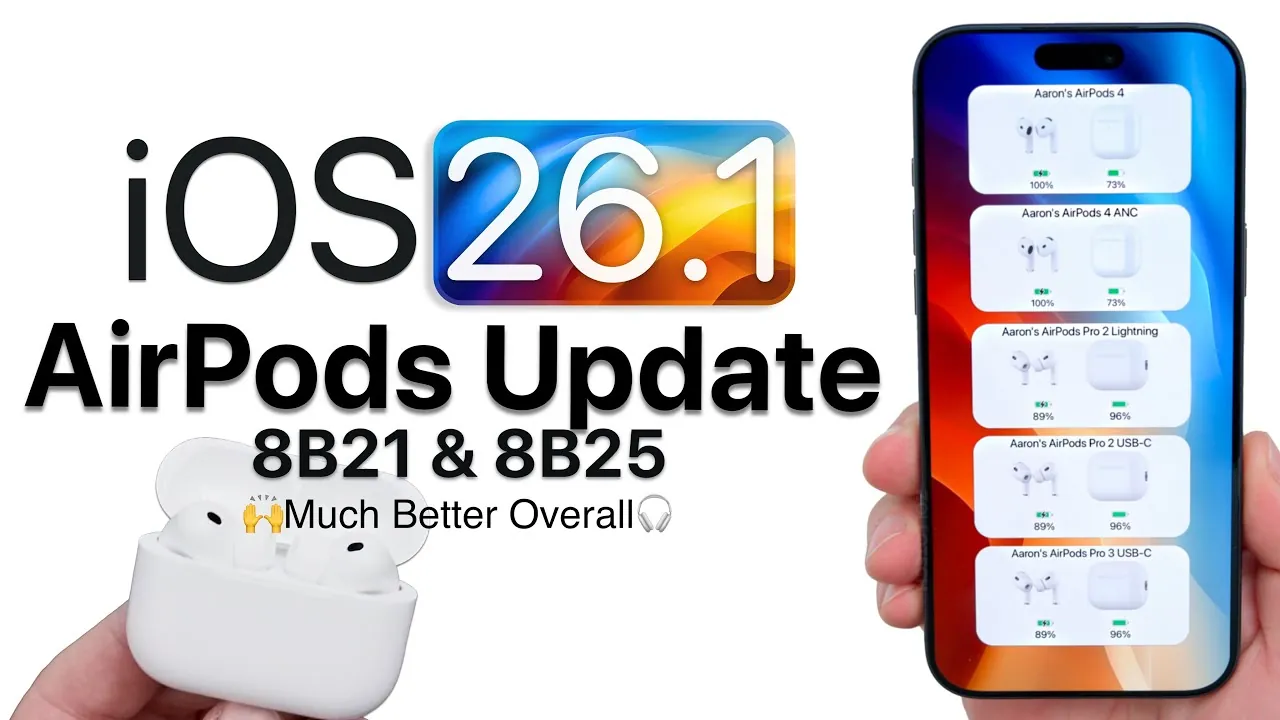
Apple has rolled out firmware update 8B25 for select AirPods models, including the AirPods Pro 2 (both Lightning and USB-C variants), AirPods Pro 3, and AirPods 4. This update aims to enhance performance and resolve several user-reported issues, though Apple has offered limited specifics about the changes. If you own one of these models, understanding the update’s features, compatibility, and installation process can help you make the most of your AirPods. The video below from Zollotech gives us more details about the latest AirPods update.
Firmware Versions and Device Compatibility
The firmware update introduces version 8B25 for the AirPods Pro 3, while the AirPods Pro 2 and AirPods 4 receive version 8B21. Notably, this release excludes updates for the AirPods Max and earlier AirPods models. Designed to align with iOS 26.1, the update ensures seamless compatibility with Apple’s latest software, offering improved functionality for supported devices.
This compatibility ensures that users with the latest iOS version can enjoy a more integrated and optimized experience. However, users of older AirPods models may need to wait for future updates or consider upgrading to newer devices to benefit from these enhancements.
Steps to Install the Update
Installing the firmware update is an automated process, but there are steps you can take to ensure the update is applied successfully:
- Ensure your AirPods and iPhone are charged to at least 50% to avoid interruptions during the update.
- Play audio briefly through your AirPods, then place them back in their charging case.
- Keep your AirPods near your iPhone, as the update typically installs automatically within 15 minutes.
- For potentially faster results, connect your AirPods to a Mac, as this may accelerate the update process.
While the process is straightforward, it requires patience, as updates occur in the background without direct user input. Making sure your devices are adequately charged and within proximity can help avoid delays or incomplete installations.
Key Improvements in the Update
Firmware update 8B25 introduces several enhancements aimed at improving the overall user experience. Key improvements include:
- Enhanced wireless connectivity, addressing issues where only one AirPod would connect at a time.
- Faster auto-pause and resume functionality, improving responsiveness when removing or reinserting AirPods.
- Reduced crackling sounds and playback delays, offering a smoother listening experience.
These updates are particularly beneficial for users who have experienced persistent connectivity challenges or delays in playback. By addressing these issues, Apple aims to provide a more reliable and enjoyable experience for AirPods users.
Unresolved Issues and Limitations
Despite the improvements, some issues remain unresolved. Users have reported a low-pitched hum when active noise cancellation is enabled, which can detract from the overall listening experience. Additionally, microphone gain adjustments continue to be inconsistent, particularly when pairing AirPods with iPads or iPhones.
It is also unclear whether this update includes preparations for upcoming iOS 26.2 features, such as live translation. These limitations highlight areas where further development is needed, leaving room for future updates to address these concerns.
Sound Quality and Feature Observations
Although Apple has not explicitly mentioned changes to sound quality, some users have observed subtle shifts in audio profiles. For instance, the AirPods Pro 2 now sound slightly closer to the AirPods Pro 3, though the differences are minimal. Noise cancellation and transparency modes appear unchanged, suggesting that Apple may focus on refining these features in future updates.
These observations indicate that while the update brings noticeable improvements in connectivity and responsiveness, sound quality adjustments remain subtle and may not be immediately apparent to all users.
Transparency in Release Notes
Apple’s limited release notes make it challenging to fully understand the scope of changes introduced by this update. While the improvements are welcome, greater transparency in detailing the specific enhancements and fixes would help users better evaluate the benefits of each firmware release. Clearer communication could also foster trust and confidence in Apple’s commitment to improving its AirPods lineup.
By providing more detailed release notes, Apple could empower users to make informed decisions about their devices and better understand the value of each update.
Looking Ahead
Firmware update 8B25 for the AirPods Pro 3 and 8B21 for the AirPods Pro 2 and AirPods 4 delivers meaningful improvements in connectivity and responsiveness. However, unresolved issues such as microphone inconsistencies and noise cancellation hums highlight areas where further refinement is needed. While this update represents progress, Apple’s limited communication about the changes leaves room for improvement.
For now, users can enjoy a more reliable listening experience and look forward to future updates that may address remaining concerns and introduce new features. By staying informed and proactive, you can ensure your AirPods continue to deliver the high-quality performance you expect.
Unlock more potential in AirPods firmware update by reading the previous articles we have written.
- How to Update AirPods Firmware to Beta Version on iOS 18.4
- AirPods Firmware Update 7E99 & 7E93: What You Need to Know
- How to Update AirPods Firmware to Beta Version: Complete Guide
- iOS 26 AirPods Firmware 8A358: Features, Fixes, and Updates
- How to Update Your AirPods Firmware (Easy Steps)
Source & Image Credit: zollotech
Disclosure: Some of our articles include affiliate links. If you buy something through one of these links, Geeky Gadgets may earn an affiliate commission. Learn about our Disclosure Policy.
