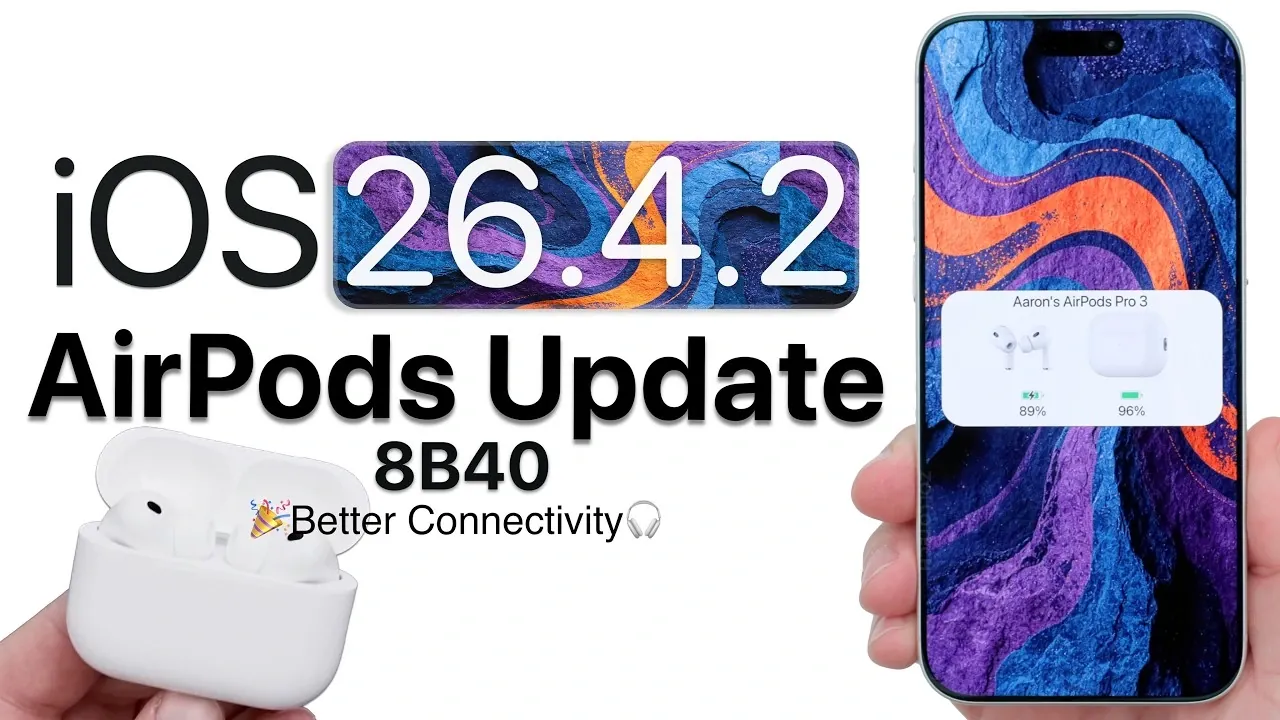
Apple has rolled out firmware update 8B40, exclusively designed for the AirPods Pro 3, introducing a range of enhancements aimed at improving wireless connectivity, audio performance, and noise cancellation. This update is tailored to refine the overall listening experience for AirPods Pro 3 users, addressing several common concerns. However, it does not extend to other models like the AirPods Pro 2 or AirPods Max 2, leaving some users with unresolved issues. For those who own the AirPods Pro 3, this update represents an opportunity to enjoy a more seamless and polished audio experience. The video below from Zollotech gives us more details on the update.

Who Gets the Update?
The 8B40 firmware update is specifically targeted at AirPods Pro 3, excluding other AirPods models such as the AirPods Pro 2 and AirPods Max 2. This selective release strategy has drawn attention to a gap in Apple’s update approach, as users of other models continue to face issues like connectivity glitches and inconsistent battery performance. While the update brings notable improvements for AirPods Pro 3 users, the lack of simultaneous updates across the AirPods lineup may leave some customers feeling overlooked.
This approach underscores the importance of addressing the broader needs of Apple’s diverse user base. By focusing solely on one model, Apple risks alienating users of other devices who may feel their concerns are not being prioritized.
How to Install the Update
The installation of firmware update 8B40 is an automatic process, provided certain conditions are met:
- Your AirPods Pro 3 must have a battery charge of at least 50%.
- The earbuds should be within close proximity to a paired iOS device running iOS version 26.4.2 or later.
Once these criteria are satisfied, the update will install in the background without requiring user intervention. However, Apple does not currently offer a manual update option, which can leave users uncertain about the status of their firmware. To verify if your AirPods Pro 3 have been updated, you can check the firmware version by navigating to the Bluetooth settings on your paired iOS device. This lack of transparency in the update process has been a recurring concern among users, highlighting the need for a more user-friendly approach.
What’s Improved?
Firmware update 8B40 introduces several key enhancements designed to elevate the performance of the AirPods Pro 3:
- Faster and more stable wireless connectivity, particularly when switching between Apple devices.
- Enhanced auto-switching functionality, making sure smoother transitions between devices like iPhones, iPads and Macs.
- Reduced static and background noise in both noise cancellation and transparency modes, resulting in clearer audio.
- Improved responsiveness for pause and resume functions, especially when removing or reinserting the earbuds.
- Potentially deeper and more dynamic bass response, though this may vary based on individual listening preferences.
These updates address several common complaints, such as connectivity instability and inconsistent audio quality, offering a more refined and enjoyable user experience. The improvements in noise cancellation and transparency modes are particularly noteworthy, as they enhance the versatility of the AirPods Pro 3 in various environments.
What Issues Remain?
Despite the advancements introduced by firmware update 8B40, certain issues persist. Some users have reported occasional audio quality degradation and intermittent disconnections when using the AirPods Pro 3 with Mac devices. Additionally, the charging case’s battery life remains inconsistent, with reports of faster-than-expected battery drain in some cases. These ongoing challenges suggest that while the update is a step forward, there is still room for further refinement in future releases.
The absence of a manual update option also continues to frustrate users, as it limits their ability to take control of the update process. Addressing these concerns in subsequent updates could significantly enhance the overall user experience and satisfaction.
What Users Want in Future Updates
Apple’s approach to firmware updates has sparked several suggestions from users seeking a more comprehensive and transparent update process. Key recommendations include:
- Simultaneous updates for all AirPods models to ensure consistent functionality and performance across the lineup.
- Detailed release notes accompanying firmware updates, providing clear information about changes, fixes and improvements.
- A manual update option within device settings, allowing users to initiate updates at their convenience.
Implementing these features would address many of the frustrations currently experienced by AirPods users, fostering greater trust and satisfaction in Apple’s commitment to improving its products.
Additional Insights
While the update brings noticeable improvements to noise cancellation, some users may achieve better results by experimenting with settings such as disabling adaptive noise cancellation in certain environments. This can help tailor the listening experience to individual preferences and specific use cases. Additionally, the enhanced auto-switching functionality is particularly beneficial for users who frequently transition between multiple Apple devices, offering a more seamless and intuitive experience.
Beyond the listed improvements, no major changes have been identified in this firmware version. However, users who rely heavily on features like transparency mode or auto-switching are likely to notice a smoother and more reliable performance after updating.
Final Thoughts
Firmware update 8B40 for the AirPods Pro 3 delivers meaningful enhancements in key areas such as connectivity, noise cancellation and audio performance. While these improvements are a welcome addition, the update also highlights areas where Apple’s update strategy could be more inclusive and user-focused. The lack of a manual update option and unresolved issues with battery life and Mac connectivity remain points of concern.
For AirPods Pro 3 users, this update represents a valuable opportunity to enjoy a more refined listening experience. To ensure you benefit from these enhancements, make sure your AirPods Pro 3 are updated to the latest firmware version. Looking ahead, addressing user feedback and expanding the scope of updates across the AirPods lineup could further solidify Apple’s reputation for delivering high-quality audio products.
Take a look at other insightful guides from our broad collection that might capture your interest in AirPods Pro 3 firmware update.
- AirPods Pro iOS 26.4 Guide: New Firmware 8B39, Battery Fixes
- AirPods Update 8B34: Unlocking the Best of iOS 26.2
Source & Image Credit: zollotech
Disclosure: Some of our articles include affiliate links. If you buy something through one of these links, Geeky Gadgets may earn an affiliate commission. Learn about our Disclosure Policy.
