
Apple recently released their first public beta of the software and they also released iOS 17 beta 3 to developers, we have already seen a number of videos of iOS 17 in action and now we have another video.
The new video is from Brian Tong and it gives us a detailed look at some of the new iOS 17 features, these include the new Cobntact Posters, Standby Mode, Visual Voicemail, and many more.
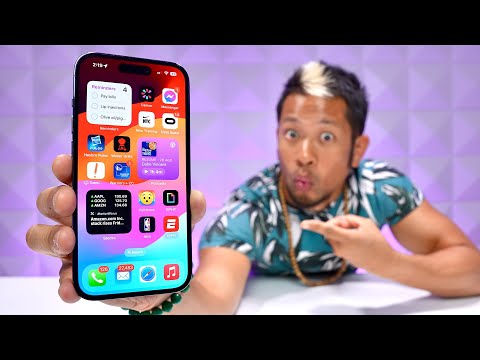
Here are more details on some of the new features that were featured in the video, iOS 17 certainly looks like a really interesting update for the iPhone from what we have seen so far.
Contact Posters: A Personalized Touch
The iOS 17 update introduces the ‘Contact Posters’ feature, a creative tool that allows users to customize and share their contact cards in visually appealing ways. With a variety of styles, colors, and fonts to choose from, users can even incorporate their own photos to create a truly personalized contact card.
Name Drop and Airdrop: Sharing Made Simple
The ‘Name Drop’ feature is another exciting addition that simplifies the process of sharing contact information. By merely bringing two iPhones close together, users can share their details seamlessly. The updated Airdrop feature further enhances the sharing experience, allowing users to easily share photos, web pages, and even songs on Apple Music.
Standby Mode: Your iPhone as a Display
Standby Mode is a unique feature that transforms your iPhone into a customizable display. Whether you’re in the kitchen or by your bedside table, you can add widgets for various apps, access photo galleries, and view different clock faces. Live notifications, such as timers or sports scores, can also be displayed, keeping you updated at all times.
Visual Voicemail: Real-Time Transcription
iOS 17 brings a significant upgrade to voicemail with the ‘Visual Voicemail’ feature. This feature provides a live transcription of incoming calls, allowing users to see what the caller is saying in real time. This can be particularly helpful in deciding whether to answer the call or not.
Interactive Widgets: Quick Access to Your Favorite Apps
The home screen widgets are now interactive, providing quick access to your favorite apps. Whether you want to play podcasts, check reminders, control smart home devices, or view stock information, you can do it all directly from the widget.
Offline Maps: Navigate Without Internet
Apple Maps now offers the ability to download maps for offline use. This feature is particularly useful in areas with poor signal, ensuring that you never lose your way.
Pet Recognition in Photos: Find Your Furry Friends
The Photos app now has the ability to recognize and name pets. This feature allows users to easily find photos of their furry friends, making it a fun and useful tool for pet owners.
Mood Tracking in Health App: Monitor Your Mental Health
The Health app now includes a feature for tracking mood and thoughts. This can be a valuable tool for monitoring mental health, providing insights into your emotional well-being.
FaceTime Video Voicemails and Reactions: Enhance Your Communication
FaceTime now allows users to leave video voicemails if the recipient doesn’t answer. Additionally, it introduces new reactions triggered by gestures made on camera, adding a new dimension to your video calls.
Shared AirTag: Keep Track Together
An AirTag’s location can now be shared with up to five people. This feature makes it a useful tool for families, ensuring everyone stays connected and informed about the whereabouts of shared items.
In conclusion, the iOS 17 update is packed with features designed to enhance user experience and provide more personalized and interactive ways to use your iPhone. From customizable contact posters to interactive widgets, real-time call transcriptions, and shared AirTags, Apple continues to redefine the boundaries of technology with its innovative features. We are expecting the iOS 17 software update to be released in September along with the new iPhone 15, as soon as we get some details on a release date, we will let you know.
Source & Image Credit: Brian Tong
Disclosure: Some of our articles include affiliate links. If you buy something through one of these links, Geeky Gadgets may earn an affiliate commission. Learn about our Disclosure Policy.
