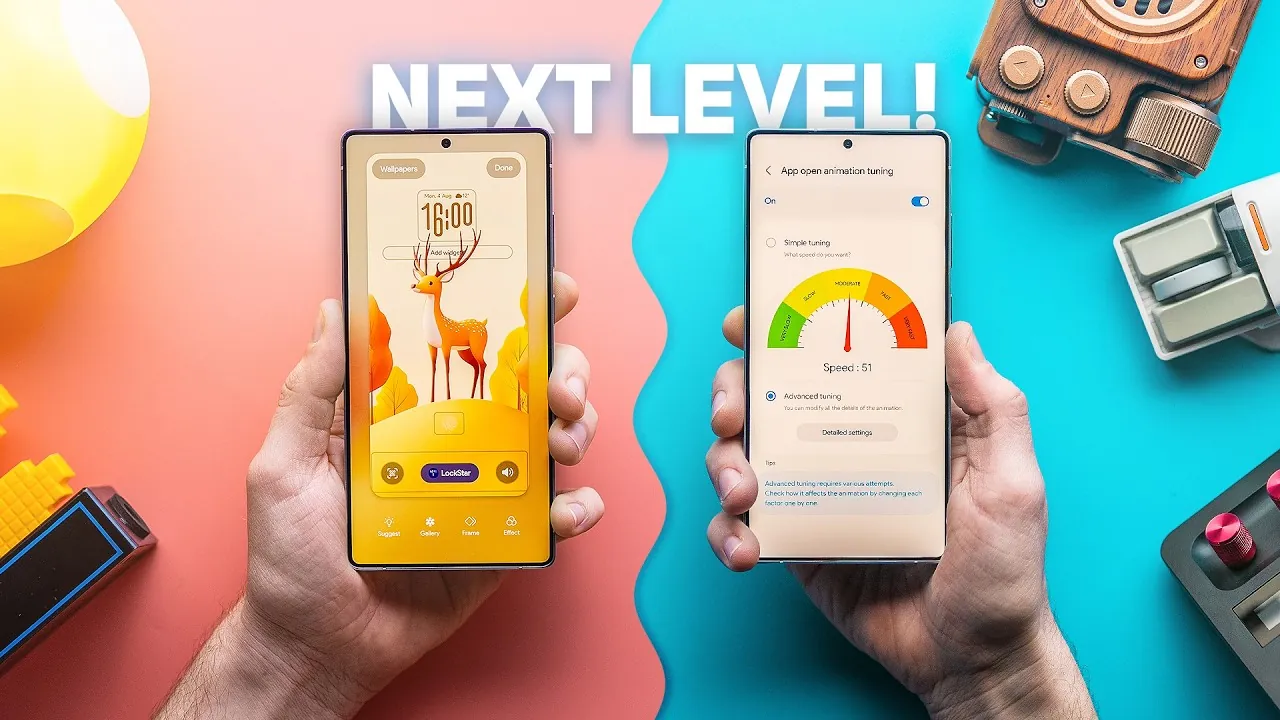
Samsung’s One UI 8 introduces a variety of features aimed at enhancing your smartphone experience. With a focus on customization, AI-powered tools, and usability improvements, this update provides practical ways to personalize your device while optimizing its performance. In the video below, Sam Beckman explores the most impactful features and how they can elevate the way you use your Samsung smartphone.

Lock Screen Customization: Make It Yours
One UI 8 offers advanced lock screen customization, allowing you to control both its appearance and functionality. The adaptive clock dynamically adjusts to complement your wallpaper, creating a cohesive and polished aesthetic. By using the Good Lock app, you can further personalize your lock screen by tweaking fingerprint unlock animations or hiding specific elements like the clock. Additionally, you can assign different clock styles for the lock screen and Always-On Display, making sure a tailored experience that reflects your preferences. These features make your lock screen not just functional but uniquely yours.
Home Screen Enhancements: Personalize Your Space
Your home screen becomes a canvas for personalization with One UI 8. You can create custom grid layouts for precise placement of icons and widgets, giving you greater control over your device’s interface. For a cleaner look, you can remove page indicator icons, reducing visual clutter. Enhanced app opening and closing animations, combined with subtle blur effects, add a refined touch to transitions. These updates ensure your home screen is not only visually appealing but also optimized for functionality, allowing you to create a space that feels uniquely yours.
Quick Settings and Notifications: Simplify Navigation
One UI 8 simplifies navigation by merging quick settings and notifications into a unified panel. This streamlined design reduces clutter and improves accessibility, making it easier to manage your device. The enhanced quick share interface further boosts efficiency, allowing you to send photos, videos, and documents with fewer steps. Whether you’re adjusting settings or sharing files, these improvements save time and effort, making sure a smoother user experience.
Edge Panel Improvements: Multitask with Ease
The Edge Panel receives significant upgrades, making multitasking more efficient. You can now customize app launch modes and expand app views directly from the panel, tailoring it to suit your workflow. This feature allows you to access frequently used apps and tools with minimal effort, enhancing productivity. Whether you’re switching between tasks or managing multiple apps, the improved Edge Panel ensures seamless multitasking.
Predictive Back Gesture: Navigate Smarter
Navigating your device becomes more intuitive with the predictive back gesture. This feature previews the screen you’re about to navigate to before completing the gesture, reducing accidental actions and improving usability. It’s a subtle yet impactful addition that enhances the fluidity of your interactions, making navigation smoother and more predictable.
Galaxy Enhance X App: AI-Powered Media Refinement
The Galaxy Enhance X app uses AI to elevate your photos and videos. With features like reflection removal, blur correction, and camera angle adjustments, this tool delivers professional-grade results with minimal effort. Whether you’re editing a portrait or enhancing a landscape shot, the app ensures your media looks its best with just a few taps. This AI-powered tool is a fantastic option for anyone looking to improve their media without the need for advanced editing skills.
Good Lock Modules: Unlock Advanced Customization
Samsung’s Good Lock app expands your customization options with specialized modules designed to enhance your device’s functionality. Key modules include:
- HomeUp Module: Customize home screen layouts and gesture animations, giving you greater control over your device’s interface.
- Display Assistant Module: Manage app-specific screen timeout settings, adjust adaptive brightness speed, and control refresh rates to optimize battery life. The screen curtain feature adds a low-power overlay, keeping apps active while conserving energy.
These modules empower you to fine-tune your device, making sure it meets your specific needs and preferences.
Now Brief Updates: Stay Organized and Informed
The Now Brief feature becomes even more useful with new content options. Parking reminders help you keep track of your car’s location, while improved YouTube recommendations make it easier to discover relevant videos. These updates transform your smartphone into a more helpful companion, streamlining your daily tasks and keeping you informed.
Enhanced Usability and Personalization
Samsung’s One UI 8 redefines what it means to have a personalized and efficient smartphone experience. From lock screen customization to AI-powered media enhancements, these features empower you to tailor your device to your unique needs. By integrating advanced tools and intuitive design elements, Samsung ensures that your smartphone is not only functional but also a reflection of your personal style. With One UI 8, your device becomes a smarter, more versatile tool that adapts to your lifestyle.
Here is a selection of other guides from our extensive library of content you may find of interest on Samsung One UI 8.
- Samsung Expands One UI 8.0 Beta to More Galaxy Devices
- Samsung One UI 8 Features: Top 10 Updates You Should Know
- Samsung One UI 8 Beta Features and Device Compatibility
- Samsung One UI 8 Watch Adds New Fitness Features
- Samsung One UI 8 Update: Features, Release Date, and Design
Source & Image Credit: Sam Beckman
Disclosure: Some of our articles include affiliate links. If you buy something through one of these links, Geeky Gadgets may earn an affiliate commission. Learn about our Disclosure Policy.
