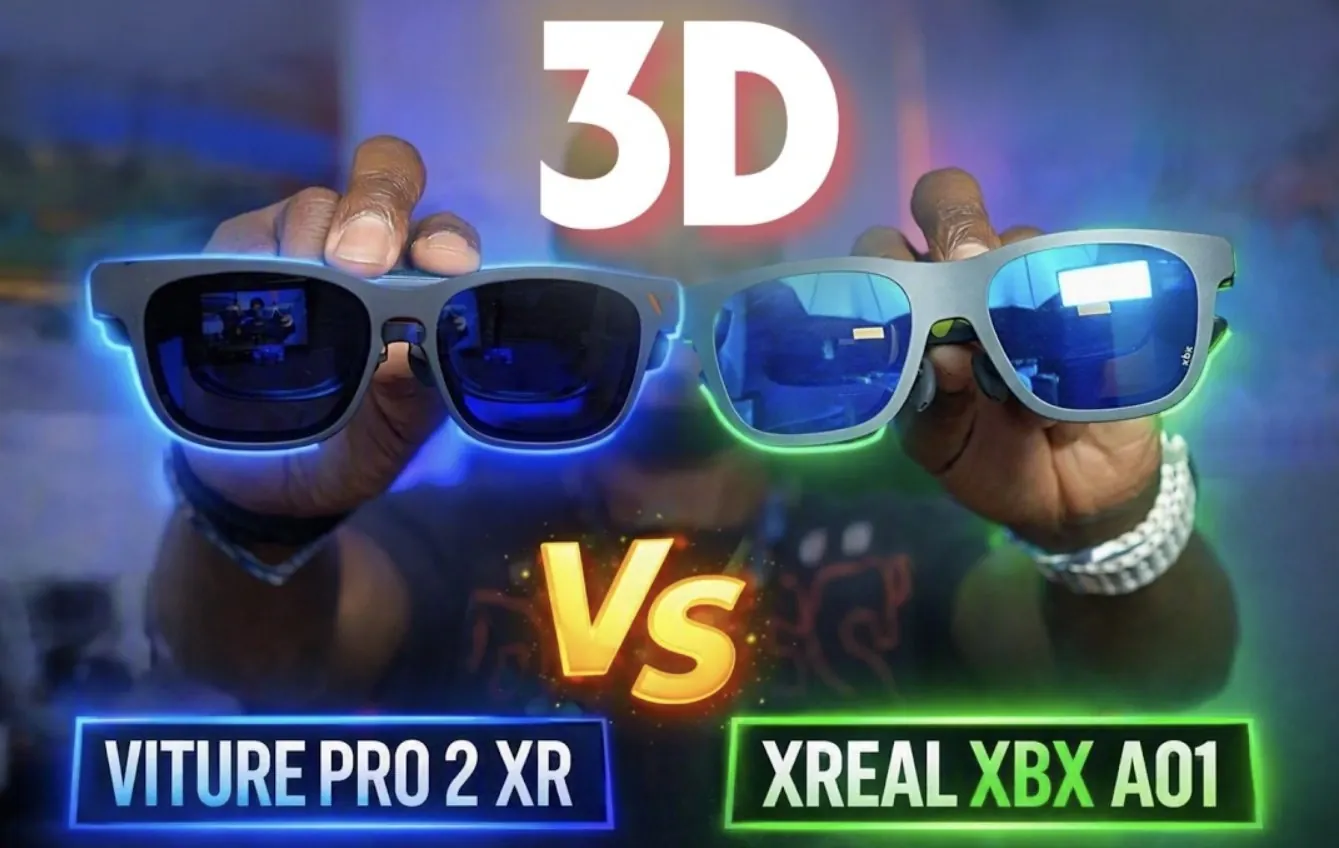
Extended reality (XR) glasses are becoming increasingly versatile, offering features that cater to diverse user needs. In this breakdown, Kola compares two popular models: the Viture Pro 2 XR and the XREAL XPX A01+. Both devices are priced at $299, yet they take distinct approaches to design and functionality. For instance, the Viture Pro 2 XR includes built-in diopters for vision correction, simplifying use for glasses wearers but potentially limiting peripheral vision. In contrast, the XREAL XPX A01+ opts for customizable lens adapters, maintaining a broader field of view while accommodating vision needs.
Explore how these models differ in areas such as comfort, image quality and multitasking capabilities. You’ll gain insight into the XREAL XPX A01+’s stabilization technology, which minimizes eye strain during extended use and the Viture Pro 2 XR’s Spacewalker app, which enhances multitasking and 3D content support. By the end of this guide, you’ll have a clearer understanding of which XR glasses align best with your preferences and priorities.
Prioritizing Comfort for Extended Use
TL;DR Key Takeaways :
- Both the Viture Pro 2 XR and XREAL XPX A01+ are priced at $299, with key differences in design, comfort and features catering to varied user preferences.
- The XREAL XPX A01+ offers superior comfort with a lighter, adjustable design and stabilization features, while the Viture Pro 2 XR focuses on simplicity but may feel heavier during extended use.
- For vision support, the Viture Pro 2 XR includes built-in diopters for convenience, whereas the XREAL XPX A01+ uses lens adapters, maintaining better peripheral visibility.
- The XREAL XPX A01+ excels in HDR support, audio quality and stabilization, making it ideal for users prioritizing visual and sound performance, while the Viture Pro 2 XR shines in 3D content, gaming and multitasking capabilities.
- Connectivity differs, with the Viture Pro 2 XR offering USB-C compatibility and the XREAL XPX A01+ relying on proprietary accessories, impacting their versatility and ease of use.
Design and Weight
When it comes to XR glasses, comfort plays a crucial role, especially for prolonged usage. The design and weight of these devices significantly impact user experience.
- Viture Pro 2 XR: Weighing 65 grams, including diopters or a lens adapter, this model adopts a fixed design that emphasizes simplicity. However, the added weight may become noticeable during extended sessions, potentially affecting comfort.
- XREAL XPX A01+: Starting at 60 grams, its weight can be further reduced to 55 grams by removing the faceplate. With a lens adapter, it weighs 58 grams. The removable faceplate not only enhances flexibility but also makes it a more lightweight and adjustable option, ideal for users prioritizing comfort.
Vision Support: Built-In Convenience vs Customizable Flexibility
For users who require vision correction, the approach to accommodating glasses wearers differs between the two models.
- Viture Pro 2 XR: Features built-in diopters, eliminating the need for external accessories. While this design simplifies usage, it may restrict peripheral vision, which could impact the overall viewing experience.
- XREAL XPX A01+: Does not include built-in diopters but supports lens adapters, offering a customizable solution. This approach maintains peripheral visibility, providing a more natural and expansive field of view for users who wear glasses.

Enhance your knowledge on XR Glasses by exploring a selection of articles and guides on the subject.
- $159 AOC Air Mega AR Glasses Focus on Casual 1080P Gaming
- XREAL Aura : Inside the $1,500 Spatial Computing Smart Glasses
- VITURE Pro 2 XR Glasses Remove Harman Audio to Hit $299 Price Tag
- Xreal 1 Pro vs Viture Beast: Best 2026 XR Glasses for Multitasking and Portable Work
- URXR One vs XREAL Aura: AR Glasses Specs and Features Compared
- Why Google’s New Audio Glasses Could Change How You Navigate the World
- Why Xreal Aura’s $1,500 AR Glasses Are Ditching Traditional VR for Spatial Computing
- XREAL Aura Might Make Apple’s $3,500 Vision Pro Pointless
- RayNeo Air 4 Pro Offers Dual Micro OLED Displays For $239
- Meet XREAL’s $1,500 Aura XR Glasses Coming in Fall 2026
Field of View and Immersion: Enhancing the Viewing Experience
Both devices offer a 50° field of view, but their designs influence how immersive the experience feels.
- Viture Pro 2 XR: Incorporates a shade to block light reflections, making it particularly effective in bright environments. This feature enhances immersion by reducing distractions caused by external light sources.
- XREAL XPX A01+: Features a thinner design that improves peripheral visibility. This open and natural viewing experience may appeal to users who prefer a less enclosed feel while using XR glasses.
Stabilization and Eye Comfort: Reducing Fatigue
Prolonged use of XR glasses can lead to eye strain, making stabilization technology an important consideration.
- XREAL XPX A01+: Includes a stabilizer with a follow mode, which actively reduces eye strain and enhances overall comfort during extended sessions. This feature is particularly beneficial for users who plan to use the glasses for long periods.
- Viture Pro 2 XR: Does not offer stabilization features, which may result in increased discomfort or fatigue over time, especially for users sensitive to motion or prolonged screen use.
Visual Quality: The Impact of HDR Support
Image quality is a critical factor for XR glasses and High Dynamic Range (HDR) technology plays a significant role in enhancing visuals.
- XREAL XPX A01+: Supports AI HDR and HDR10, delivering superior contrast, color accuracy and overall image quality. This makes it a strong choice for users who prioritize vibrant and lifelike visuals.
- Viture Pro 2 XR: Lacks HDR capabilities, which may result in less dynamic and visually engaging content compared to its competitor.
Audio Performance: Sound Quality Matters
Audio quality can significantly influence the overall XR experience, particularly for gaming or multimedia use.
- XREAL XPX A01+: Offers enhanced audio performance with richer mid-range and bass tones. This makes it an excellent choice for users who value immersive sound quality alongside visual performance.
- Viture Pro 2 XR: Provides adequate audio output but falls short in comparison to the XREAL XPX A01+, especially for users seeking a more robust audio experience.
3DoF and Multi-Window Functionality: Multitasking Made Easy
Both devices support three degrees of freedom (3DoF) and multi-window functionality, but their approaches differ in execution.
- Viture Pro 2 XR: Enhances multitasking capabilities through its Spacewalker app, which offers additional multi-window options. Pairing it with the Viture Pro Neckband further expands its functionality, making it a versatile tool for productivity and entertainment.
- XREAL XPX A01+: Delivers similar features when paired with the XREAL Beam Pro. However, it lacks the added flexibility provided by the Spacewalker app, which may limit its appeal for users seeking advanced multitasking options.
3D Content and Gaming: Immersion for Enthusiasts
For users interested in 3D content and gaming, the differences between the two models are notable.
- Viture Pro 2 XR: Supports 3D content for YouTube and local files via the Spacewalker app, as well as immersive 3D gaming. This makes it an excellent choice for users who prioritize 3D experiences and gaming immersion.
- XREAL XPX A01+: Requires additional accessories, such as the N Air Pod, to access 3D content. It does not support immersive 3D for local files or YouTube, which may limit its appeal for 3D-focused users.
Connectivity and Accessories: Flexibility vs Proprietary Design
The way these devices connect and expand their functionality can influence their overall versatility.
- Viture Pro 2 XR: Utilizes USB-C for universal compatibility, making it easy to connect to a variety of devices. However, it requires an adapter to connect to the Pro Neckband, which may add a layer of complexity for some users.
- XREAL XPX A01+: Relies on proprietary accessories, which can limit its versatility. While these accessories enhance functionality, they may not appeal to users who prefer a more open and adaptable design.
Choosing the Right XR Glasses for Your Needs
Selecting between the Viture Pro 2 XR and XREAL XPX A01+ ultimately depends on your specific priorities and preferences.
- Viture Pro 2 XR: Stands out for its immersive 3D capabilities, built-in diopters and multitasking features, making it an excellent choice for users focused on 3D content, gaming and vision correction.
- XREAL XPX A01+: Excels in weight management, stabilization, HDR support and audio quality, appealing to those who prioritize comfort, visual performance and sound quality.
Carefully consider what matters most to you, whether it’s 3D immersion, visual quality, comfort, or multitasking capabilities, and choose the XR glasses that best meet your needs.
Media Credit: Kola
Disclosure: Some of our articles include affiliate links. If you buy something through one of these links, Geeky Gadgets may earn an affiliate commission. Learn about our Disclosure Policy.
