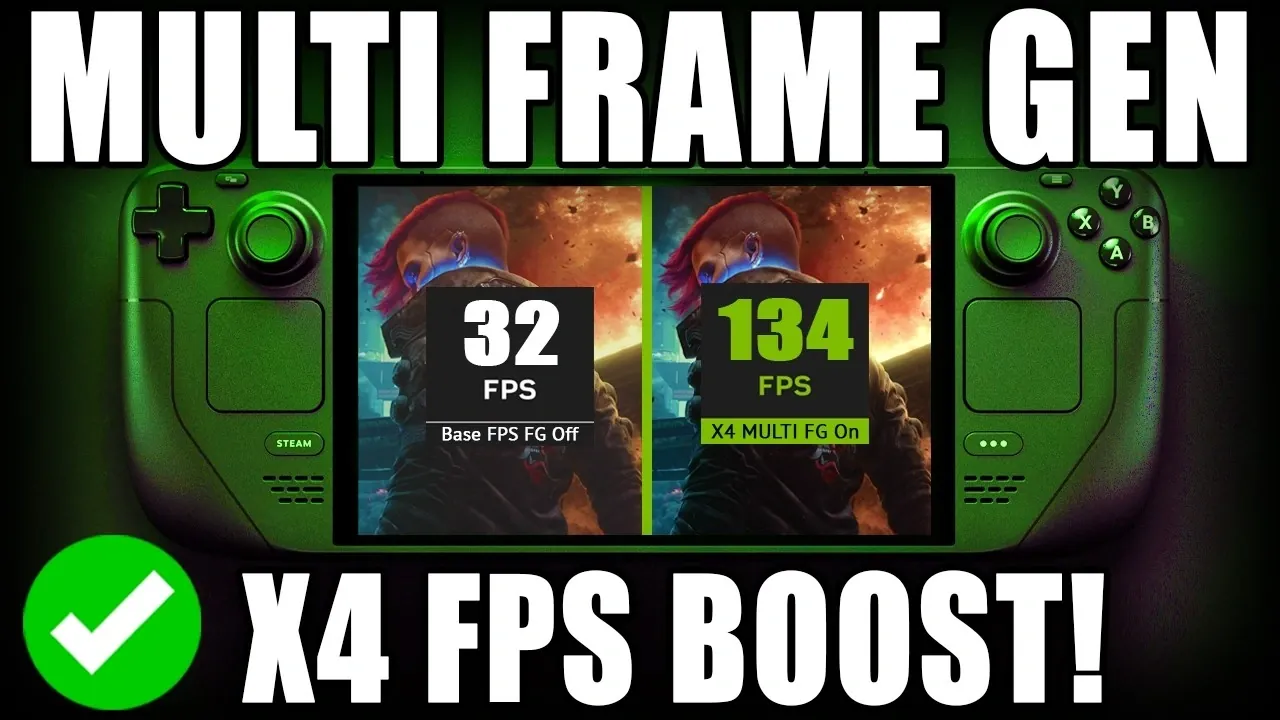
The Steam Deck has taken a significant step forward in portable gaming with the introduction of the DLSS Enabler plug-in, a feature designed to bridge Nvidia-exclusive technologies and AMD hardware. Developed with input from the gaming community, this plug-in enables DLSS4 multi-frame generation, allowing supported games to achieve up to four times the frames per second. Deck Wizard highlights how this technology works by emulating Nvidia GPU functionality, bringing features like dynamic frame generation and resolution scaling to games such as Cyberpunk 2077. This advancement makes it possible for the Steam Deck to handle graphically demanding titles with improved efficiency and smoother performance.
In this guide, you’ll explore how to install and configure the DLSS Enabler plug-in, including steps for linking DLL files and adjusting resolution scaling. Gain insight into the customization options available, such as selecting upscaling methods like FSR4 to balance performance and visual fidelity. Additionally, learn about the challenges of using the plug-in with unsupported games and how to troubleshoot compatibility issues. Whether you’re aiming for higher FPS or enhanced graphics, this breakdown will help you make the most of the Steam Deck’s capabilities.
Understanding the DLSS Enabler Plug-in
TL;DR Key Takeaways :
- The DLSS Enabler plug-in brings Nvidia-exclusive DLSS4 multi-frame generation technology to AMD-based Steam Deck devices, allowing up to 4x FPS, dynamic frame generation, resolution scaling and ray tracing effects.
- Installation is user-friendly, requiring Steam OS updates, Decky Loader and game-specific configuration for optimal performance and visuals.
- Supported games like Cyberpunk 2077 benefit from enhanced FPS, sharper visuals and customizable settings for balancing performance and graphics quality.
- Performance enhancements include ghosting mitigation, customizable ray tracing and real-time frame rate adaptation for smoother gameplay on portable devices.
- Challenges include compatibility limitations to DLSS4-supported games and experimental features requiring refinement, with ongoing community-driven updates to improve functionality and expand game support.
The DLSS Enabler plug-in serves as a bridge between Nvidia-exclusive technologies and AMD hardware, allowing Steam Deck users to access DLSS4 multi-frame generation. By mimicking Nvidia GPU functionality, the plug-in dynamically generates additional frames, significantly improving FPS and making sure smoother gameplay. Supported games, such as Cyberpunk 2077, benefit from enhanced performance and sharper visuals, making high-quality gaming more accessible on portable devices.
This technology is particularly impactful for gamers seeking to balance portability with performance, as it enables the Steam Deck to handle graphically demanding titles with greater efficiency. The plug-in’s ability to emulate Nvidia’s advanced features on AMD hardware represents a significant step forward for portable gaming systems.
Installing the DLSS Enabler Plug-in
Setting up the DLSS Enabler plug-in is a straightforward process, even for users with minimal technical expertise. To install and configure the plug-in, follow these steps:
- Ensure your Steam OS is updated to the latest version to maintain compatibility.
- Switch your Steam Deck to desktop mode for easier access to installation tools.
- Download and install Decky Loader, a tool that facilitates plug-in management, from a trusted source.
- Install the DLSS Enabler plug-in through Decky Loader.
- Return to gaming mode and configure the plug-in for your desired games.
The configuration process involves linking specific DLL files to compatible games and fine-tuning settings to optimize performance. Once installed, the plug-in is ready to deliver enhanced visuals and smoother gameplay.

Below are more guides on Steam Deck from our extensive range of articles.
- Steam Deck Restock Updates: 512GB and 1TB Models Return at MSRP
- Steam Deck Emulation Upgrade, Retro Deck Adds 3DS & Switch
- Steam Deck PS3 Emulation Upgrades & Game Optimizations
- Steam Deck OLED Stock Status & What to Expect
- Steam Pricing Data Shows Why $30 Games Outsell $70 AAA Titles
- Steam Deck Stock Update: Valve Blames Memory & SSD Shortages
- Steam Machine vs Console: Valve’s Plan Meets Supply Shortages
- Steam Machine Pricing Outlook, Early 2026 Release Window
- Why is the Steam Deck Out of Stock in the United States?
- Steam Machine Pricing Tipped at $600 to $650 with Supply Tight
Game Compatibility and Customization Options
The DLSS Enabler plug-in supports a growing list of games that integrate DLSS4 technology, including popular titles like Cyberpunk 2077, Stella Blade, and Clare Obscure. To enable multi-frame generation for a specific game, you’ll need to configure the plug-in individually. This process includes:
- Linking the appropriate DLL files to the game’s directory.
- Adjusting resolution scaling and frame generation multipliers to suit your preferences.
- Selecting upscaling methods, such as FSR4 (FidelityFX Super Resolution 4) or XSS2, for improved visual quality.
These customization options allow users to strike a balance between performance and visual fidelity, tailoring the gaming experience to their specific needs. Whether prioritizing higher FPS or enhanced graphics, the plug-in offers the flexibility to adapt to various gaming scenarios.
Performance Enhancements and Visual Improvements
The DLSS Enabler plug-in delivers substantial performance boosts through multi-frame generation technology, offering scaling options of 2x, 3x, or even 4x FPS. This dynamic frame generation ensures smooth gameplay by adapting frame rates in real-time, even during graphically intensive scenes. Key features include:
- Ghosting mitigation to reduce visual artifacts and maintain image clarity.
- Customizable ray tracing effects for more realistic lighting and reflections.
These advancements elevate the Steam Deck’s capabilities, making it possible to enjoy high-performance gaming on a portable device. The combination of improved FPS and enhanced visuals ensures a more immersive and fluid gaming experience, even for demanding titles.
Challenges and Troubleshooting
While the DLSS Enabler plug-in offers impressive capabilities, it is limited to games that natively support DLSS4 technology. Attempting to use the plug-in with unsupported titles may result in compatibility issues or reduced performance. To address such problems, the tool includes an unpatch option, allowing users to revert changes and restore the original game settings.
Additionally, some experimental features, such as MFG (Multi-Frame Generation) mode override and forced frame generation activation, may require further refinement. These features, while promising, could behave unpredictably in certain scenarios, making them best suited for advanced users willing to experiment.
Community Collaboration and Future Prospects
The development of the DLSS Enabler plug-in is a collaborative effort between developers and the gaming community. Regular updates are planned to expand game compatibility, improve performance and address user-reported issues. Community feedback plays a crucial role in refining the tool, making sure it continues to meet the evolving needs of Steam Deck users.
Looking ahead, the potential for further advancements in portable gaming is significant. As the DLSS Enabler plug-in evolves, it may unlock new possibilities for integrating advanced gaming technologies into compact devices, further blurring the line between portable and desktop gaming experiences.
Media Credit: Deck Wizard
Disclosure: Some of our articles include affiliate links. If you buy something through one of these links, Geeky Gadgets may earn an affiliate commission. Learn about our Disclosure Policy.
