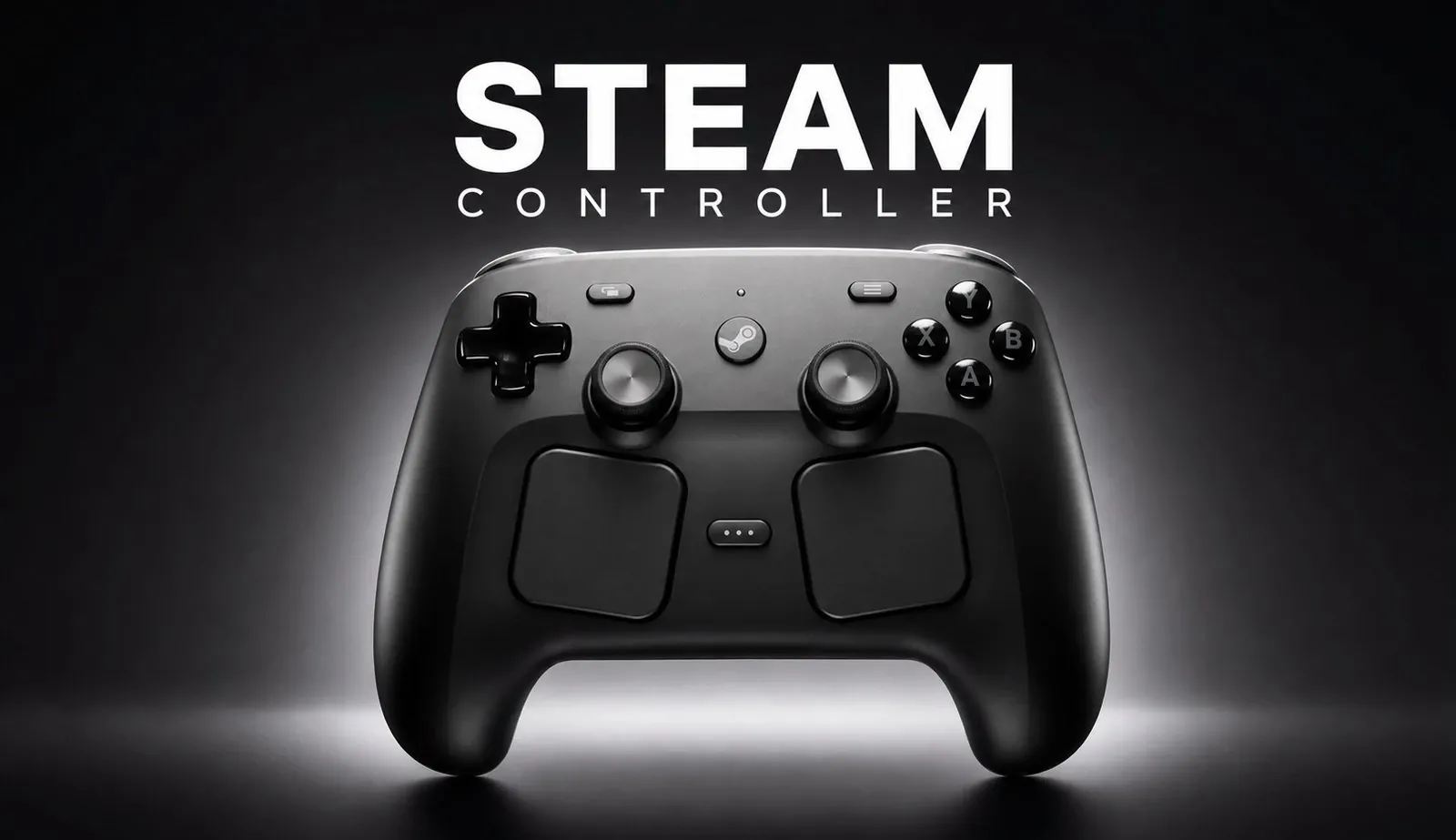
Valve’s Steam Controller emphasizes precision and adaptability, as detailed by Retro Game Corps. Priced at $99, it includes TMR analog sticks to combat drift, customizable trackpads for mouse-like input and a layout similar to the Steam Deck, making it well-suited for Steam users. However, its limited compatibility with non-Steam platforms and relatively heavier build may pose challenges for broader use.
Dive into the controller’s customization features, including Steam Input’s remapping capabilities and game-specific community layouts. Gain insight into its connectivity options, such as USB-C and Bluetooth and understand the implications of its repair-friendly design, which incorporates soldered joystick modules. This rundown examines the features and trade-offs to help you assess its suitability.
Design and Build
TL;DR Key Takeaways :
- The 2026 Steam Controller features advanced controls like TMR analog sticks, larger trackpads with haptic feedback and extensive customization options, but lacks broader compatibility outside the Steam ecosystem.
- Its design is tailored for Steam Deck users, offering a familiar layout and premium build quality, though its heavier weight and back button placement may not suit all gamers.
- Connectivity options include USB-C, wireless via a 2.4 GHz puck and Bluetooth, though the latter has an unintuitive setup process and limited documentation.
- Customization through Steam Input allows for button remapping, gyro adjustments and community layouts, but it lacks advanced features like trigger stops and analog stick tension adjustment found in competing controllers.
- Priced at $99, it offers long battery life (30-35 hours) and repairable components, but its limited compatibility and higher price may make alternatives more appealing for non-Steam users.
The Steam Controller’s design strikes a balance between innovation and familiarity, offering a unique experience for its target audience. Weighing 292 grams, it is heavier and larger than standard controllers, which gives it a sturdy, premium feel. Its layout mirrors the Steam Deck, featuring centered analog sticks, trackpads, and face buttons that are easy to access. The inclusion of back buttons adds functionality, though some users may find them intrusive during gameplay.
The build quality is undeniably solid, but the ergonomics may not suit everyone. Those accustomed to lighter or more compact controllers might find the heft and size less comfortable during extended gaming sessions. The design clearly caters to Steam Deck users, offering a seamless transition for those familiar with Valve’s ecosystem. However, for others, the layout and weight could feel less intuitive or even cumbersome.
Controls and Features
The Steam Controller excels in its range of high-quality controls, offering precision and versatility for a variety of gaming styles. Each component is designed to enhance the gaming experience, particularly for titles that benefit from mouse-like input or advanced customization.
- Face Buttons: These are quiet, springy and slightly larger than those on the Steam Deck, providing a satisfying tactile response that enhances gameplay.
- D-pad: The glossy, rounded design is highly responsive, making it an excellent choice for retro gaming enthusiasts.
- Analog Sticks: Equipped with TMR technology to prevent stick drift, they deliver smooth and accurate input. However, they lack premium features such as tension adjustment or metal banding, which are available in some competing controllers.
- Trackpads: Larger than those on the Steam Deck, the trackpads feature haptic feedback and customizable functionality, offering precise control for games that require mouse-like input.
- Triggers and Bumpers: These provide smooth travel and quiet operation, delivering a feel comparable to PS4 triggers, which many gamers will find familiar and comfortable.
- Gyro and Grip Sense: These highly customizable features enhance precision and provide unique input options, particularly for games that support motion controls.
Despite these strengths, the back buttons stand out as a potential drawback. Their placement and sensitivity may interfere with gameplay, especially for users who are not accustomed to controllers with additional rear inputs.

Browse through more resources below from our in-depth content covering more areas on Steam Controller.
- Leaked Specs and Pricing for Valve’s Next-Gen Steam Controller
- Valve Steam Controller 2026 Tested : Is the $100 Gamepad Worth It?
- Steam Controller Low-Latency Receiver and Drift-Resistant Sticks
- Steam Controller 2026 vs Original : What Might Improve in 2026
- Valve Steam Frame VR & Steam Controller Update & Guide
Connectivity
The Steam Controller offers multiple connectivity options, making sure flexibility for different setups. However, each method comes with its own set of advantages and limitations.
- Wired: The USB-C connection provides a reliable and fast link, ideal for competitive gaming or extended play sessions.
- Wireless: A 2.4 GHz puck doubles as both a dongle and a charger. While functional, its placement can be inconvenient without additional accessories to manage it effectively.
- Bluetooth: This option is available but suffers from an unintuitive setup process and limited documentation, making it less accessible for users unfamiliar with advanced configurations.
While these options make the controller versatile within the Steam ecosystem, the puck’s design and the cumbersome Bluetooth setup could frustrate users who prioritize ease of use.
Compatibility
The Steam Controller integrates seamlessly with Steam OS and Linux-based systems such as HoloISO and ChimeraOS, delivering a smooth and optimized experience. On Windows, it performs well within Steam but struggles with non-Steam games and general system navigation. Its functionality is limited on macOS, Android and iOS, where it only supports basic mouse input. Additionally, the controller is incompatible with major consoles like Xbox, PlayStation and Nintendo Switch, which significantly narrows its appeal for gamers seeking broader compatibility.
Customization
Customization is one of the standout features of the Steam Controller. Through Steam Input, users can remap buttons, adjust gyro sensitivity and configure trackpad behavior to suit their preferences. The availability of community layouts provides pre-configured options for popular games, making it easier for new users to get started.
However, the controller lacks some advanced customization features found in other high-end controllers. For example, it does not include analog stick tension adjustment, trigger stops, or audio passthrough, which are increasingly common in premium third-party controllers. These omissions may be a drawback for users seeking a more tailored and feature-rich experience.
Battery Life and Repairability
Battery performance is another area where the Steam Controller excels. It offers 30-35 hours of use with haptics enabled, making it suitable for extended gaming sessions. The controller is also designed with repairability in mind, featuring replaceable components such as the battery and modular boards. However, the joystick modules are soldered, relying on TMR technology to prevent drift. While this reduces the likelihood of stick drift, it could complicate repairs in the long term, particularly for users without technical expertise.
Price and Alternatives
At $99, the Steam Controller is priced higher than many standard console controllers. It competes with third-party options such as the 8BitDo Ultimate and GameSir Cyclone 2, both of which offer additional features at lower price points. While the Steam Controller’s unique features and seamless integration with the Steam ecosystem justify its cost for dedicated users, others may find better value in these alternatives, particularly if they prioritize broader compatibility or advanced customization options.
Accessories
Early accessories for the Steam Controller include skins from Dbrand and a dock solution from Mechanism designed to manage the puck more effectively. These add-ons enhance the controller’s usability and aesthetic appeal, but they come at an additional cost, which may deter budget-conscious buyers.
Pros
- Familiar design for Steam Deck users.
- Extensive customization via Steam Input.
- High-quality controls, including TMR analog sticks and a responsive D-pad.
- Long battery life and repair-friendly design.
- Seamless experience within the Steam ecosystem.
Cons
- Limited compatibility outside of Steam.
- Back buttons are overly sensitive and awkwardly placed.
- Puck placement is inconvenient without additional accessories.
- Higher price compared to many third-party controllers.
- Missing features like trigger stops, audio passthrough and analog stick tension adjustment.
Media Credit: Retro Game Corps
Disclosure: Some of our articles include affiliate links. If you buy something through one of these links, Geeky Gadgets may earn an affiliate commission. Learn about our Disclosure Policy.
