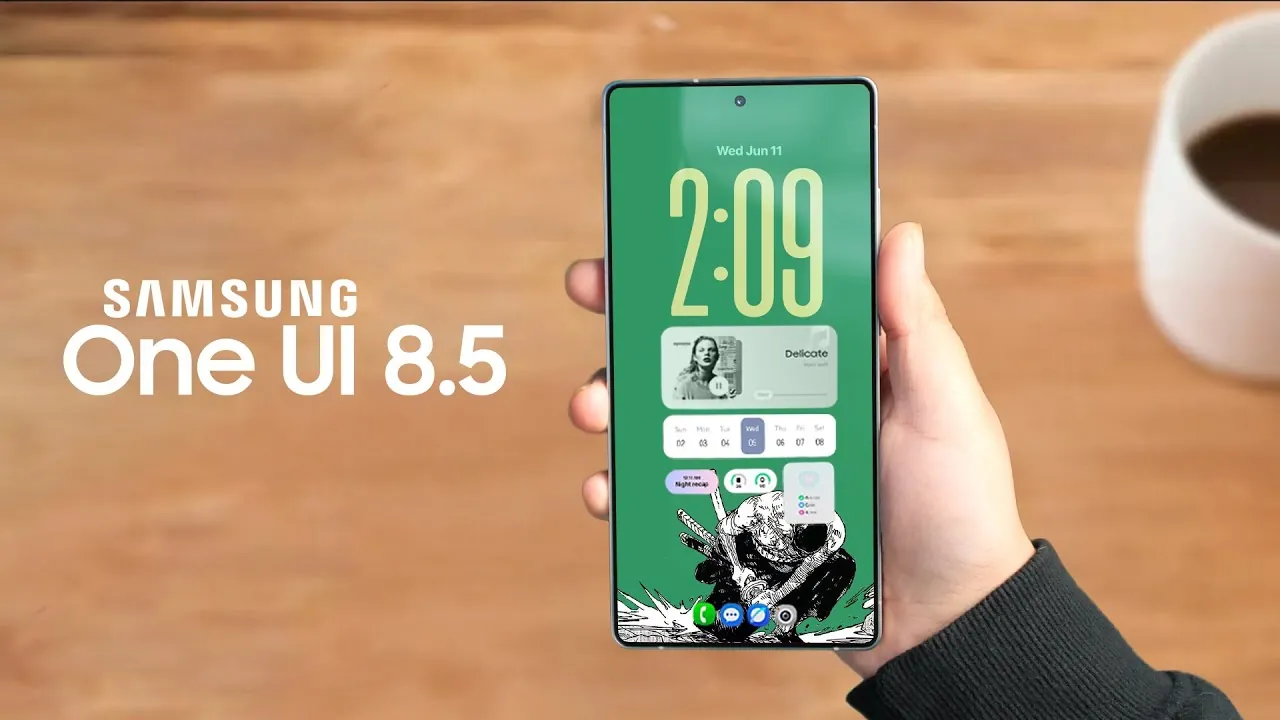
Samsung’s One UI 8.5 represents a thoughtful evolution in mobile interface design, blending enhanced customization, refined visuals, and practical improvements. This update is crafted to elevate the user experience, offering a comprehensive suite of new features and usability enhancements. Whether you’re a long-time Samsung user or new to the ecosystem, this update brings meaningful changes that enhance both functionality and aesthetics. Below is an in-depth look at the key highlights of One UI 8.5 and how it enhances the overall user experience in a new video from TechTalkTV.

Customization and Visual Upgrades
One UI 8.5 emphasizes personalization, allowing you to tailor your device to your preferences. The notification panel is now fully customizable, allowing you to rearrange or remove toggles and sliders to suit your workflow. Key updates include:
- Vertical sliders for volume and brightness controls, offering a more intuitive adjustment experience.
- A larger music player interface for improved usability and easier media control.
- Gradient fade effects that enhance the visual appeal of the interface.
These updates ensure that your device feels uniquely yours while maintaining a cohesive and polished design.
The adaptive wallpaper feature is another standout addition. It dynamically adjusts wallpapers to fit your display, eliminating the issue of cropped lock screen images. This subtle yet impactful improvement enhances the overall visual harmony of your device without requiring manual adjustments.
Gallery and Camera Enhancements
The Gallery app has been overhauled to improve both functionality and security. Notable updates include:
- Floating pill-shaped menus with frosted glass blur effects add a modern and sleek look.
- Album previews that display the latest photo or video make it easier to locate recent memories.
- A private album secured by fingerprint authentication, making sure sensitive media remains protected.
On the camera front, One UI 8.5 introduces features designed for photography and videography enthusiasts. The new Pro Video mode includes a clean viewfinder option, allowing for distraction-free recording. Additionally, built-in LUTs for Log video, with five film-style presets, enable users to create cinematic-quality videos directly from their devices, eliminating the need for external editing tools.
Widgets and Battery Indicators
Widgets and battery indicators have been refined to provide greater functionality and clarity. The weather widget now includes live updates and pollen tracking, a particularly useful feature for individuals with allergies. Battery indicators have also been redesigned, offering:
- Text-only or traditional pill icon options for a more personalized display.
- A leaf icon to represent power saver mode, making it easier to identify energy-saving settings.
- An estimated battery time display helps users better manage their device’s power consumption.
These updates ensure that you stay informed about your device’s performance and environmental conditions in real time, enhancing both usability and convenience.
Streamlined Navigation and Settings
Navigation and settings have been optimized to create a smoother and more intuitive user experience. The predictive back gesture now previews the page you’re navigating to, making transitions between apps and settings more seamless. Additional improvements include:
- A redesigned settings menu with a compact layout and a relocated search bar for quicker access.
- A floating back button that allows for faster navigation to previous screens.
These changes simplify interactions, allowing you to focus on your tasks without unnecessary distractions.
Samsung DeX and Device Care Updates
Samsung DeX, the desktop-like interface for Samsung devices, has received a visual refresh aimed at improving usability and appearance. The software update page has also been reorganized to make managing updates more straightforward.
Device Care has been enhanced with:
- Wider progress bars for better visibility during system scans and updates.
- Redesigned storage management tools that simplify the process of clearing space.
- Improved visuals that make it easier to monitor your device’s health and performance.
These updates ensure that maintaining your device’s performance is both simple and efficient.
Quick Share and Creative Editing Tools
File sharing and media editing have been made more intuitive with updates to Quick Share and the introduction of new editing tools. Quick Share now features a pixel-style layout with gradient effects, enhancing both usability and aesthetics.
The new editing tools expand your creative options, offering features such as:
- “Suggest Erase” for removing unwanted elements from photos with a single tap.
- “Add More” for enhancing images by adding additional elements or overlays.
- “Restyle” for applying creative effects to photos and videos, giving your media a unique look.
These tools make it easier to fine-tune your media directly from your device, eliminating the need for third-party apps.
AI-Powered Features and Future Innovations
AI integration in One UI 8.5 enhances daily interactions and prepares your device for future advancements. Key AI-powered features include:
- An AI-enhanced dialer with advanced search functionality and direct voicemail integration.
- Upcoming features such as AI-generated notification summaries and automatic call screening, designed to save time and improve efficiency.
Additionally, the integration of Gemini and Bixby into Modes and Routines introduces AI-triggered actions, allowing your device to adapt intelligently to your habits and preferences. These innovations highlight Samsung’s commitment to creating a smarter, more responsive user experience.
Why One UI 8.5 Matters
Samsung One UI 8.5 delivers a balanced update that combines customization, visual refinement, and practical enhancements. By addressing user feedback and introducing innovative features, Samsung has crafted an interface that feels both functional and visually appealing. Whether you’re drawn to the improved notification panel, advanced camera capabilities, or AI-powered tools, this update ensures your device is equipped to meet your needs while paving the way for future advancements.
Discover other guides from our vast content that could be of interest on Samsung One UI 8.5.
- Samsung One UI 8.5: Everything You Need to Know
- Major Security Enhancements Planned for Samsung One UI 8
- Samsung Galaxy S26 Ultra Privacy Display Details Revealed
- Samsung Galaxy S26 Ultra: Features, Specs, and More
- Samsung Galaxy S26 Ultra: Everything You Need to Know
Source & Image Credit: TechTalkTV
Disclosure: Some of our articles include affiliate links. If you buy something through one of these links, Geeky Gadgets may earn an affiliate commission. Learn about our Disclosure Policy.
