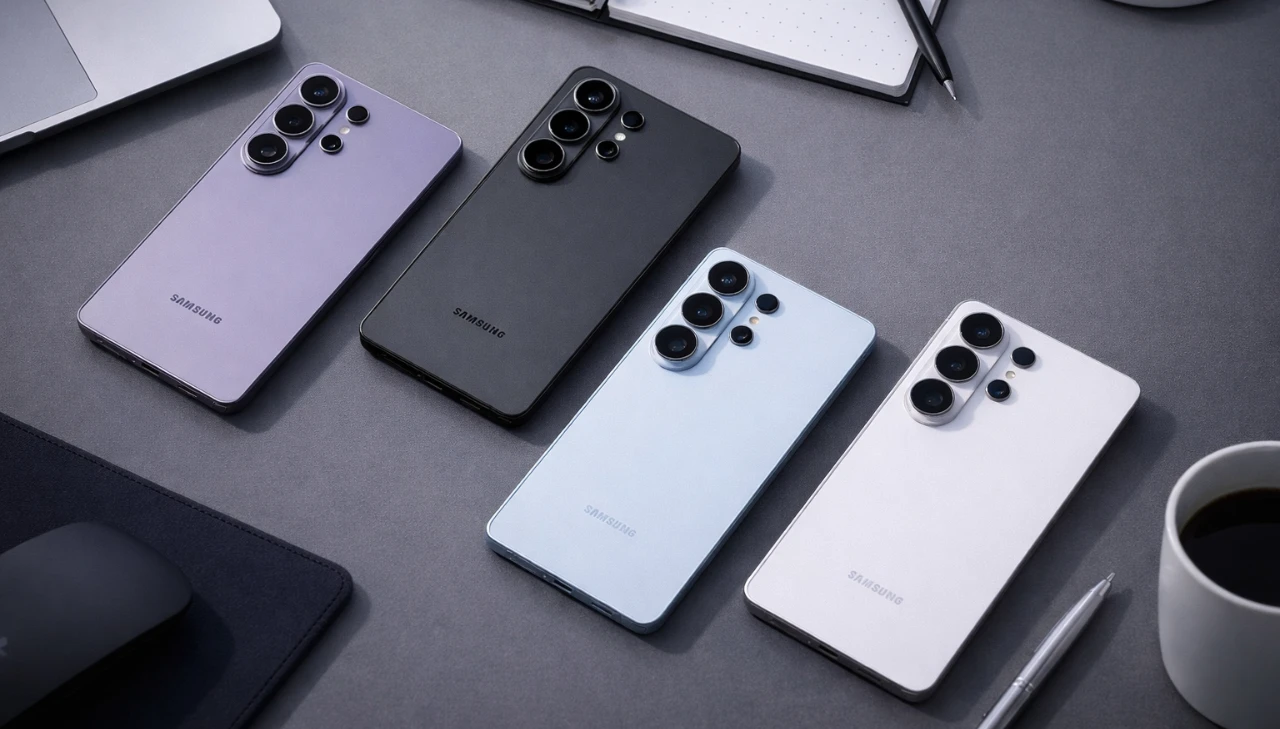
The Samsung Galaxy S26 and S26+ are not just smartphones; they are powerful tools designed to enhance productivity, creativity, and everyday convenience. Packed with advanced features and extensive customization options, these devices cater to a diverse audience, from casual users to tech enthusiasts. By exploring their standout functionalities and lesser-known tricks, you can unlock the full potential of the Galaxy S26 series. The video below from Hayls World gives us more details on these tips & tricks.

Seamless Cross-Device Sharing
The Galaxy S26 introduces an enhanced Quick Share feature that redefines file sharing. Now compatible with Apple devices, this cross-platform integration eliminates the need for third-party applications, streamlining the process of transferring files between your Galaxy and iPhone. Whether you’re sharing high-resolution photos, large video files, or important documents, the process is faster, more intuitive and hassle-free. This feature ensures that collaboration and connectivity remain seamless, regardless of the devices you or your contacts use.
Professional-Grade Camera Features
The Galaxy S26’s camera system is designed to deliver exceptional results, whether you’re capturing memories or creating professional content. Its advanced features include:
- Horizontal Lock: Ensures stable video recording by keeping the frame level, even if the phone tilts during use.
- Night Mode: Enhances low-light photography by reducing noise and improving clarity, perfect for nighttime shots.
- Cinematic Filters: Add dramatic effects to your videos with options like “Blockbuster,” elevating your content to cinematic quality.
- Document Scanning: Automatically detects and cleans up imperfections in scanned documents, producing sharp, professional-quality results.
These tools empower users to create and share high-quality content effortlessly, regardless of the environment or lighting conditions.
Personalization with Good Lock
Samsung’s Good Lock app offers unparalleled customization, allowing you to tailor your Galaxy S26 to your unique preferences. Key modules include:
- Home Up: Customize your home screen layout by resizing and organizing folders for a cleaner, more efficient interface.
- Keys Cafe: Design personalized keyboard gestures and layouts, enhancing navigation and typing speed.
- LockStar: Add distinctive unlock animations and edge lighting effects to make your device stand out.
- Creative Studio: Transform your photos into personalized stickers for use in messaging and social media.
These features ensure that your device reflects your personal style and workflow, making it a true extension of yourself.
AI-Powered Photo Editing
The Galaxy S26 uses artificial intelligence to simplify and enhance photo editing. With just a few taps, you can adjust backgrounds, improve lighting and refine your images to achieve professional-quality results. The device’s gallery also intelligently organizes screenshots into categories such as QR codes and boarding passes, making it easier to locate specific files when needed. This combination of AI-driven editing and smart organization ensures that your photos and files are always accessible and visually stunning.
Streamlined Quick Settings
The Galaxy S26’s customizable control panel makes accessing essential settings effortless. With a single swipe, you can adjust brightness, volume and other key controls. Additionally, the Finder button on the home screen acts as a universal search tool, allowing you to quickly locate apps, files, or settings. This streamlined approach saves time and enhances the overall user experience, making sure that your device works efficiently to meet your needs.
Flexible Smart Assistant Integration
The Galaxy S26 supports multiple smart assistants, including ChatGPT, Claude and Perplexity, providing tailored assistance for various tasks. Accessible via the side button, these assistants can help with productivity, research, or entertainment, depending on your preferences. This flexibility allows you to choose the assistant that best aligns with your lifestyle, making sure seamless integration into your daily routine.
Enhanced Audio Features
For content creators and casual users alike, the Galaxy S26 offers advanced audio capabilities. The audio erase feature removes background noise from recordings, delivering clear and professional-quality sound. Whether you’re filming a tutorial, recording a podcast, or capturing a special moment, this feature ensures that your audio is crisp and distraction-free.
Advanced Screenshot Customization
The Galaxy S26 provides advanced options for capturing and sharing screenshots. You can hide the status and navigation bars for a cleaner, more polished appearance, making your screenshots ideal for presentations, social media, or professional use. This attention to detail ensures that every screenshot you share looks professional and visually appealing.
Battery Icon Personalization
Express your individuality with customizable battery icons. The Galaxy S26 allows you to choose from a variety of visual styles for the status bar, adding a personal touch to your device’s interface. This feature not only enhances the aesthetic appeal of your device but also ensures that it aligns with your unique style.
Why the Galaxy S26 Series Stands Out
The Samsung Galaxy S26 and S26+ are designed to adapt to your lifestyle, offering a perfect balance of innovation, customization and practicality. From seamless cross-device sharing to professional-grade camera tools, these devices cater to a wide range of needs. Whether you’re looking to boost productivity, unleash your creativity, or enjoy a more intuitive smartphone experience, the Galaxy S26 series provides the tools and features to help you achieve your goals.
Explore further guides and articles from our vast library that you may find relevant to your interests in Samsung Galaxy S26 features.
- Samsung Galaxy S26 Ultra: Privacy, Display and AI Features
- Samsung S26 Ultra: Top 8 Features That Redefine Smartphones
- Samsung Galaxy S26 Ultra vs iPhone 17 Pro Max: Full Details
- Samsung Galaxy S26 Ultra – Every New Feature Explained
- Samsung Galaxy S26 Series: Privacy, Performance and Design
Source: Hayls World
Disclosure: Some of our articles include affiliate links. If you buy something through one of these links, Geeky Gadgets may earn an affiliate commission. Learn about our Disclosure Policy.
