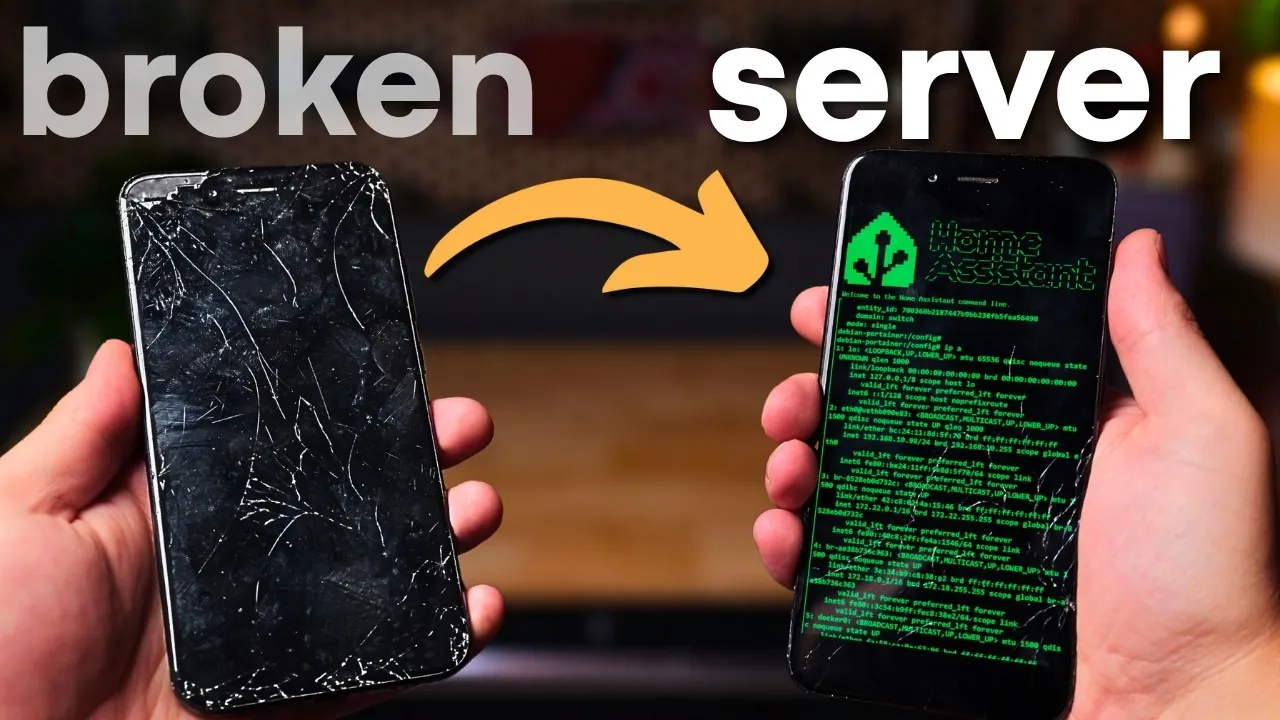
Have you ever looked at an old, broken phone and thought, “This is just e-waste now”? What if that seemingly useless device could be transformed into something surprisingly powerful—a functional home server? It may sound like a stretch, but with a bit of technical ingenuity, that cracked-screen Android or forgotten drawer-dweller can take on a second life, running lightweight applications like Home Assistant or even hosting a VPN. In a world where electronic waste is piling up at alarming rates, this approach offers a sustainable and creative way to repurpose technology that might otherwise be discarded.
If you have a broken smartphone Hardware Haven guide you through the process of turning your old phone into a compact, low-power home server. Along the way, you’ll discover how tools like Postmarket OS and Docker can unlock new possibilities for your device, and how simple hardware tweaks can overcome challenges like battery degradation. Whether you’re a tech enthusiast eager to experiment or someone looking for a cost-effective way to dip into home automation, this project offers a unique blend of practicality and innovation. By the end, you might just see your old phone not as obsolete junk, but as a gateway to smarter, greener tech solutions.
Repurpose Old Phones as Servers
TL;DR Key Takeaways :
- Repurposing an old Android phone into a home server is an energy-efficient and cost-effective way to extend its life, consuming as little as 1 watt of power when idle.
- Key tools like Postmarket OS, Docker, and flashing utilities are essential for transforming the phone into a functional server for lightweight tasks such as Home Assistant or VPN hosting.
- Challenges include technical expertise requirements, software compatibility issues with ARM-based devices, hardware limitations, and the need for power supply modifications to ensure safe, continuous operation.
- Hardware upgrades, such as replacing the battery with a stable power source and using Ethernet adapters, can enhance performance and reliability for server tasks.
- Practical applications include home automation and secure remote access, though the device’s limitations make it unsuitable for resource-intensive tasks compared to x86 systems.
The Benefits of Repurposing an Old Phone
Turning an old phone into a home server offers several advantages that make it an appealing option for tech enthusiasts:
- Energy Efficiency: Old Android phones are compact and consume minimal power, often as low as 1 watt when idle. This makes them an environmentally friendly alternative to traditional servers.
- Cost Savings: Repurposing a device you already own eliminates the need to purchase new hardware, reducing costs significantly.
- Versatility: These devices can handle a variety of tasks, such as managing smart home devices, hosting a VPN for secure remote access, or running lightweight web servers.
By giving new purpose to an old device, you not only reduce electronic waste but also explore creative and sustainable tech solutions.
Challenges to Anticipate
While the concept of transforming a phone into a server is exciting, it comes with several challenges that require attention:
- Technical Knowledge: Setting up a phone as a server demands familiarity with Linux systems, Android partitioning, and flashing tools. Without this expertise, the process can be daunting.
- Software Compatibility: ARM-based devices, like most Android phones, have limited software support compared to x86 systems, which can restrict the range of applications you can run.
- Hardware Limitations: Older phones may struggle with performance issues, especially when running multiple services simultaneously.
- Power Supply Challenges: Phone batteries are not designed for continuous operation. Over time, battery degradation can lead to safety risks, necessitating modifications to the power supply.
- Networking Complexity: Configuring Docker containers, setting up firewalls, and managing network protocols can be complex, particularly for those unfamiliar with networking concepts.
These obstacles require patience, problem-solving skills, and a willingness to experiment to achieve a successful outcome.
Transform a Broken Phone into A Home Server

Enhance your knowledge on home servers by exploring a selection of articles and guides on the subject.
- How to Set Up a Home Server for Everything in 2025
- How to Easily Build a Home Server with Raspberry Pi 5
- Building a 10 Gigabit fanless mini PC home server for $300
- How to Turn an Old Laptop Into an Energy-Efficient Home Server
- Acer easyStore Home Server 1TB – AH340-UA230N
- HexOS Review : Simplifying Home Server Management
- How to set up a laptop as a home server
- M4 Mac Mini Home Server: The Ultimate Guide for Beginners
- Aoostar WTR PRO Versatile and Efficient Home Lab Server
- ZimaBoard affordable home cloud server
Tools and Software You’ll Need
To repurpose your phone into a home server, you’ll need specific tools and software to replace its original operating system and configure it for server tasks. Key resources include:
- Postmarket OS: A lightweight Linux-based operating system designed for older devices, offering flexibility and customization for server use.
- Docker: A containerization platform that allows you to efficiently run multiple services, such as Home Assistant, on limited hardware.
- Fastboot and PM Bootstrap: Essential utilities for flashing custom images and building the software environment required for server functionality.
These tools are critical for preparing your phone to handle the demands of a home server, making sure it operates efficiently and reliably.
Hardware Modifications for Enhanced Performance
To ensure your phone operates continuously and safely as a server, you’ll need to address its hardware limitations. Key modifications include:
- Custom Power Supply: Removing the phone’s battery and replacing it with a stable power source prevents battery degradation and reduces the risk of overheating during prolonged use.
- Improved Network Connectivity: Using an Ethernet adapter instead of relying on Wi-Fi can enhance reliability and speed, though compatibility with older devices may vary.
These adjustments improve the phone’s stability and make it better suited for the demands of server tasks.
Networking and Configuration Essentials
Proper networking and configuration are crucial for turning your phone into a functional server. Key steps include:
- Setting Up Docker: Configure Docker containers to run applications like Home Assistant. This involves managing container communication, resource allocation, and making sure efficient operation.
- Firewall Configuration: Implement firewall rules to secure your server, protecting it from unauthorized access and potential vulnerabilities.
A well-configured network ensures your server operates securely and efficiently, even in a home environment.
Practical Applications and Limitations
Once set up, your repurposed phone can serve as a reliable home server for various lightweight applications. Examples include:
- Home Automation: Use Home Assistant to control and monitor smart devices seamlessly.
- Secure Remote Access: Host a VPN server to enhance your network’s security and enable remote access to your home systems.
However, it’s important to recognize the limitations of ARM-based devices. They lack the expandability, processing power, and I/O options of x86 systems, which may restrict their use for more demanding applications. Despite these constraints, they remain a cost-effective and energy-efficient solution for lightweight server tasks.
Media Credit: Hardware Haven
Disclosure: Some of our articles include affiliate links. If you buy something through one of these links, Geeky Gadgets may earn an affiliate commission. Learn about our Disclosure Policy.
