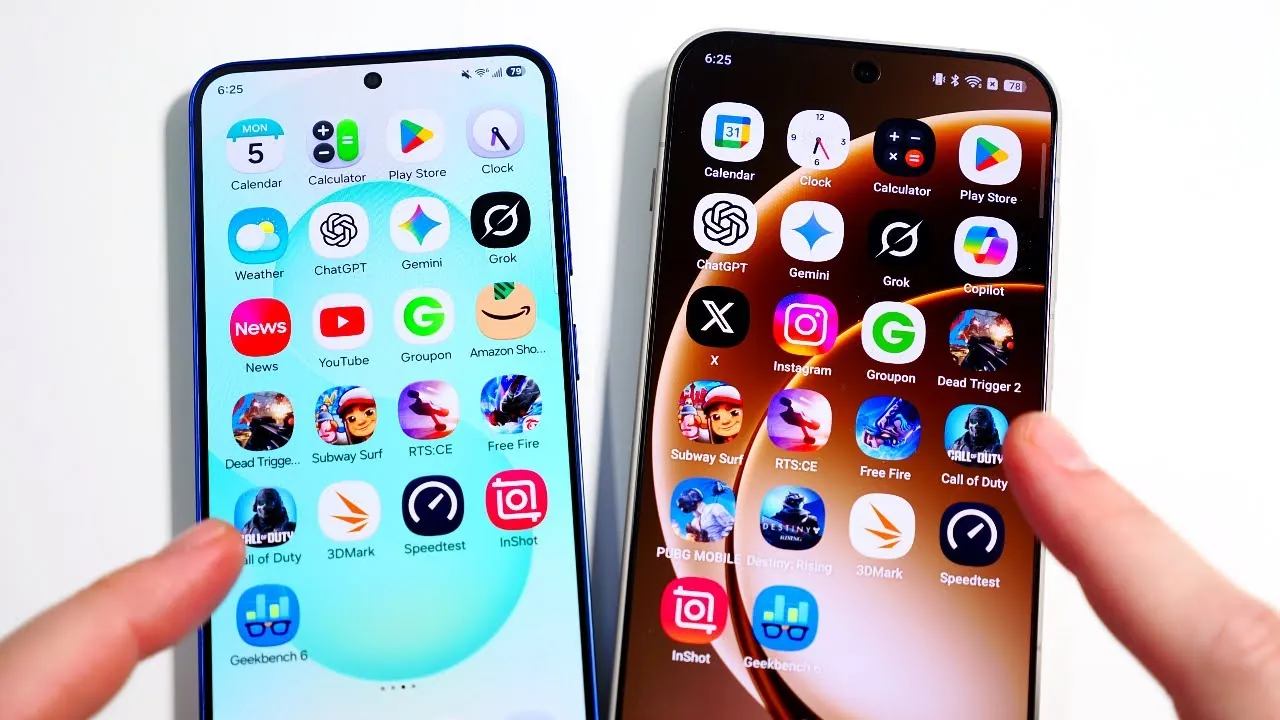
Animations on smartphones are more than just aesthetic enhancements—they play a crucial role in shaping how you interact with your device. Samsung’s One UI 8.5 and OnePlus’s OxygenOS 16 represent two distinct philosophies in animation design. While One UI emphasizes speed and efficiency, OxygenOS focuses on fluidity and customization. This comparison explores their animation styles across key categories, helping you determine which interface aligns better with your preferences. The video below from Nick Ackerman gives us more details.

Home Screen Transitions: Speed vs. Fluidity
The way your device transitions between home screens can significantly impact your navigation experience.
– One UI 8.5: Designed for speed, it offers quick, snappy transitions that prioritize efficiency. This makes it ideal for multitaskers or users who value responsiveness.
– OxygenOS 16: Focuses on fluidity, delivering smoother transitions with customizable effects like cube and flip card animations. This approach appeals to users who enjoy personalization and visual sophistication.
If you prefer a fast and straightforward navigation experience, One UI is the better choice. However, for a visually engaging and customizable interface, OxygenOS stands out.
App Animations: Productivity vs. Cohesion
The animations involved in opening and switching between apps can influence how polished and responsive an interface feels.
– One UI 8.5: Prioritizes productivity with rapid app launches and minimal delays, making it perfect for users focused on completing tasks efficiently.
– OxygenOS 16: Offers a cohesive experience with fluid animations that enhance the overall interface, creating a sense of seamlessness.
For those who value speed and functionality, One UI is the clear winner. On the other hand, if you appreciate a polished and cohesive design, OxygenOS is the better option.
Customization Options: Depth vs. Accessibility
The ability to personalize animations can make your smartphone feel more tailored to your preferences.
– OxygenOS 16: Excels in customization, allowing users to modify animation styles extensively. Features like fingerprint unlocking effects and lock screen transitions provide a high degree of personalization.
– One UI 8.5: Offers basic animation adjustments but lacks the depth of customization found in OxygenOS. Advanced tweaks often require third-party tools, which may deter casual users.
For users who enjoy fine-tuning every detail, OxygenOS provides unmatched flexibility. In contrast, One UI offers a simpler, more accessible approach to animation settings.
Notification and Quick Panel Animations: Functionality vs. Flair
Animations in the notification and quick panel areas reflect the broader design priorities of each interface.
– One UI 8.5: Focuses on functionality, delivering fast and efficient animations that ensure quick access to essential features.
– OxygenOS 16: Incorporates fluid, visually appealing animations, complemented by its unique “shelf” feature, which adds extra functionality.
If you prioritize speed and practicality, One UI is the better fit. For a visually engaging and feature-rich experience, OxygenOS takes the lead.
Unlocking and App Launch Behavior: Speed vs. Natural Flow
The unlocking animations and app launch behavior further highlight the differences between these interfaces.
– OxygenOS 16: Mimics iOS-like animations, with apps “flying in” to create a natural and fluid experience.
– One UI 8.5: Features animations where apps “fly toward” the user, emphasizing speed and readiness.
Both approaches are effective, but your choice will depend on whether you value speed or a more natural, flowing animation style.
Keyboard and Rotation Animations: Instant Response vs. Smooth Transitions
Keyboard and screen rotation animations may seem minor, but they can subtly influence your overall experience.
– One UI 8.5: Offers faster keyboard animations, making sure the keyboard appears almost instantaneously. Screen rotation prioritizes minimizing delays for a responsive feel.
– OxygenOS 16: Provides smoother screen rotation transitions, making the experience more visually appealing, though the performance difference is minimal.
For users who prioritize speed and responsiveness, One UI is the better choice. For those who value smooth and polished transitions, OxygenOS is more appealing.
Charging Animations: Simplicity vs. Visual Engagement
Charging animations, while a small detail, can add personality to your device.
– OxygenOS 16: Features detailed animations, including warp charging effects, making the process visually engaging and dynamic.
– One UI 8.5: Takes a simpler approach, focusing on functionality over aesthetics with understated charging animations.
If you enjoy visually striking details, OxygenOS delivers. For a straightforward and no-nonsense approach, One UI suffices.
Camera Launch and App Folder Behavior: A Tie in Performance
In terms of camera launch speed and app folder behavior, both interfaces perform similarly.
– Camera Launch: OxygenOS 16 has a slight edge in speed, but the difference is negligible.
– App Folders: Both interfaces offer minor customization options, with no significant advantage for either.
These categories are less critical in determining your choice, as both interfaces perform comparably.
Choosing the Right Fit for Your Needs
Your decision between One UI 8.5 and OxygenOS 16 ultimately depends on your priorities:
– Choose One UI 8.5 if you value speed, productivity, and multitasking. Its fast, efficient animations are designed to help you accomplish tasks quickly.
– Choose OxygenOS 16 if you prefer fluid, visually appealing animations with extensive customization options. Its polished design and personalization features cater to users who enjoy a more dynamic interface.
Both interfaces excel in their respective strengths, making sure a high-quality experience regardless of your selection. By understanding their differences, you can make an informed decision that aligns with your preferences.
Advance your skills in One UI 8.5 by reading more of our detailed content.
- Samsung One UI 8.5 Beta 1: Full Feature Breakdown and Updates
- Samsung One UI 8.5 Beta 1: Customization, Security, and More
- Samsung One UI 8.5 vs 8.0: Key Features and Updates
- One UI 8.5 Beta Features, Eligible Devices, and More
- Samsung Galaxy S26 Ultra Leaks: Charging, Colors, One UI 8.5
Source & Image Credit: Nick Ackerman
Disclosure: Some of our articles include affiliate links. If you buy something through one of these links, Geeky Gadgets may earn an affiliate commission. Learn about our Disclosure Policy.
