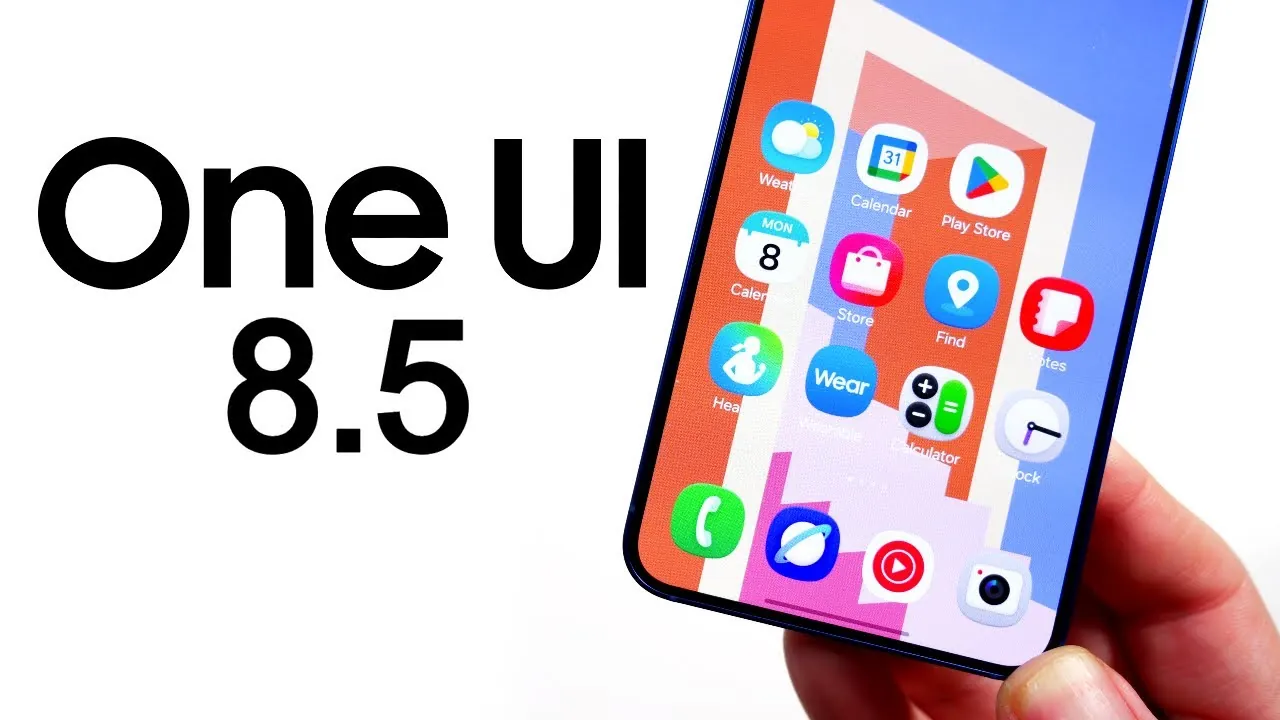
Samsung’s One UI 8.5 Beta 1 builds upon its well-established foundation, offering a series of refinements that enhance the user experience without introducing dramatic overhauls. This update focuses on customization, usability, security, and performance, making sure that Samsung devices remain competitive and user-friendly. Below is a detailed exploration of the most notable changes and their practical implications in a great new video from Nick Ackerman.

Visual Enhancements: A Modernized Look
One UI 8.5 introduces subtle yet impactful visual updates that refine the overall aesthetic of Samsung’s interface:
- New 3D-style icons for Samsung apps provide a sense of depth and a more contemporary appearance.
- The quick panel now features resizable controls, allowing you to adjust its layout to suit your preferences.
- Minor visual tweaks in apps like Calculator, Clock, and Settings create a more cohesive and polished design language.
These updates may appear minor at first glance, but they collectively contribute to a modern and visually appealing user experience.
Enhanced Customization Options
Customization has always been a hallmark of One UI, and version 8.5 takes this further by introducing new ways to personalize your device:
- The lock screen now supports advanced clock customization, allowing you to resize text and adjust its placement for a more tailored look.
- The weather widget has been upgraded with detailed precipitation graphs and a pollen index, offering more informative and localized updates.
- The Clock app introduces weather-based alarm wallpapers, adding a personalized and dynamic touch to your daily routine.
These features empower users to make their devices feel uniquely theirs, enhancing both functionality and aesthetic appeal.
Usability Improvements for Better Navigation
Samsung has implemented thoughtful adjustments to improve usability, particularly for larger devices, making sure smoother navigation and interaction:
- The Settings menu has been reorganized to assist easier one-handed use, making it more accessible for users on the go.
- The My Files app now offers enhanced storage-sharing options and a more intuitive layout, simplifying file management.
- Samsung Internet benefits from a modernized interface, delivering a smoother and more efficient browsing experience.
These updates aim to streamline daily tasks and reduce friction, making the interface more intuitive and user-friendly.
Security Upgrades: Stronger Protection
Security remains a priority in One UI 8.5, with several enhancements designed to safeguard your data and privacy:
- Improved theft protection now requires identity verification before accessing sensitive settings, adding an extra layer of security.
- Quick Share includes private sharing options, making sure secure and controlled file transfers.
- Additional safeguards, such as locking the device after multiple failed authentication attempts, further bolster security.
These features provide peace of mind, particularly for users who handle sensitive information on their devices.
Samsung Health: Smarter Wellness Tracking
Samsung Health receives significant updates, making it a more comprehensive tool for monitoring and improving your well-being:
- Galaxy Watches now integrate a meditation app, helping users manage stress and enhance mindfulness.
- Weekly health reports and antioxidant measurements offer deeper insights into your overall health, allowing informed lifestyle choices.
These enhancements reflect Samsung’s commitment to supporting users in achieving their wellness goals.
Samsung Dex: Enhanced Productivity
Samsung Dex continues to evolve with practical improvements aimed at professionals and multitaskers:
- The ability to remember previously saved window layouts ensures a seamless transition between desktop and mobile modes, enhancing productivity.
This feature is particularly beneficial for users who rely on Dex for work, allowing for a more efficient and uninterrupted workflow.
AI and Accessibility: Inclusive and Intelligent
One UI 8.5 emphasizes inclusivity and intelligence, incorporating updates that cater to a diverse user base:
- Galaxy AI image generation has been refined, making creative projects easier and more accessible.
- Accessibility updates include support for Bluetooth hearing aids and customizable corner actions, making sure a more inclusive experience for users with varying needs.
These changes highlight Samsung’s dedication to using technology to improve accessibility and user convenience.
Battery and Performance: Smoother and More Efficient
Battery optimization and performance improvements are central to this update, making sure a smoother and more efficient user experience:
- The battery settings menu has been reorganized for better visibility, making it easier to monitor and manage power consumption.
- Smoother animations and reduced issues like screen blinking enhance the overall responsiveness of the interface.
These updates ensure that devices run efficiently while maintaining high performance, even during demanding tasks.
Miscellaneous Updates: Small but Useful
Several smaller updates round out the One UI 8.5 experience, adding convenience and functionality to everyday tasks:
- Early alerts for reminders and partial screen recording improve task management and productivity.
- The Calculator app now supports clipboard integration, streamlining data entry and calculations.
- OraCast broadcasting and voice broadcast support expand media-sharing capabilities, offering more versatility.
While these changes may seem minor, they enhance the overall functionality and usability of Samsung devices.
Refinements That Matter
One UI 8.5 Beta 1 delivers a series of thoughtful improvements that enhance the overall user experience. From visual updates and customization options to security enhancements and performance optimizations, this update addresses a wide range of user needs. Whether you’re a casual user or a power user, these refinements ensure a more seamless, secure, and enjoyable interaction with your Samsung device.
Below are more guides on One UI 8.5 from our extensive range of articles.
- Samsung Galaxy S26 Ultra Leaks: Charging, Colors, One UI 8.5
- Samsung One UI 8.5: Everything You Need to Know
- How Samsung One UI 8.5 Enhances Your Smartphone Experience
- How One UI 8.0 Enhances Security and Privacy
- Samsung Galaxy S26 Ultra: Features, Specs, and More
Source & Image Credit: Nick Ackerman
Disclosure: Some of our articles include affiliate links. If you buy something through one of these links, Geeky Gadgets may earn an affiliate commission. Learn about our Disclosure Policy.
