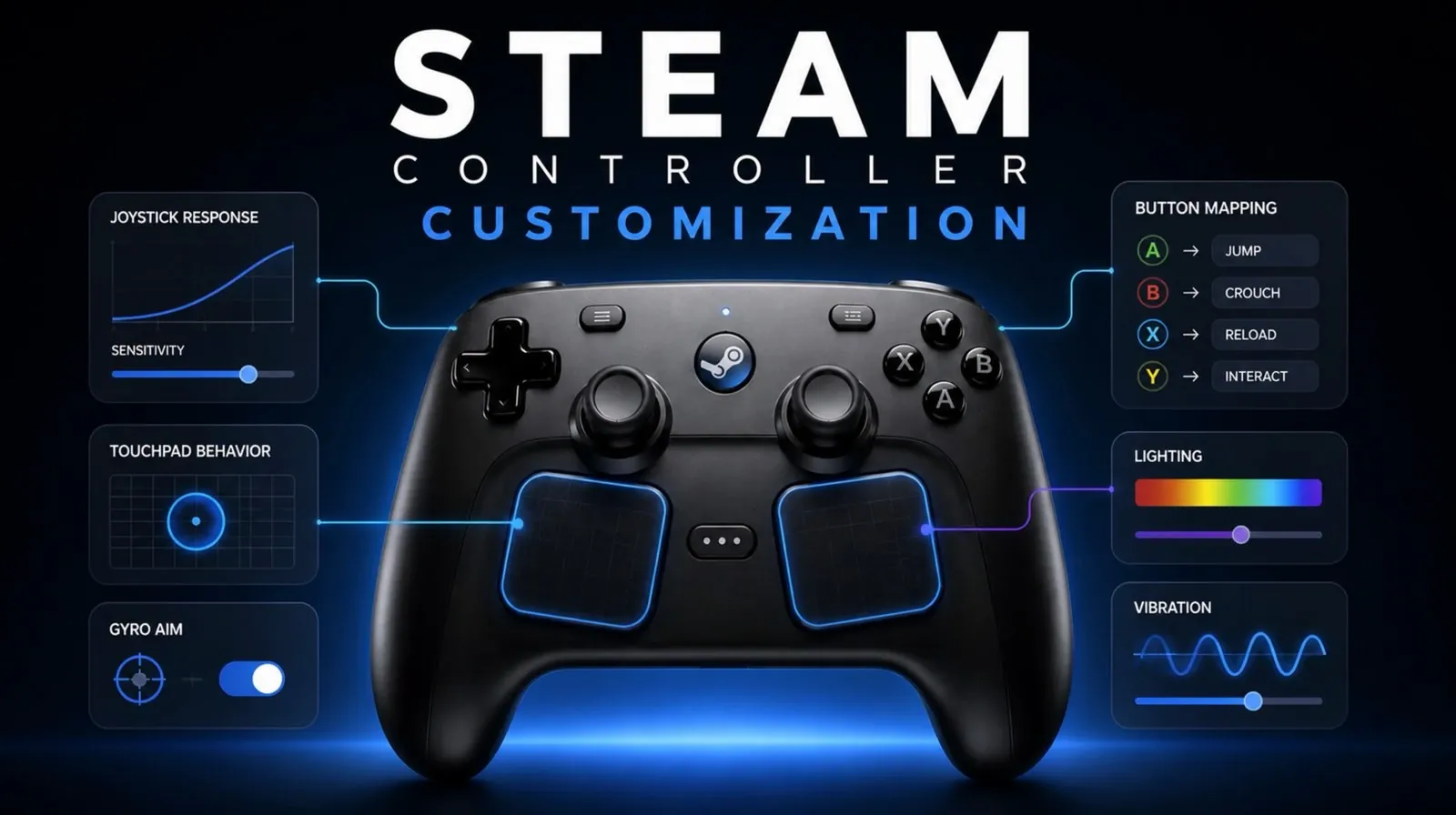
The new Steam Controller, built around the robust Steam Input system, emphasizes customization and adaptability for diverse gaming styles. Retro Game Corps examines how features like per-game configurations and gyro controls enhance gameplay across genres, from first-person shooters to strategy titles. For example, the controller’s trackpad can function as either a joystick or a mouse, offering precise input for games that demand accuracy. While these features expand functionality, the learning curve associated with such extensive customization may require patience and experimentation from users.
Explore how the Steam Controller balances its advanced features with practical usability. You’ll gain insight into the benefits of community-shared layouts, the flexibility of chord controls and the potential challenges posed by its ergonomic design during extended sessions. Additionally, this analysis highlights limitations such as non-Steam compatibility and Bluetooth pairing issues, offering a clear picture of where the device excels and where it could improve.
Key Features of Steam Input
TL;DR Key Takeaways :
- The Steam Controller offers extensive customization through the Steam Input system, allowing users to modify button layouts, trackpads and gyro controls for a personalized gaming experience.
- Key features include versatile trackpads, gyro controls for enhanced precision and community-shared layouts for easier setup across various game genres.
- Usability enhancements like chord controls, back buttons and adjustable triggers improve functionality, though ergonomic design may cause discomfort during extended use.
- Compatibility issues arise with non-Steam games, requiring third-party software and Bluetooth pairing can be unclear due to limited documentation.
- Areas for improvement include better ergonomics, clearer documentation and firmware updates to address bugs and enhance compatibility, making the controller more user-friendly.
Steam Input serves as the backbone of the new Steam Controller, allowing extensive customization options that allow users to fine-tune their gaming experience. This system enables you to modify button layouts, trackpads and gyro controls to suit your preferences, creating a highly personalized setup. One of its most notable features is the ability to create per-game configurations linked to your Steam account, making sure seamless transitions between different gaming setups.
- Trackpad Versatility: The trackpad can function as a joystick or a mouse, making it particularly useful for genres like strategy or simulation games that demand precision and accuracy.
- Gyro Controls: Gyro input provides enhanced control for first-person shooters, racing games and flight simulators, offering a more immersive and accurate gameplay experience.
- Community Layouts: Pre-configured templates shared by other users simplify the setup process, giving you access to tried-and-tested configurations that can be easily adapted to your needs.
These features make the Steam Controller highly adaptable to a wide range of gaming styles. However, mastering these tools requires time and practice, as the customization options can initially feel overwhelming.
Usability and Design
The Steam Controller introduces several innovative usability features aimed at enhancing gameplay and streamlining interactions. These include chord controls, back buttons and grip sense, all of which expand input options and improve functionality.
- Chord Controls: These allow you to access shortcuts, such as activating mouse mode, with minimal effort, particularly in Big Picture mode.
- Back Buttons and Grip Sense: Additional input options provide greater flexibility, though their placement and sensitivity may not be ideal for all users.
- Trigger Customization: Adjustable triggers with soft pull settings improve response times, making them especially effective in fast-paced games like shooters.
While these features enhance the overall gaming experience, the controller’s ergonomic design, including button placement and grip structure, may feel awkward during extended sessions. This can lead to discomfort for some users, highlighting the importance of design refinements to improve long-term usability.
Discover other guides from our vast content that could be of interest on Steam Controller.
- Leaked Specs and Pricing for Valve’s Next-Gen Steam Controller
- New $99 Steam Controller Hands-On Review : Features, Price, and Compatibility
- Valve Steam Controller 2026 Tested : Is the $100 Gamepad Worth It?
- Steam Controller Low-Latency Receiver and Drift-Resistant Sticks
- Steam Controller 2026 vs Original : What Might Improve in 2026
- Valve Steam Frame VR & Steam Controller Update & Guide
Compatibility and Limitations
The Steam Controller is designed to work seamlessly with Steam games, but its performance outside the Steam ecosystem can be inconsistent. For non-Steam games on Windows, third-party applications like Scissor are often required to unlock full functionality. This reliance on additional software can complicate the user experience.
- Non-Steam Compatibility: Some users overview difficulties with Windows recognizing the controller as a standard gamepad in non-Steam applications, limiting its versatility.
- Bluetooth Pairing: While the controller supports Bluetooth connectivity, the lack of detailed documentation can make the pairing process unclear and frustrating for some users.
- Steam OS Wake Functionality: The inability to wake Steam OS devices from sleep using the controller disrupts convenience, particularly in living room gaming setups.
These limitations underscore areas where further refinement is needed to enhance the controller’s overall functionality and user experience.
Feedback and Areas for Improvement
User feedback has highlighted several areas where the Steam Controller could be improved. Common concerns include inverted controls, back button sensitivity and ergonomic design. Addressing these issues could significantly enhance the controller’s appeal and usability.
- Documentation: Providing clearer guidance on Bluetooth pairing and non-Steam compatibility would make the controller more accessible to a broader audience.
- Firmware Updates: Regular updates could address bugs, improve compatibility and enhance functionality over time, making sure a smoother user experience.
- Ergonomics: Adjustments to button placement and grip design could improve comfort, particularly during extended gaming sessions.
Despite these challenges, the Steam Controller remains a powerful tool for gamers who prioritize precision and customization. Its unique features and adaptability make it a valuable addition to any gaming setup.
Optimized for Living Room Gaming
The Steam Controller excels in living room gaming environments, offering compatibility with both Windows PCs and Steam OS devices. Its design and features make it particularly well-suited for games like Destiny 2 and modded titles, delivering a comfortable and immersive experience. However, the inability to wake Steam OS devices from sleep using the controller can be a drawback, especially for users who rely on it as their primary input device. Addressing this issue could further enhance its appeal for living room setups.
Final Thoughts on the Steam Controller
The new Steam Controller, powered by the versatile Steam Input system, offers an impressive level of customization and precision, catering to a wide range of gaming preferences. Its standout features, such as trackpads, gyro controls and trigger customization, make it a versatile and adaptable tool for gamers. However, challenges related to compatibility, documentation and ergonomics highlight areas for improvement. By addressing these issues, the Steam Controller has the potential to become an even more user-friendly and indispensable device for gaming enthusiasts.
Media Credit: Retro Game Corps
Disclosure: Some of our articles include affiliate links. If you buy something through one of these links, Geeky Gadgets may earn an affiliate commission. Learn about our Disclosure Policy.
