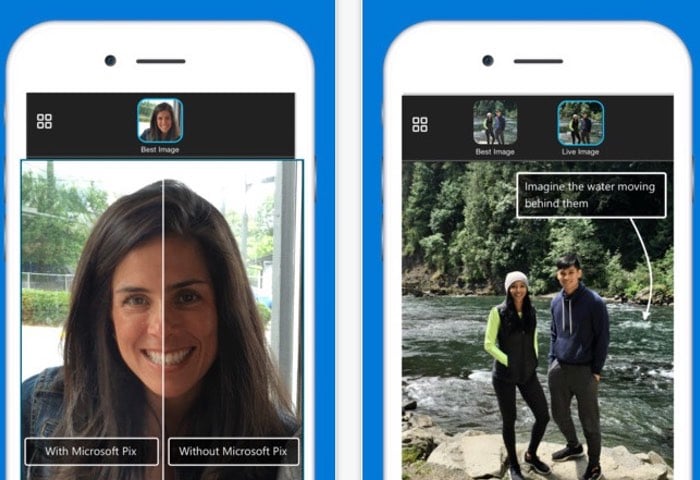
Microsoft has today released a new iOS camera app called Pix which will soon also be available for Android devices and is equipped with artificial intelligence to help snap the perfect photo.
When the Pix application detects faces it will automatically adjust itself to help your subject look their best and will also take a burst of images before and after each at a tap to help you capture the best moment.

Unfortunately at the current time Microsoft has not announced a launch date for Pix on Android devices but as soon as they do we will keep you up-to-date as always. Microsoft explains more about the new Pix camera below :
Take better photos without extra effort! Microsoft Pix has serious intelligence behind the lens, so it can automatically tweak settings for each shot, and immediately enhance your photos, to help people and scenes look their best. Now you can just enjoy the moment, instead of struggling to capture it! Point. Shoot. Perfect.
Microsoft Pix has the features you expect in a camera app – shooting photos and videos, editing tools, filters, gallery view, and sharing. But Microsoft Pix is different from other photo apps, because it’s designed to help take the guesswork out of getting great photos. It’s unique in 3 big ways:
– People-First – People are the most important photo subjects, so Microsoft Pix uses many intelligent features to help them look their best, without creating extra work for you.
– Smart – Microsoft Pix is a bit like having a pro photographer inside your camera, tweaking settings, selecting the best shots, and enhancing them on the fly.
– Fun – Microsoft Pix helps you have fun with photos and videos, by doing things like creating a short, looping video clip when it senses motion in a photo, or helping you stabilize and time lapse your videos.
Top 10 Coolest Features:
– Smart settings – Automatically checks scene and lighting between each shutter tap, and updates settings between each shot.
– Face recognition – When it detects a face in the shot, it automatically optimizes settings to help people look their best.
– Moment capture – Captures a burst of frames every time you tap the shutter button, including frames before and after your tap, so you won’t miss the right moment.
– Best Image(s) – Automatically selects up to 3 of the best and most unique shots from the burst, and immediately deletes the rest, so you don’t waste your phone’s memory or your time comparing and storing similar frames.
– Image quality – Uses discarded burst frames to enhance each Best Image, improving exposure and color, and reducing noise and blur.
– Live Image – Automatically creates a short, looping video, by stitching together the frames from the burst into a Live Image, but ONLY when it senses motion in your shot, so it won’t waste a ton of your phone’s memory.
– Hyperlapse – Videos shot with Microsoft Pix are automatically stabilized for smoother playback, and can be time lapsed and saved at many different speeds.
– Auto-sync – Seamlessly syncs to your camera roll, so you don’t have to individually import or save your photos and videos to your camera roll.
– Easy sharing – Uses iOS sharing, so you can seamlessly share to the apps already installed on your phone.
Source:
Disclosure: Some of our articles include affiliate links. If you buy something through one of these links, Geeky Gadgets may earn an affiliate commission. Learn about our Disclosure Policy.
