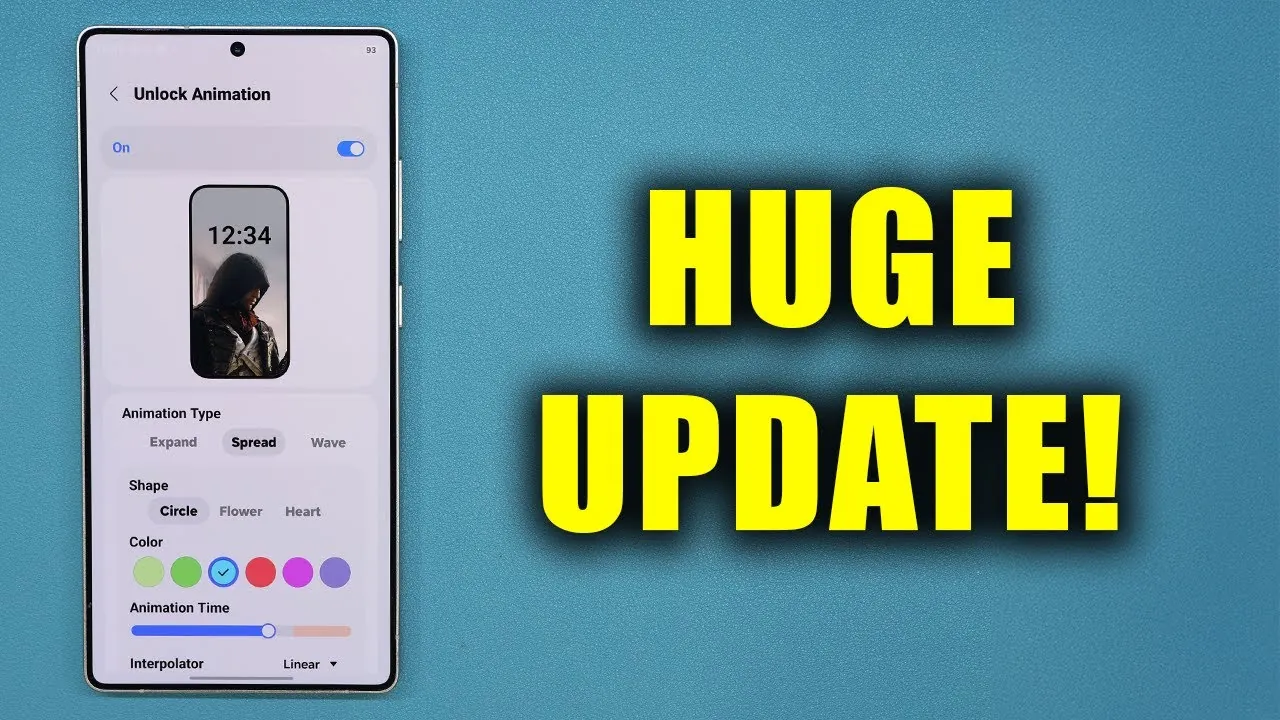
Samsung Galaxy has introduced a major update to its Good Lock module, bringing a host of advanced customization features to enhance lock screen personalization. This update, designed for users of One UI 8.5 and partially compatible with One UI 8.0, focuses on delivering a more engaging and tailored user experience. Whether you’re a casual user or someone who enjoys fine-tuning every aspect of your device, these new features aim to make your smartphone feel truly unique. The video below from Sakitech gives us more details on the update.

Unlock Animation Effects: A Fresh Visual Experience
A key highlight of this update is the addition of new unlock animation effects, offering a dynamic and visually appealing interaction every time you unlock your device. These effects include options such as curtain, spread, glitch, wave, ripple, mosaic, and wiper, each designed to add a distinct visual flair to your lock screen.
You can further customize these animations to suit your preferences by adjusting:
- Colors and shapes to match your aesthetic
- Animation styles, such as bounce or linear effects, for varied motion dynamics
- Animation speed, allowing you to control how quickly or slowly the effects play out
For users on One UI 8.5, the full suite of these features is available, providing a seamless and immersive experience. While One UI 8.0 users may have limited access, they can still enjoy some of these enhancements, making sure that no user is left out of the customization experience.
Good Lock and Lockstar Modules: Personalization Made Simple
The Good Lock app, particularly its Lockstar module, serves as the central hub for these new customization tools. Lockstar allows you to personalize your lock screen in several meaningful ways, helping you create a setup that reflects your style and improves functionality. With this update, you can:
- Add custom text to your lock screen for a personal touch
- Adjust widget placements to enhance usability and accessibility
- Modify widget corner rounding for a sleek and polished appearance
While One UI 8.5 users can access the full range of features, those on One UI 8.0 may encounter some limitations, such as restricted access to advanced unlock animations. However, the Lockstar module ensures that all users can enjoy a degree of personalization, making it easier than ever to craft a lock screen that feels uniquely yours.
Enhanced Always-On Display (AOD) and Fingerprint Effects
The update also introduces improvements to the Always-On Display (AOD), a feature that many users rely on for quick access to essential information. You can now manually adjust the brightness of the AOD, making sure optimal visibility in a variety of lighting conditions, from bright outdoor environments to dimly lit spaces.
Additionally, the update addresses issues with fingerprint effects, enhancing the reliability and responsiveness of this feature. These fixes ensure smoother interactions, making everyday tasks like unlocking your device or authorizing payments more intuitive and efficient.
Advanced Animation and Transparency Controls
For users who value precision and creativity, the update includes advanced controls over animation timelines and transparency settings. These features allow for a deeper level of customization, allowing you to:
- Adjust the opacity of lock screen elements to create a layered and sophisticated look
- Fine-tune animation timelines for a smoother and more personalized visual flow
These options empower you to craft a lock screen aesthetic that aligns perfectly with your preferences, adding depth and personality to your device. Whether you prefer a minimalist design or a more vibrant and dynamic appearance, these tools give you the flexibility to achieve your desired look.
Compatibility and Installation
The Good Lock app and its Lockstar module are available for download from the Galaxy Store. Once installed, you can access the new features and begin customizing your lock screen. While the full range of features is available to users on One UI 8.5, those on One UI 8.0 can still enjoy a selection of personalization options, making sure that the update caters to a wide range of devices and user preferences.
This update underscores Samsung’s commitment to providing a personalized and visually engaging user experience. With new unlock animation effects, enhanced lock screen customization tools, and advanced controls, the Good Lock module enables you to make your device truly your own. Whether you’re using One UI 8.5 or 8.0, these features ensure that your smartphone interactions are not only functional but also tailored to your unique style.
Gain further expertise in Unlock animation effects by checking out these recommendations.
- How Samsung’s LockStar Update Enhances Galaxy Phones
- The All-in-One Adobe Creative Cloud Suite Certification Course
- Customize iPhone Wallpapers Like a Pro with iOS 26
- Google Veo 3 : Unlock Precise Animation Control With Visual
- What’s Wrong with Android 16? A Detailed Look
Source & Image Credit: sakitech
Disclosure: Some of our articles include affiliate links. If you buy something through one of these links, Geeky Gadgets may earn an affiliate commission. Learn about our Disclosure Policy.
