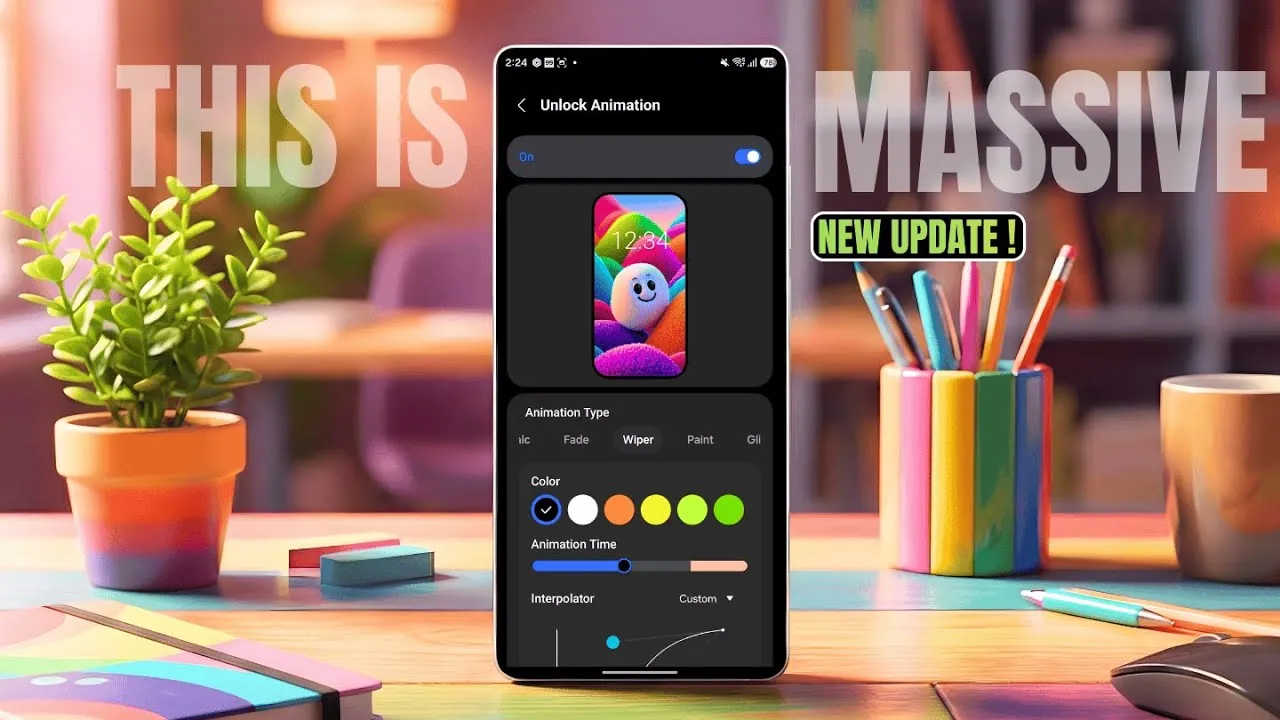
Samsung has introduced a significant update to the LockStar module within its Good Lock app, offering an array of advanced customization features for Galaxy phone users. This update brings new unlock animations, Always-On Display (AOD) brightness controls, and lock screen text customization options. It also ensures compatibility with the latest One UI 8.5 beta while providing partial support for One UI 8.0. These enhancements are designed to give you greater control over your device, combining functionality with personalization to create a more tailored user experience. The video below from AppX gives us a detailed look at the update.

Unlock Animations: A New Layer of Personalization
The updated LockStar module now includes a variety of unlock animation effects, allowing you to customize how your device responds when unlocking. Options such as slide, expand, ripple, mosaic, and glitch animations provide a dynamic and engaging experience.
- Choose between horizontal or vertical animation directions to suit your preferences.
- Adjust animation speed for a smoother or more energetic unlocking effect.
- Fine-tune interpolators to control the pacing and flow of animations.
These features cater to users who value both aesthetics and functionality, transforming the simple act of unlocking your phone into a visually appealing interaction.
Always-On Display (AOD): Brightness and Text Customization
The Always-On Display (AOD) feature has received notable upgrades, giving you more control over its appearance and functionality. These enhancements make the AOD a versatile tool for both practicality and self-expression.
- Manually adjust AOD brightness to ensure optimal visibility in different lighting conditions.
- Use the new “Add Text” feature to include custom messages on your AOD screen.
- Personalize text with options for font style, size, alignment, and color to match your preferences.
By combining utility with creativity, these updates allow you to make your AOD not just a functional display but also a reflection of your personal style.
Lock Screen Text: New Customization Options
For users who enjoy personalizing their lock screens, the update introduces the ability to add and modify text directly on the lock screen. While the font selection remains somewhat limited, the customization options for size, alignment, and color provide ample flexibility.
This feature is particularly useful for adding:
- Personal reminders to keep important tasks or dates in view.
- Motivational quotes to inspire you throughout the day.
- Decorative elements to enhance the visual appeal of your lock screen.
These options make it easier than ever to create a lock screen that is both functional and uniquely yours.
Improved Compatibility and Bug Fixes
The LockStar update ensures seamless integration with Samsung’s latest software while addressing key performance issues to enhance reliability.
- Full compatibility with One UI 8.5 beta, making sure access to all new features.
- Partial support for One UI 8.0, allowing users to enjoy select features on older software versions.
- Bug fixes, including improvements to fingerprint effects and widget corner rounding, for a smoother user experience.
These updates ensure that the module performs optimally across supported devices, providing a polished and dependable experience.
New “Fluffy” Wallpaper Category in Wvers App
In addition to the LockStar updates, Samsung has expanded its Wvers app with a new “Fluffy” wallpaper category. This collection features over 80 new wallpapers, offering a diverse range of designs to suit various tastes. From abstract patterns to playful and vibrant visuals, the “Fluffy” category provides fresh options for personalizing your device. Whether you prefer minimalist designs or bold, colorful imagery, this addition ensures there is something for everyone.
Empowering Personalization and Functionality
Samsung’s latest LockStar update underscores its commitment to delivering a customizable and user-centric experience for Galaxy phone users. With features like unlock animations, enhanced AOD controls, and lock screen text customization, the update enables you to make your device truly your own. The inclusion of bug fixes and compatibility with One UI 8.5 beta ensures a seamless and reliable experience, while the new “Fluffy” wallpaper category in the Wvers app adds even more options for personalization. Whether you’re refining your phone’s appearance or exploring new ways to express yourself, this update offers a comprehensive set of tools to enhance both functionality and style.
Check out more relevant guides from our extensive collection on LockStar module update that you might find useful.
- Master Your Samsung Galaxy: The Ultimate Good Lock Guide
- 20 Essential Samsung Smartphone Tricks for a Smarter Experience
- Top Features of Samsung Good Lock You Need to Try
Source & Image Credit: AppX
Disclosure: Some of our articles include affiliate links. If you buy something through one of these links, Geeky Gadgets may earn an affiliate commission. Learn about our Disclosure Policy.
