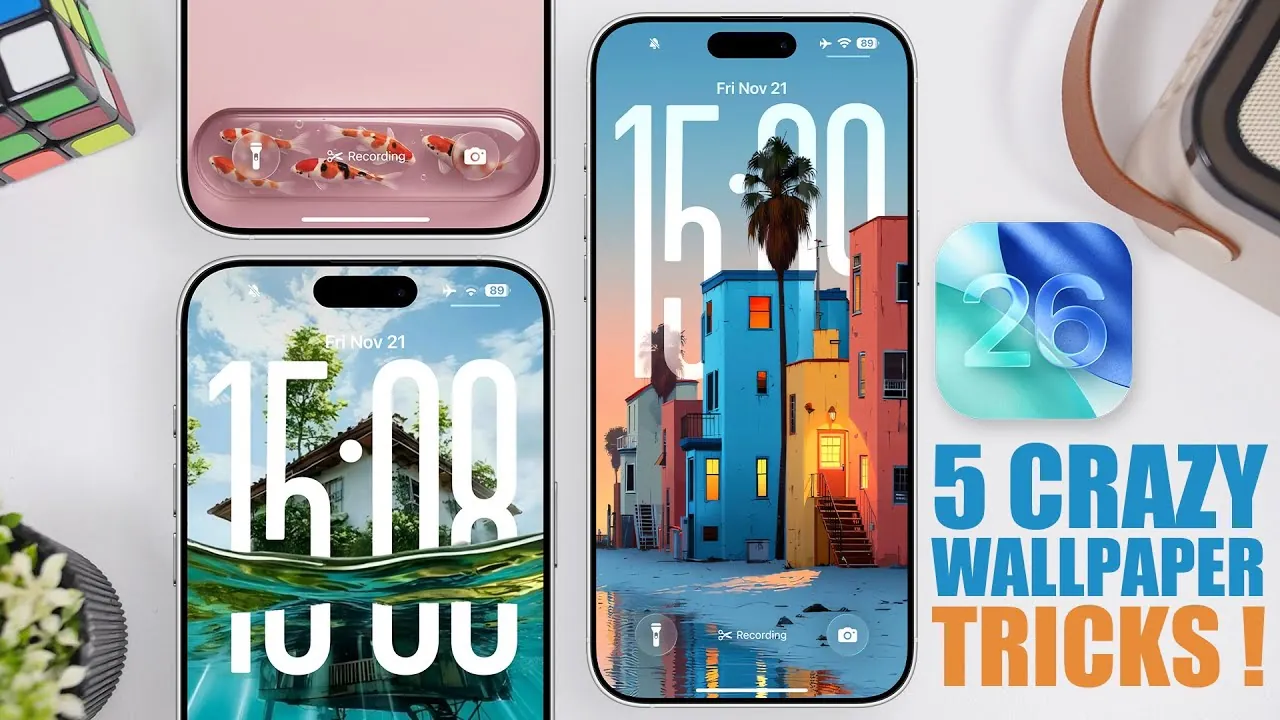
iOS 26 introduces an impressive suite of wallpaper customization tools, allowing you to transform your iPhone’s lock and home screens into visually stunning and highly personalized spaces. With features like depth effects, live animations, dual wallpapers, and special designs, you can create a unique aesthetic that reflects your personality and style. These tools not only enhance the appearance of your device but also provide a more engaging and interactive user experience. In the video below,
iReviews explores the most impactful wallpaper customization techniques to help you make the most of iOS 26.
Unlock the Power of Depth Effects
The depth effect in iOS 26 adds a captivating three-dimensional quality to your wallpapers, creating a layered look where elements like clocks and widgets interact with objects in the image. This feature brings a sense of depth and realism to your screen, making it feel more dynamic and immersive. For example, a tree in the foreground can partially obscure the clock, giving the illusion of spatial interaction.
To maximize the depth effect:
- Adjust the zoom level of your wallpaper to align key elements with the clock or widgets for a balanced composition.
- Experiment with spatial scene effects, which enhance depth perception, especially with natural-themed wallpapers like landscapes, water, or foliage.
By fine-tuning these settings, you can achieve a visually immersive experience that feels modern, unique, and tailored to your preferences.
Bring Your Screen to Life with Live Wallpapers
Live wallpapers introduce motion to your screen, featuring subtle animations that activate when you wake your device. These designs, such as flowing water, drifting clouds, or glowing patterns, create an interactive and engaging experience without overwhelming your layout. The animations are smooth and fluid in iOS 26, making sure a seamless blend of functionality and style.
To make the most of live wallpapers:
- Select designs that complement your lock screen’s clock and widgets for a cohesive and polished look.
- Opt for animations that enhance the overall aesthetic rather than distract from it, making sure a harmonious design.
Live wallpapers are an excellent way to add a touch of sophistication and movement to your device while maintaining a clean and organized appearance.
Seamlessly Transition with Dual Wallpapers
Dual wallpapers allow you to pair two complementary designs for your lock and home screens, creating a cohesive yet distinct visual experience. For instance, you can use a vibrant, eye-catching image on your lock screen and a subtler, more minimalistic version of the same design for your home screen. This feature ensures that your device maintains a consistent theme while offering variety.
To customize dual wallpapers effectively:
- Adjust brightness, color tones, and zoom levels to ensure both screens harmonize visually and feel connected.
- Experiment with different combinations to find the perfect balance between boldness and subtlety, making sure neither screen feels out of place.
This feature not only enhances your device’s aesthetics but also provides a more personalized and intentional user experience.
Elevate Your Style with Special Wallpapers
Special wallpapers are designed to integrate seamlessly with your device’s elements, such as clocks, widgets, and toggles. These wallpapers often feature patterns, textures, or designs that interact with the screen layout, creating a polished and intentional look. For example, circular patterns can frame the clock, or geometric designs can align with widget placements.
To get the best results with special wallpapers:
- Choose wallpapers with elements that naturally align with your screen’s layout, making sure a cohesive and intentional design.
- Adjust zoom and positioning to ensure every element feels purposeful and well-placed, avoiding clutter or misalignment.
This level of customization allows you to create a setup that feels both professional and uniquely yours, elevating the overall look and feel of your device.
General Tips for Wallpaper Customization
To fully use the advanced wallpaper features in iOS 26, consider these practical tips:
- Experiment with zoom levels and positioning to enhance depth effects and achieve the perfect composition for your screen.
- Explore high-quality designs from wallpaper apps, online communities like Reddit, or image searches on Google to find unique and visually appealing options.
- Combine different wallpaper types—such as live, dual, and special designs—to discover the ideal setup that matches your preferences and lifestyle.
- Regularly update your wallpapers to keep your device feeling fresh and aligned with your evolving tastes or seasonal themes.
Transform Your iPhone Experience
With iOS 26, wallpaper customization becomes more than just an aesthetic upgrade—it’s an opportunity for creative expression and personalization. Whether you’re drawn to the immersive depth effects, the dynamic animations of live wallpapers, or the seamless transitions of dual designs, these tools empower you to craft a screen that’s as unique as you are. By experimenting with these features and exploring new designs, you can turn your iPhone into a visually stunning and highly personalized device that reflects your individuality.
Explore further guides and articles from our vast library that you may find relevant to your interests in iOS 26 wallpaper customization.
- Maximize iOS 26 Customization with Depth Effect & Live Wallpaper
- The Best iOS 26 Wallpaper Apps You Need To Try
- iOS 26 Customization: How to Personalize Your iPhone
- How iOS 26 Enhances Your iPhone with AI and Customization
- iOS 26 Lock Screen and Home Screen Features Explained
Source & Image Credit: iReviews
Disclosure: Some of our articles include affiliate links. If you buy something through one of these links, Geeky Gadgets may earn an affiliate commission. Learn about our Disclosure Policy.
