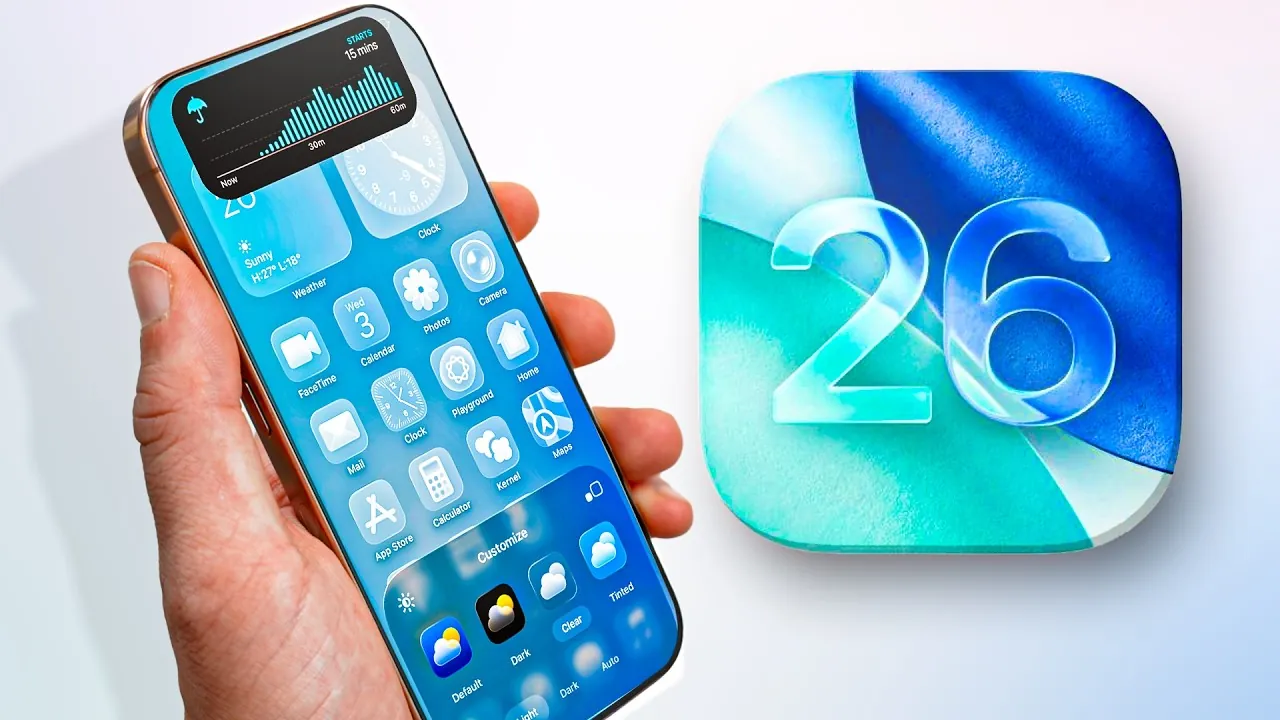
iOS 26 introduces a range of features aimed at making your iPhone experience more personalized, efficient, and accessible. With advancements in artificial intelligence (AI), a cohesive design language, and enhanced usability, this update focuses on improving how you interact with your device. Below is an in-depth look at the most notable updates and how they can enhance your daily use in a new video from Nikias Molina.

Lock Screen: Enhanced Customization and Functionality
The lock screen in iOS 26 has been redesigned to balance aesthetics with practicality, offering features that cater to both style and usability. Key updates include:
- Dynamic 3D Wallpapers: These spatial wallpapers create an immersive visual experience, adding depth and movement to your lock screen.
- Customizable Time Display: Adjust the size, font, and color of the clock to align with your personal preferences.
- Widgets at Your Fingertips: Widgets are now conveniently located at the bottom of the screen, making them easier to access without unlocking your phone.
- Interactive Music Artwork: Live animations for album covers bring a dynamic and engaging touch to your lock screen.
These updates ensure your lock screen is not only visually appealing but also highly functional, offering quick access to essential information and tools.
Home Screen: Designed for Personalization and Productivity
The home screen in iOS 26 has been refined to provide a sleek and modern interface that prioritizes user customization. Key features include:
- Transparent Icons and Liquid Glass Effects: A futuristic design aesthetic that combines clarity with elegance, creating a visually striking interface.
- Customizable Layouts: Arrange apps, widgets, and folders to suit your workflow, making navigation more intuitive and efficient.
- Improved Accessibility: Enhanced text readability, reduced transparency options, and other accessibility features ensure the home screen is usable for a diverse range of users.
These enhancements make the home screen a powerful tool for productivity while maintaining a clean and modern look.
Photos App: Smarter Tools for Managing Memories
The Photos app in iOS 26 introduces intelligent features to simplify the organization and retrieval of your images and videos. Notable updates include:
- Streamlined Organization: Separate your library into collections, making it easier to navigate and locate specific photos or albums.
- AI-Powered Search: Use advanced search capabilities to find events, such as concerts, and access detailed metadata like setlists and venues.
- Advanced Filtering: Sort your photos and videos by date, location, or content type, allowing for more precise organization.
These tools make managing your photo library more intuitive, making sure your memories are always easy to find and enjoy.
AI Features: Transforming Daily Tasks
Artificial intelligence plays a central role in iOS 26, introducing features that enhance productivity and simplify everyday tasks. Key AI-driven tools include:
- Image Recognition: Instantly identify objects in photos to shop online, gather information, or learn more about your surroundings.
- Voice Memo Transcription: Automatically transcribe voice memos, making it easier to summarize meetings, lectures, or personal notes.
- Offline AI Assistant: Access AI-powered tools like writing assistance, reminders, and more without requiring an internet connection.
These features demonstrate how AI can seamlessly integrate into your daily life, saving time and improving efficiency.
iMessage: A More Engaging Communication Experience
iMessage has been updated with features that enhance both functionality and personalization. Key improvements include:
- Personalized Chat Wallpapers: Customize your chat backgrounds with unique designs, adding a personal touch to your conversations.
- Adaptive Design: iMessage now adjusts its interface based on your preferences, creating a more tailored user experience.
- Group Chat Tools: Easily create polls within group chats to gather input from participants, streamlining decision-making.
These updates make iMessage a more versatile and enjoyable platform for communication.
Camera and Media: Simplified and Enhanced
The camera and media features in iOS 26 have been refined to offer greater usability and customization. Key updates include:
- Redesigned Camera Interface: A sleek layout with liquid glass elements makes navigating camera settings more intuitive.
- Remote Photo Capture: Use your AirPods to remotely capture photos, adding convenience to group shots and selfies.
- Customizable Media Settings: Adjust snooze durations, ringtones, and haptic feedback to personalize your media experience.
These features make capturing and managing media more seamless and user-friendly.
Privacy and Call Management: Enhanced Security
Privacy remains a cornerstone of iOS 26, with new tools to protect your communication and personal data. Key features include:
- Spam Call Screening: Live transcription of unknown callers allows you to decide whether to answer without picking up.
- Improved Call Categorization: Organize and report spam calls more effectively, keeping your call log clean and secure.
These updates reinforce Apple’s commitment to user privacy and security.
Battery Optimization: Smarter Energy Management
iOS 26 introduces intelligent battery management features to help you get the most out of your device. Notable updates include:
- Adaptive Power Mode: AI analyzes your usage patterns and adjusts settings to conserve energy when needed.
- Detailed Insights: Receive notifications and analytics about your power consumption, helping you make informed decisions about battery usage.
These tools ensure your device stays powered throughout the day while keeping you informed about energy consumption.
CarPlay: A More Intuitive Driving Companion
CarPlay has been updated to provide a smoother and more visually cohesive experience. Key enhancements include:
- Liquid Glass Design: A unified aesthetic that aligns with the rest of iOS 26, creating a seamless visual experience.
- Redesigned Apple Music Interface: Navigate your music library more easily while driving.
- iMessage Integration: Communicate effortlessly with tabbacks and other features while on the road.
These updates make CarPlay a more intuitive and enjoyable tool for drivers.
System-Wide Design and Accessibility
The liquid glass design theme extends across iOS 26, creating a cohesive and modern look. Accessibility improvements include:
- Enhanced Text Options: Adjust text size, boldness, and contrast for improved readability.
- Improved Button Shapes: Clearer visual cues make navigation easier for all users.
These updates ensure that iOS 26 is inclusive and accessible, catering to a wide range of user needs.
Explore further guides and articles from our vast library that you may find relevant to your interests in AI Capabilities.
- ChatGPT 5 Overview : Features, Benefits and Ethical Implications
- OpenAI Horizon Alpha: Open Source ChatGPT-5 AI Model Details
- xAl Grok 4 : Elon Musk’s Latest AI Model Explained
- How ChatGPT 5’s Multimodal AI Models Are Changing Everything
- How EmbeddingGemma Delivers On-Device AI with Multilingual
Source & Image Credit: Nikias Molina
Disclosure: Some of our articles include affiliate links. If you buy something through one of these links, Geeky Gadgets may earn an affiliate commission. Learn about our Disclosure Policy.
