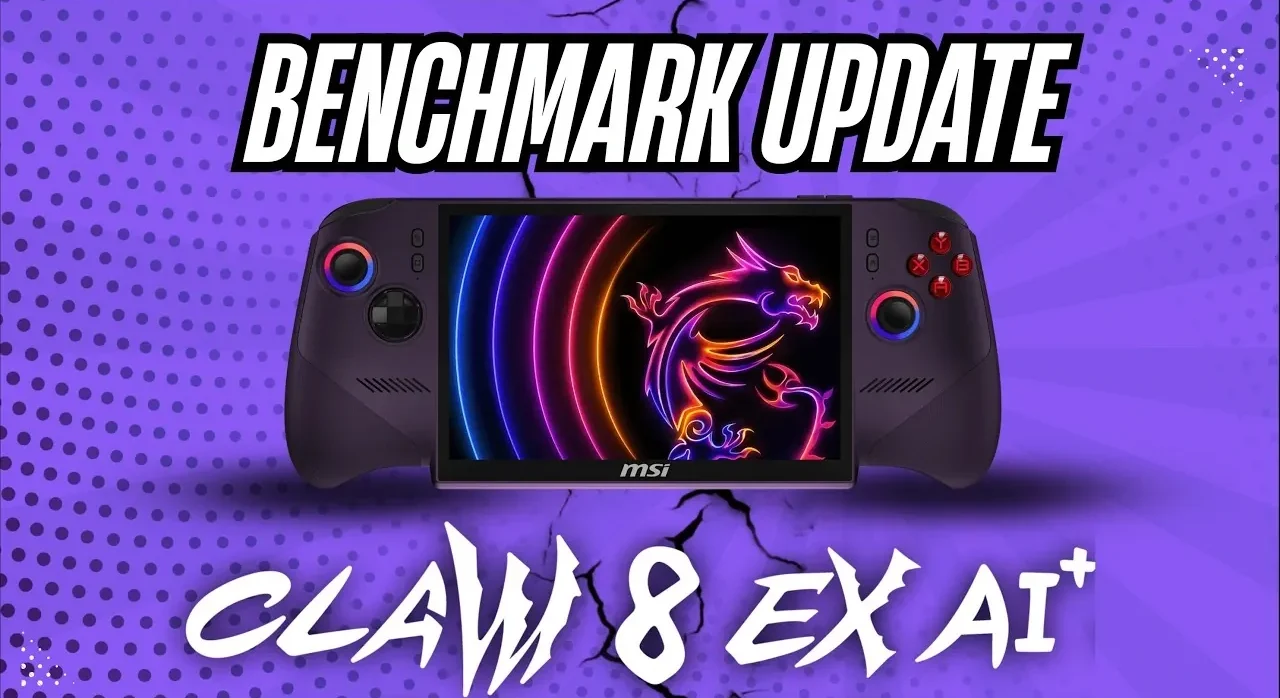
The MSI Claw 8 EX and MSI Claw 8 AI+ are two laptops designed for users who require consistent performance under demanding conditions. In this updated overview, Haviq Tech examines how recent refinements in benchmarking methodology, including standardized parameters and side-by-side testing, provide a clearer comparison of these devices. A key focus is on their Thermal Design Power (TDP) settings, with the Claw 8 EX tested at 47W and the Claw 8 AI+ at 35W, highlighting differences in cooling efficiency and sustained performance during intensive tasks like gaming or video editing.
Explore how these updates impact performance metrics, including graphical quality and thermal management, under real-world conditions. You’ll gain insight into the role of features like preloaded shaders and XESS 3 in enhancing computational performance and image fidelity. This breakdown also provide more insights into the implications of re-allowing CPU boost on the Claw 8 AI+, making sure a balanced and accurate evaluation of both laptops.
Thermal Design Power (TDP): A Critical Performance Indicator
TL;DR Key Takeaways :
- The MSI Claw 8 EX operates at higher TDP levels (35W and 47W) compared to the MSI Claw 8 AI+ (30W and 35W), emphasizing better cooling efficiency and sustained performance under peak thermal conditions.
- Refinements in the benchmarking process include side-by-side testing to eliminate heat interference and re-allowing CPU boost on the MSI Claw 8 AI+ for optimal performance during demanding tasks.
- Standardized benchmark parameters, such as 1920×1200 resolution, medium-to-high graphics settings and XESS 3 in quality mode, ensure consistent and real-world-relevant performance comparisons.
- Preloaded shaders, activated via Intel software, reduce loading times and enhance smoothness, contributing to more reliable and actionable benchmark results.
- The updated benchmarks provide a fair and accurate comparison of the laptops’ thermal efficiency, graphical performance and overall system reliability, helping users make informed decisions based on their specific needs.
Thermal Design Power (TDP) plays a pivotal role in determining how effectively a laptop manages heat during resource-intensive tasks. The MSI Claw 8 EX operates at TDP levels of 35W and 47W, while the MSI Claw 8 AI+ runs at 30W and 35W. To ensure a fair and accurate comparison, the updated benchmarks test both devices at their maximum TDP settings. This approach emphasizes each laptop’s cooling efficiency and sustained performance under peak thermal conditions. By focusing on TDP, you gain a clearer understanding of how these laptops handle demanding workloads, such as gaming or video editing, without overheating or throttling performance.
Refinements in Testing Methodology
The benchmarking process has undergone significant improvements to enhance accuracy and eliminate external variables that previously affected results. Key refinements include:
- Side-by-Side Testing: Both laptops are tested simultaneously to prevent heat interference from the testing environment, which previously caused inconsistencies in performance measurements.
- CPU Boost Re-enabled: The MSI Claw 8 AI+ now has its CPU boost feature activated, making sure optimal temperature management and proper GPU power allocation during graphically demanding tasks.
These adjustments ensure a level playing field, allowing the results to reflect the true performance potential of each device. By addressing prior shortcomings, the updated methodology provides a more reliable basis for comparison, particularly for users seeking high-performance laptops for intensive applications.

Explore further guides and articles from our vast library that you may find relevant to your interests in MSI Claw 8 devices.
- Inside the First Handheld Powered by Intel’s Arc G3 Extreme : MSI Claw 8 EX AI+
- Why the MSI Claw 8 EX Feels Like a True Next-Gen Handheld
- How Intel’s Arc G3 Extreme Transforms the MSI Claw 8 EX AI+ Handheld
- Intel’s Arc G3 Extreme Crushes AMD in the MSI Claw 8 EX
- What Happens When Handheld Consoles Rival Gaming Laptops In 2026
- How to Install Valve’s SteamOS on the MSI Claw 8 AI+ Handheld
- Handheld PCs Finally Conquer 1440P Gaming with the ARC B390 iGPU
- Lenovo Legion Go 2 vs ROG Xbox Ally X vs MSI Claw 8 AI : Handheld Showdown!
Standardized Benchmark Parameters
To maintain consistency and comparability, the updated benchmarks adhere to strict, uniform settings that simulate real-world usage scenarios. These parameters prioritize both performance and image quality, making sure the results are relevant for users who demand a balance between computational power and visual fidelity. The standardized settings include:
- Resolution: 1920×1200
- Graphics Settings: Medium to high
- Frame Generation: Disabled
- XESS 3: Enabled and set to quality mode
- Preloaded Shaders: Activated via Intel software
- Power Mode: Best performance, battery-powered
By disabling frame generation and focusing on XESS 3 in quality mode, the benchmarks emphasize computational performance and image fidelity. Preloaded shaders, activated through Intel software, further enhance the testing process by reducing loading times and making sure smoother performance. These standardized parameters provide a consistent framework for evaluating the laptops, making the results more reliable and actionable for semi-technical users.
Consistency and Reliability in Benchmarking
To ensure the accuracy and reproducibility of the results, no additional settings have been altered beyond the standardized parameters. This commitment to consistency minimizes variability and enhances the reliability of the data. Preloaded shaders, enabled through Intel software, not only reduce loading times but also contribute to smoother performance during testing, making sure that the benchmarks accurately reflect real-world usage scenarios.
The updated benchmarking process also accounts for the unique thermal and power characteristics of each laptop. By testing both devices under identical conditions, the results provide a fair comparison of their capabilities. Whether you prioritize thermal efficiency, graphical performance, or overall system reliability, these benchmarks offer valuable insights to guide your decision-making process.
Key Takeaways from the Updated Benchmarks
The refinements in the benchmarking process for the MSI Claw 8 EX and MSI Claw 8 AI+ address previous shortcomings and introduce critical improvements for enhanced accuracy. By standardizing TDP settings, optimizing CPU boost functionality and adhering to consistent testing parameters, the updated benchmarks provide a more reliable comparison of these high-performance laptops.
For users who demand exceptional performance, these insights highlight the strengths and limitations of each device. Whether your focus is on thermal management, graphical capabilities, or overall system stability, the updated benchmarks offer a comprehensive evaluation to help you choose the laptop that best meets your needs.
Media Credit: Haviq Tech
Disclosure: Some of our articles include affiliate links. If you buy something through one of these links, Geeky Gadgets may earn an affiliate commission. Learn about our Disclosure Policy.
