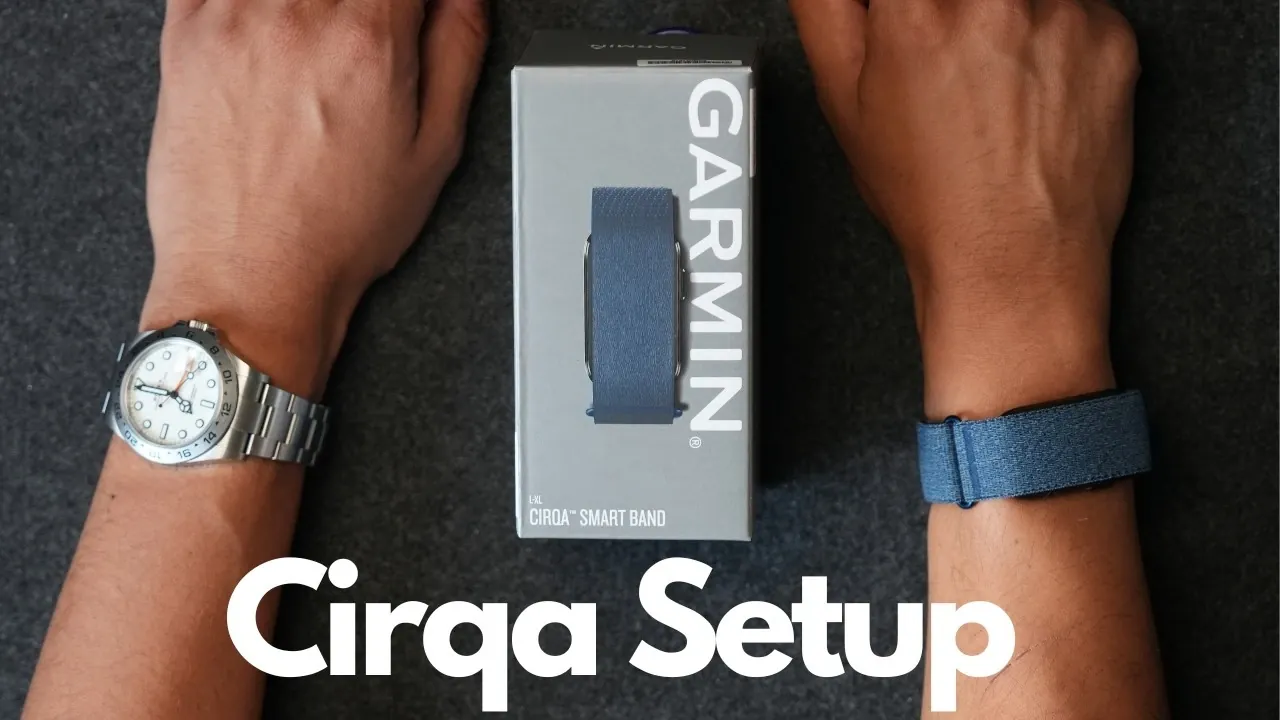
The Garmin CIRQA smartband is designed to provide detailed tracking and insights, but proper setup is key to making the most of its features. According to Neil Shah, starting with basics like fully charging the device and pairing it with the Garmin Connect app ensures a smooth setup process. Adjustments such as selecting your wrist preference and inputting your sleep schedule are critical for accurate heart rate monitoring and activity tracking tailored to your daily routine.
Discover how to fine-tune activity tracking by configuring auto-detection settings, integrating GPS and customizing heart rate zones. Learn about features like LiveTrack for safety during workouts and smart wake alarms to improve your sleep cycle. Gain insight into syncing data seamlessly across devices and aligning settings with your specific fitness objectives.
Garmin CIRQA Setup Guide
TL;DR Key Takeaways :
- The Garmin Circa smartband offers comprehensive health and fitness tracking, requiring proper setup via the Garmin Connect app for optimal performance.
- Activity tracking can be customized with up to 10 activities, GPS integration and personalized settings like heart rate zones and lap alerts.
- Smart features include a vibration-based wake alarm, LiveTrack for real-time location sharing and smartphone notification syncing for convenience and safety.
- Seamless integration with other Garmin devices and third-party apps like Strava enhances tracking, analysis and overall usability.
- Advanced features such as Sleep Score, Body Battery and Training Readiness provide deeper insights into health, while customization options ensure a tailored user experience.
Getting Started: Initial Setup
Setting up your Garmin Circa is a straightforward process, but attention to detail is crucial for making sure accurate tracking and optimal performance. Follow these steps to get started:
- Power on the device and connect it to a USB-C charger to ensure a full charge before use.
- Download and install the Garmin Connect app on your smartphone from your app store.
- Pair the Circa with the Garmin Connect app by following the on-screen instructions provided during setup.
- Input essential personal details, such as your wrist preference (left or right) and sleep schedule, to enhance tracking accuracy.
These initial configurations are vital for allowing the Circa to deliver precise health metrics and activity data tailored to your lifestyle.
Configuring Activity Tracking
The Garmin Circa excels in tracking a wide range of activities, but proper configuration is necessary to align the device with your fitness goals. Here’s how to set it up effectively:
- Select up to 10 activities to monitor, including popular options like walking, running, cycling, swimming and yoga.
- Enable the auto activity detection feature, allowing the device to recognize and log movements without requiring manual input.
- Activate GPS tracking through your smartphone for outdoor activities to ensure precise location and distance data.
- Customize lap alerts, heart rate zones and activity preferences to match your workout style and intensity.
By tailoring these settings, you ensure the Circa provides accurate, personalized insights into your physical activity, helping you track progress and achieve your fitness objectives.

Unlock more potential in Garmin CIRQA by reading previous articles we have written.
- Everything You Need to Know About Garmin’s New Screenless Wearable
- FCC Filings Suggest Garmin CIRQA May Launch Around July 19th 2026
- Why Garmin is Ditching Screens for Its Next Big Wearable
- What the New Garmin CIRQA and Vivosmart 6 Leak Actually Reveals
- Garmin CIRQA vs WHOOP 5.0: Which Fitness Tracker Should You Buy?
- Leak Suggests Garmin CIRQA Fitness Tracker Could Feature EDA Sensors
- Garmin CIRQA vs Google Fitbit Air: Which Fitness Tracker Suits You Best?
- Garmin CIRQA Trademarks Hint at EDA Stress Tracking
- 30+ Garmin CIRQA Features: $199 Screenless Fitness Tracker
- Garmin CIRQA Smart Band Officially Launches £180 Requires No Subscription
Using Smart Features
The Garmin Circa is equipped with a variety of smart features designed to enhance your daily routine and improve usability. To make the most of these tools:
- Set up the smart wake alarm for gentle, vibration-based alerts that wake you without disturbing others.
- Use the side button for quick access to start, pause, or stop activities during workouts, making sure seamless operation.
- Enable LiveTrack to share your real-time location with trusted contacts, adding an extra layer of safety during outdoor activities.
- Sync notifications from your smartphone to stay connected without needing to check your phone constantly.
These features not only enhance convenience but also contribute to a safer and more efficient fitness journey, making the Circa an indispensable part of your routine.
Seamless Device Integration
To unlock the full potential of your Garmin Circa, integrating it with other Garmin devices and the Garmin Connect app is essential. Here’s how to ensure seamless connectivity:
- Assign the Circa as your primary wearable for tracking daily metrics such as steps, stress levels and sleep quality.
- If you own other Garmin devices, such as the Fenix 8 Solar or Edge cycling computers, use them for specialized training while relying on the Circa for everyday tracking.
- Sync data regularly between devices and the Garmin Connect app to maintain a comprehensive view of your health and fitness progress.
- Explore third-party app integrations, such as Strava or MyFitnessPal, to further enhance your tracking and analysis capabilities.
This integration ensures a cohesive experience across all your Garmin tools, providing a unified platform to monitor and manage your health and fitness journey.
Exploring Additional Features
The Garmin Circa, paired with the Garmin Connect app, offers a wealth of additional features that provide deeper insights into your health and performance. Key metrics include:
- Sleep Score: Gain a detailed understanding of your sleep quality, including duration and recovery insights.
- Body Battery: Monitor your energy levels throughout the day to optimize activity and rest periods.
- Training Readiness: Assess your preparedness for physical activity based on factors like recovery, sleep and stress levels.
- Stress Tracking: Identify periods of high stress and use guided breathing exercises to manage it effectively.
Regularly updating the Circa’s software is also essential. These updates often include bug fixes, performance improvements and new features that enhance the device’s overall functionality.
Customizing Your Experience
The Garmin Circa is designed to adapt to your unique lifestyle and preferences. Customizing its settings allows you to create a tailored experience that meets your specific needs:
- Adjust alarms, activity tracking options and GPS settings to align with your daily routine and fitness goals.
- Personalize watch faces and widgets to display the most relevant information at a glance.
- Choose between using the Circa as a standalone wearable or pairing it with other Garmin devices for a more comprehensive tracking experience.
- Set reminders for hydration, movement, or mindfulness to support your overall well-being.
This flexibility ensures the Circa remains a valuable tool, whether you’re a casual user looking to improve daily habits or a dedicated athlete pursuing ambitious fitness milestones.
By following these steps and exploring the Circa’s extensive features, you can unlock its full potential and enjoy a seamless, personalized health and fitness tracking experience.
Media Credit: Neil Shah
Disclosure: Some of our articles include affiliate links. If you buy something through one of these links, Geeky Gadgets may earn an affiliate commission. Learn about our Disclosure Policy.
