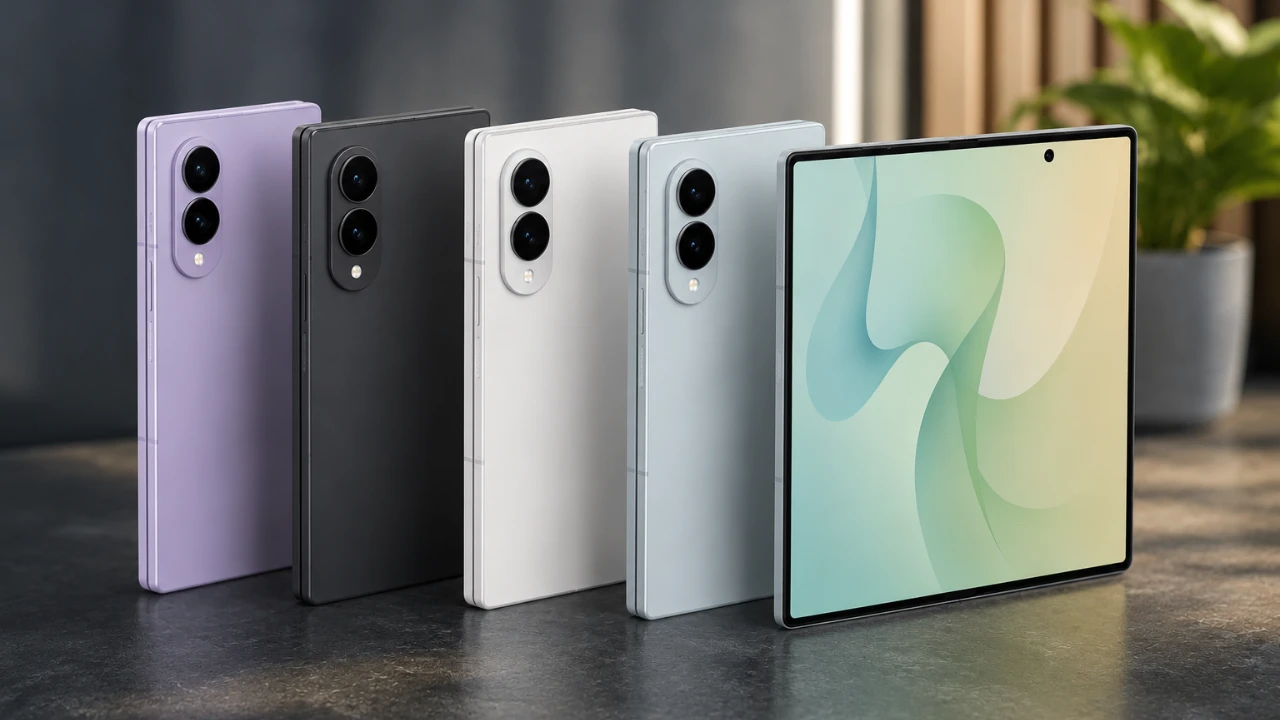
The Samsung Galaxy Z Fold 8 represents a significant leap in foldable smartphone technology, combining innovative design with powerful functionality. This guide explores 25 essential features, tips, and tricks to help you unlock the full potential of this device. From advanced customization options to productivity tools and hidden gems, the Galaxy Z Fold 8 is designed to enhance your everyday experience. The video below from WhatGear gives us more details.

Customization and Personalization
The Galaxy Z Fold 8 offers a wealth of customization options, allowing you to tailor the device to your specific preferences and lifestyle. These features allow you to create a personalized interface that adapts seamlessly to your needs:
- Dynamic wallpapers and lock screens: Choose from AI-generated designs or weather-adaptive animations to keep your device visually engaging.
- Widget stacks and color-coded folders: Organize your home screen efficiently for quicker navigation and a cleaner layout.
- Separate layouts for displays: Customize the cover and inner screens independently, optimizing both portrait and landscape modes for a seamless experience.
- Custom app icons and system colors: Reflect your personal style by adjusting icons, themes and search bar designs.
These tools empower you to make the Galaxy Z Fold 8 uniquely yours, making sure it aligns with your daily habits and aesthetic preferences.
Advanced Camera Features
The Galaxy Z Fold 8’s camera system is engineered for versatility, offering professional-grade tools for photography and videography enthusiasts. Its standout features include:
- 50MP main camera: This high-resolution lens doubles as a selfie camera via the cover screen, delivering sharp, detailed images.
- Tracking autofocus: Keep moving subjects in focus, even in dynamic or crowded environments.
- Cinematic video tools: Use log recording and pre-installed LUTs to achieve professional cinematic effects in your videos.
- Fan Cam feature: Crop and track subjects in real-time, making it ideal for creating engaging social media content.
These advanced capabilities ensure that your photos and videos are not only high-quality but also creatively enhanced.
Productivity Tools for Multitasking
Designed with productivity in mind, the Galaxy Z Fold 8 offers a range of tools to help you work smarter and more efficiently:
- Split-screen multitasking: Run up to three apps simultaneously, accessible via the taskbar, edge panel, or drag-and-drop gestures.
- App layout saving: Save and recall specific app configurations to resume tasks without losing progress.
- Now Brief widget: Stay informed with real-time updates on weather, reminders and personalized content, all in one place.
These features make the Galaxy Z Fold 8 an indispensable tool for managing both professional and personal tasks with ease.
Hidden Features and Optimizations
Beyond its headline features, the Galaxy Z Fold 8 includes several lesser-known functionalities that enhance its usability and convenience:
- Dolby Atmos support: Enjoy immersive audio with customizable equalizer settings for a tailored listening experience.
- Notification lighting effects: Assign contact-specific colors for alerts, creating a personalized notification system.
- Finder tool: Perform quick local and web searches, with integrated Spotify support for seamless music discovery.
- Quick access to digital wallets: Use the side button to instantly open Google Wallet or Samsung Wallet for hassle-free payments.
These hidden gems ensure a smoother, more intuitive interaction with your device, enhancing its overall functionality.
Gaming and Entertainment
The Galaxy Z Fold 8 transforms into an entertainment powerhouse, offering features that cater to gamers and media enthusiasts alike:
- Emulator compatibility: Play a wide range of games using emulators like Limuroid, taking full advantage of the expansive screen.
- Wide aspect ratio: Enjoy an immersive experience for both gaming and streaming, with enhanced visuals and performance.
Whether you’re diving into your favorite games or binge-watching shows, the Galaxy Z Fold 8 improves your entertainment experience.
Maximizing the Edge Panel
The edge panel is a versatile feature that enhances convenience and efficiency. By customizing and using it effectively, you can streamline your interactions with the device:
- Adjustable settings: Modify the position, size and transparency of the edge panel to suit your preferences.
- Quick access shortcuts: Add frequently used apps, tools and functions for instant accessibility.
This feature is particularly useful for multitasking and accessing essential functions on the go, making your device more intuitive to use.
Quick Settings and Navigation
The Galaxy Z Fold 8 simplifies navigation and device management through its intuitive quick settings menu. Key features include:
- Vertical sliders: Customize sliders for one-handed operation, improving accessibility and ease of use.
- Taskbar integration: Display recent apps in the taskbar for faster multitasking and streamlined navigation.
These enhancements allow you to focus on what matters most, minimizing distractions and maximizing efficiency.
Additional Tips for Enhanced Use
The Galaxy Z Fold 8 includes several advanced features designed to enrich your overall experience. These small yet impactful tools add convenience and functionality to your daily interactions:
- Call Brief and Now Nudge: Receive contextual information during calls and messaging, keeping you informed and organized.
- Weather-adaptive animations: Add a dynamic, visually appealing touch to your interface with animations that respond to real-time weather conditions.
- Voice recorder widgets: Capture audio notes directly from your home screen for quick and easy recording.
These features demonstrate the Galaxy Z Fold 8’s commitment to providing a comprehensive and user-friendly experience.
Check out more relevant guides from our extensive collection on Foldable Display that you might find useful.
- Samsung’s ‘Flex Titanium’ to Kill the Galaxy Z Fold 8 & Ultra Crease
- Samsung Introduces Flex Titanium Technology for Foldable Displays
- Samsung Galaxy Z Fold 8 Leaks: Dual-UTG Glass and the End of the Screen Crease?
- Bye-Bye, Crease? How the Samsung Galaxy Z Fold 8 Plans to Beat the Competition
- The Crease Is Finally Gone: Samsung Just Showed Off the Galaxy Z Fold 8 Display At CES
Source & Image Credit: WhatGear
Disclosure: Some of our articles include affiliate links. If you buy something through one of these links, Geeky Gadgets may earn an affiliate commission. Learn about our Disclosure Policy.
