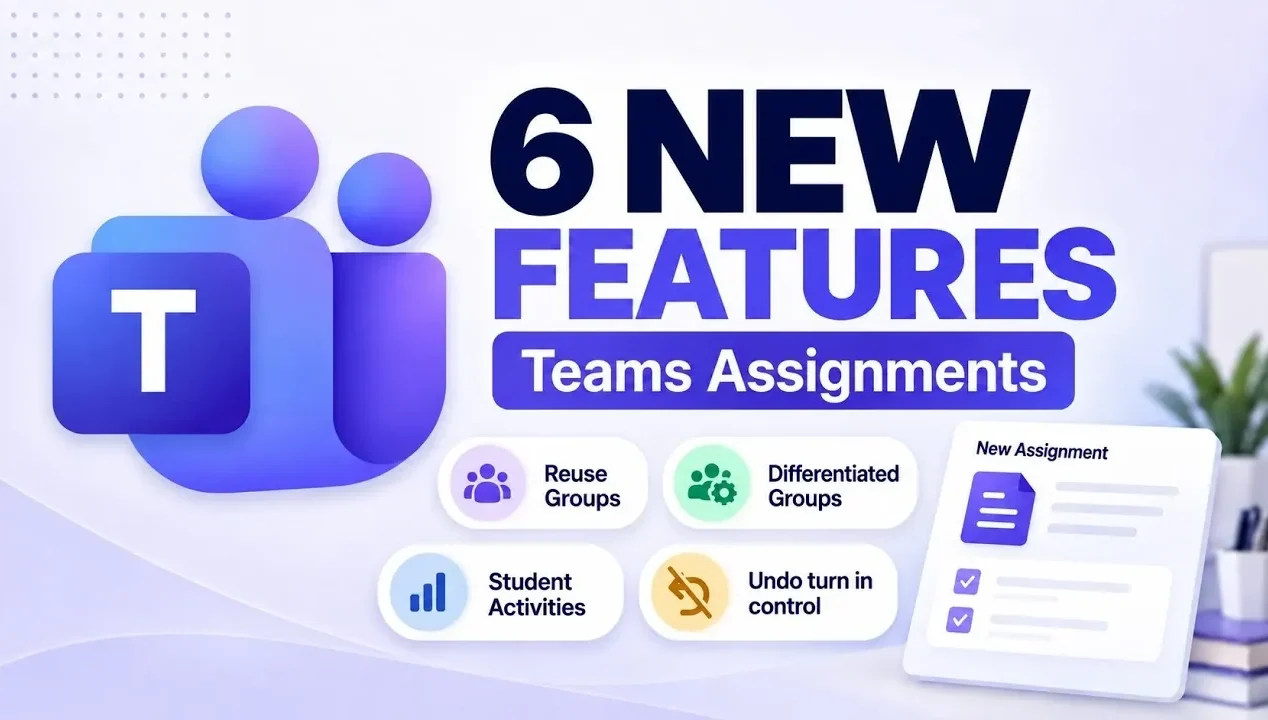
Microsoft Teams for Education has introduced six updates this fall to improve how assignments are organized and implemented in classrooms. One notable addition is the “Collaboration Groups” feature, which enables educators to save and reuse student group configurations across different assignments. This reduces repetitive setup efforts and supports more consistent group-based activities. Mike Tholfsen highlights how these updates are designed to streamline processes and enhance classroom collaboration.
Dive into how these updates can support your teaching, including “Learning Groups” for customized assignments and AI-based features that assist with lesson preparation. Gain insight into interactive activities that encourage student participation and explore a submission control feature that helps maintain accountability. This explainer provides clear steps for integrating these updates into your classroom practices.
Reusable Groups: Simplifying Collaboration
TL;DR Key Takeaways :
- Collaboration Groups: Educators can save and reuse student groups across assignments, streamlining team management and fostering consistent collaboration.
- Differentiated Learning Groups: Tailored assignments can be assigned to specific student groups based on skill levels or needs, promoting personalized and equitable learning.
- Interactive Learning Activities: AI-powered tools generate engaging activities like flashcards and matching games, enhancing student participation and comprehension.
- AI-Enhanced Content Creation: Tools like Copilot simplify lesson planning by automating the creation of resources, allowing educators to focus more on teaching.
- Submission Control: The “Disable Undo Turn-In” feature ensures finality in submissions, helping manage deadlines and fostering student accountability.
The new “Collaboration Groups” feature streamlines the process of managing student teams. With this update, you can save and reuse previously created groups across multiple assignments. This eliminates the need to reorganize students for every project or activity, saving valuable time and making sure consistency. Whether you’re assigning group projects, facilitating discussions, or organizing collaborative tasks, this tool ensures a seamless workflow. By reducing administrative overhead, you can focus more on fostering meaningful collaboration among students.
Differentiated Learning Groups: Tailored Assignments
The “Learning Groups” feature makes personalized education more accessible and effective. This tool allows you to assign specific tasks to distinct groups of students based on their skill levels, learning needs, or interests. Importantly, students remain unaware of their group assignments, making sure privacy and inclusivity. By tailoring assignments to meet individual needs, you can provide the right level of challenge and support for each student. This approach fosters a more equitable learning environment, helping every student reach their full potential.

Check out more relevant guides from our extensive collection on Microsoft Teams that you might find useful.
- Microsoft Outlook Expands Business Mailboxes to 100GB Discontinues Google Calendar Sync
- How Microsoft Teams is Fixing Live Presentations This Summer
- Leaked Insta360 X6 Retail Box Reveals a €689 Starting Price
- How To Use Microsoft Planner To Manage Projects (Step-by-Step)
- Master Hermes Agent: Easily Automate Recurring Tasks with Skills
- Learn Copilot Chat for MS Teams : From File Analysis to Loop Pages, Custom Styles & Agents
- 5 Powerful Copilot Featurees in Microsoft Teams Meetings
- Microsoft Whiteboard : Perfect for Virtual Brainstorming and Planning in 2025
- How to upgrade to the new Microsoft Teams
- How to Use Microsoft Teams and Microsoft Loop Together in 2025
Interactive Learning Activities: Engaging Students
Interactive learning activities are now seamlessly integrated into assignments, offering a dynamic way to engage students. Using AI-powered tools, you can generate flashcards, fill-in-the-blank exercises and matching games based on uploaded content. For example, if you upload a lesson on historical events, the system can create matching games to help students connect dates with events. These activities provide students with opportunities to reinforce their understanding of key concepts in an interactive and enjoyable manner. By making learning more engaging, this feature encourages active participation and deeper comprehension.
AI-Enhanced Content Creation: Streamlined Lesson Planning
The integration of AI tools like Copilot simplifies the process of creating and attaching resources to assignments. This feature enables you to generate lesson plans, supplementary materials and interactive activities with ease. For instance, you can use Copilot to design a comprehensive lesson on ecosystems, complete with quizzes, flashcards and other resources. By automating time-consuming tasks, this tool allows you to dedicate more time to teaching while making sure students have access to high-quality, engaging content. The result is a more efficient and effective approach to lesson planning.
Student-Generated Learning Activities: Encouraging Creativity
Students now have the ability to create their own flashcards, quizzes and other activities using teacher-provided materials. These student-generated activities are stored in the new “Learning Activities” app, making them easily accessible for review and practice. This feature encourages creativity and active engagement, as students take ownership of their learning process. By interacting with the content in a hands-on way, students can deepen their understanding of the subject matter while developing critical thinking and problem-solving skills.
Submission Control: Managing Deadlines with Disable Undo Turn-In
The “Disable Undo Turn-In” feature provides greater control over the assignment submission process. Once students submit their work, they cannot retract it, making sure clarity and finality. This is particularly useful for high-stakes assignments or when strict deadlines are in place. By reducing confusion and streamlining the grading process, this feature minimizes disruptions and allows you to manage submissions more effectively. It also helps students develop accountability and time management skills by adhering to clear deadlines.
Empowering Education with Enhanced Tools
The Fall 2026 updates to Microsoft Teams for Education introduce a comprehensive suite of tools designed to enhance flexibility, personalization and efficiency in assignment management. From reusable groups and differentiated learning to AI-powered content creation and interactive activities, these features empower educators to create a more engaging and tailored educational experience. By integrating these updates into your teaching strategy, you can save time, address diverse learning needs and foster a more interactive and inclusive classroom environment. These tools not only simplify administrative tasks but also provide students with opportunities to thrive in a dynamic and supportive learning ecosystem.
Media Credit: Mike Tholfsen
Disclosure: Some of our articles include affiliate links. If you buy something through one of these links, Geeky Gadgets may earn an affiliate commission. Learn about our Disclosure Policy.
