
Have you ever wished you could reclaim hours lost to repetitive tasks, endless email threads, or sifting through data? With the introduction of Microsoft Copilot Chat, that wish might just become reality. This AI-powered assistant, seamlessly integrated into Microsoft 365, is more than just a productivity tool, it’s a fantastic option for how we work. By combining the power of OpenAI’s GPT technology with Microsoft’s trusted suite of apps, Copilot Chat is designed to help you tackle your to-do list faster and smarter. Whether you’re refining a report in Word, analyzing trends in Excel, or managing your inbox in Outlook, this assistant adapts to your needs, saving you time and effort where it matters most. If you’re ready to take your workflow to the next level, this how-to will show you how to make the most of this innovative tool.
In this guide, created by productivity expert Mike Tholfsen, you’ll uncover tips and tricks to unlock the full potential of Microsoft Copilot Chat. From automating tedious tasks with its prompt library to personalizing your experience with its memory functionality, you’ll learn how to harness its features to simplify your workday. Curious about how it integrates with apps like PowerPoint or OneNote? Or how it ensures your data stays secure while you collaborate? We’ll explore those details and more, leaving you equipped to transform the way you work. Think of this as your roadmap to a more efficient, less stressful workflow, because the future of productivity is here, and it’s waiting for you to explore it.
Microsoft Copilot Chat Overview
TL;DR Key Takeaways :
- Microsoft Copilot Chat, powered by OpenAI’s GPT technology, integrates seamlessly into Microsoft 365 applications to streamline workflows, enhance collaboration, and improve productivity while maintaining enterprise-grade data security.
- Key features include document summarization, a prompt library for automating repetitive tasks, memory functionality for personalized experiences, and temporary chats for secure, private discussions.
- Copilot Chat enhances core M365 apps like Word, Excel, PowerPoint, Outlook, and OneNote by offering tools such as automated data analysis, professional slide creation, email management, and integrated task tracking.
- Customization options and robust security measures, including encrypted communications and compliance with privacy standards, ensure a tailored and secure user experience.
- Advanced AI capabilities, including optional GPT-5 integration, enable more accurate and context-aware responses, while a feedback mechanism ensures continuous improvement based on user input.
Getting Started: Access and Setup
Accessing Microsoft Copilot Chat is straightforward and designed for ease of use. Available to all M365 users, it can be found at microsoft365.com. The updated interface includes intuitive features such as search, agents, conversations, and apps, making sure a seamless onboarding experience. Once logged in, you can explore its capabilities across popular applications like Word, Excel, PowerPoint, Outlook, and OneNote.
To begin, ensure your M365 subscription is active and updated to the latest version. Once logged in, you’ll notice that Copilot Chat is integrated directly into the interface of supported apps, making it accessible without disrupting your workflow. This integration allows you to immediately start using its features to simplify tasks and improve efficiency.
Key Features to Simplify Your Workflow
Microsoft Copilot Chat is equipped with a range of features designed to make your work more efficient and manageable. These tools are tailored to address common productivity challenges:
- Document Interaction: Summarize, analyze, and extract key points from Word documents, Excel spreadsheets, and PowerPoint presentations. This feature is particularly useful for reviewing lengthy reports or creating concise summaries, saving you significant time.
- Prompt Library: Automate repetitive tasks with predefined prompts. For example, you can quickly draft emails, generate meeting agendas, or create task lists, reducing the effort required for routine activities.
- Memory Functionality: Save preferences, recurring details, and interests to personalize your experience. Over time, Copilot Chat adapts to your specific needs, making interactions more intuitive and efficient.
- Temporary Chats: Engage in private, non-retained sessions for sensitive discussions. This ensures that your data remains secure and confidential, addressing concerns about privacy and information security.
These features are designed to address both individual and organizational needs, making Copilot Chat a versatile tool for various professional environments.
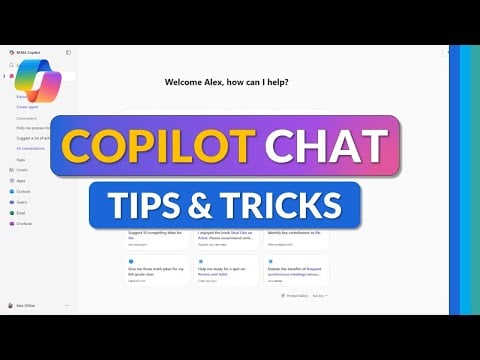
Copilot Chat Tips & Tricks to Save You Time
Check out more relevant guides from our extensive collection on Microsoft Copilot that you might find useful.
- Microsoft Copilot Review: Best Features for Smarter Workflows
- What is Microsoft Copilot? A Complete Guide to AI Productivity
- How to Set Up Microsoft Copilot on Your iPad to Boost Productivity
- How to Get Started with Microsoft Copilot in 2025
- Microsoft Copilot setup process for Excel’s advanced AI tools
- How to Use Microsoft Copilot to Boost Productivity in 2025
- How to Use Microsoft Copilot Studio to Build a Custom AI Assistants
- Microsoft Copilot Vision: Internet Browsing with AI Features
- How to Use Microsoft Copilot on Mac : Complete 2025 Guide
- Microsoft Copilot AI Beginners Guide
Seamless Integration with M365 Applications
One of the standout aspects of Microsoft Copilot Chat is its seamless integration with core M365 applications. This integration enhances the functionality of these tools, making them more powerful and user-friendly:
- Word: Summarize lengthy documents, refine drafts, and insert content directly into your files. This feature is ideal for creating polished reports or proposals in less time.
- Excel: Automate complex calculations, analyze data trends, and generate visualizations like charts and graphs. These capabilities simplify data analysis and reporting tasks.
- PowerPoint: Design professional slides, generate images, and add speaker notes to elevate your presentations. Copilot Chat can also help structure your content for maximum impact.
- Outlook: Organize your inbox, draft email responses, and summarize email threads. These tools improve communication management and help you stay on top of your correspondence.
- OneNote: Combine note-taking with task management to stay organized. You can create detailed notes, set reminders, and track progress on projects all in one place.
By integrating directly into these applications, Copilot Chat ensures that its tools are always accessible, allowing you to work more effectively without switching between platforms.
Customization and Security Features
Microsoft Copilot Chat prioritizes both user customization and data security, making sure a tailored and secure experience. You can personalize your interface with options like dark mode, notification preferences, and customized settings to match your workflow. These adjustments allow you to create an environment that supports your productivity.
On the security front, Copilot Chat employs enterprise-grade data protection measures to safeguard sensitive information. It complies with industry privacy standards, making it a reliable tool for handling confidential data. Features like temporary chats and encrypted communications further enhance its security capabilities, making sure that your information remains protected at all times.
Collaboration Made Easy
Collaboration is a core strength of Microsoft Copilot Chat, allowing teams to work together more effectively. By integrating with Loop pages, it assists real-time teamwork across M365 applications. You can track tasks, share updates, and embed content seamlessly, creating a collaborative environment that keeps everyone aligned.
This functionality is particularly valuable for remote or hybrid teams, as it ensures that all members can contribute and stay informed regardless of their location. Whether you’re brainstorming ideas, managing a project, or sharing feedback, Copilot Chat simplifies the process and enhances team productivity.
Enhanced AI Capabilities
For users with advanced needs, Microsoft Copilot Chat offers the option to enable GPT-5, an upgraded AI model that enhances its ability to handle complex queries. This feature provides more accurate and nuanced responses, making it suitable for demanding tasks such as in-depth data analysis, strategic planning, or technical problem-solving.
The enhanced AI capabilities also improve the assistant’s ability to understand context, making sure that its suggestions and outputs align more closely with your requirements. This makes it a valuable tool for professionals who need precise and reliable support for their work.
Continuous Improvement Through Feedback
Microsoft Copilot Chat is designed to evolve based on user feedback. A simple thumbs-up or thumbs-down mechanism allows you to provide input on its responses, helping refine its functionality over time. This feedback loop ensures that the tool remains responsive to your needs and continues to improve as you use it.
By actively participating in this process, you can contribute to the development of a more effective and user-friendly assistant. This collaborative approach underscores Microsoft’s commitment to creating tools that genuinely enhance productivity and user satisfaction.
Media Credit: Mike Tholfsen
Disclosure: Some of our articles include affiliate links. If you buy something through one of these links, Geeky Gadgets may earn an affiliate commission. Learn about our Disclosure Policy.
