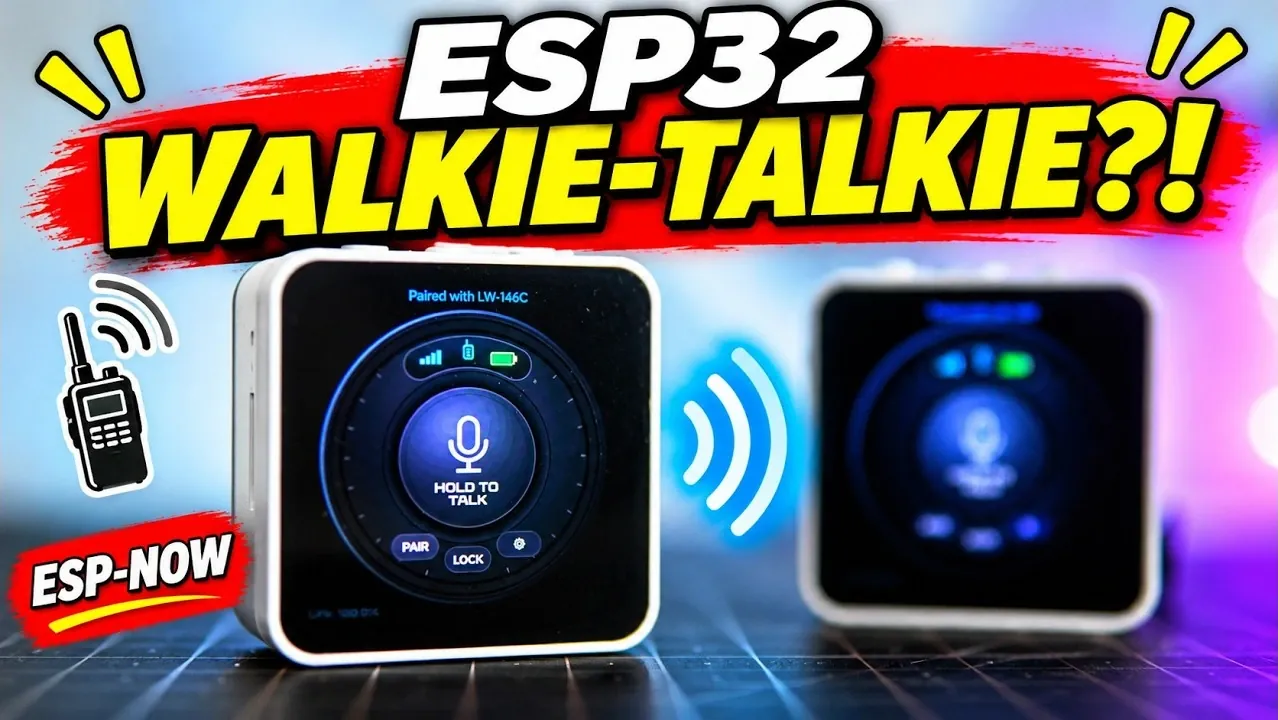
Two ESP32 boards can form a walkie-talkie that sends voice audio over ESP-NOW, with only one person speaking at a time. The demonstration adapts an existing project to Waveshare C6 Touch AMOLED 2.16 boards, which have a microphone and speaker. A listener confirmed receiving speech, although microphone feedback was also audible, as shown by Volos Projects.
The guide outlines how to change the hardware board template for a compatible screen, microphone and speaker, and how to correct the battery reading by updating its data variable. It also covers pairing and audio controls, including pairing devices, adjusting microphone sensitivity and speaker volume, and using the boot button to talk.
ESP32 Walkie-Talkies
TL;DR Key Takeaways :
- The radio project was originally made for a 1.46 board with a round display. It was adapted by changing the board template; a replacement needs a similarly sized screen, a speaker and a microphone.
- The Waveshare board has a microphone, speaker, ESP-NOW communications and an external antenna connection for better range.
- The battery reading was the only part that did not work in the adaptation; changing its variable under data fixed it.
- Settings control speaker volume, microphone sensitivity and screen brightness, while the interface shows signal strength, link status and battery information.
- Users press the interface or the board’s boot button to talk, and only one person can speak at a time. Other features include weather cards, maps, a web server, sprites, a timer and an alarm.
The project can usually be found in a gallery and was originally made for a 1.46 board with a round display. That board was not available, but the example was easy to convert by changing the board template under hardware. A replacement board needs a similarly sized screen, a speaker and a microphone.
Board and Battery
The Waveshare board is a good fit because it has a microphone, a speaker and ESP-NOW communications. It also has an external antenna connection for better range. The project lets you change the audio wiring, pins, microphones and other devices.
The battery reading was the only part that did not work in the adaptation. Changing its variable under data fixed it.

Gain further expertise in ESP32 projects by checking out these recommendations.
- Build a Clock with Wave Share ESP32 C6 Touch AMOLED 2.16
- WaveShare ESP32-C5 Offers 32MB Flash and Sensors For $20
- 5 ESP32 Projects Worth Building in 2026: Such as an Apple HomeKit Controller
- 10 ESP32 Desk Gadget Projects to Build from Adaptive Lamps to USB Meters
- 5 ESP32 Microcontroller Projects to Build Today
Controls and Settings
On the settings screen, you can adjust speaker volume, microphone sensitivity and screen brightness. You can also forget a paired device to pair another. The interface displays signal strength, link status and battery information.
To talk, you press the interface or the boot button on top of the board. An earlier attempt to make a similar project failed, but a built-in feature now makes it easy to operate.
Other Features
Other features include weather cards for displaying local weather, maps, a web server, sprites, a timer and an alarm. The creator also has an AI assistant.
Volos Projects found the radio easy to use and the gallery project easy to adapt by changing the board template. A replacement board needs a similarly sized screen, a microphone and a speaker, and the radio allows only one person to speak at a time. Volos Projects says it would be interesting to explore the other features, but there is not enough time to try them all.
Media Credit: Volos Projects
Disclosure: Some of our articles include affiliate links. If you buy something through one of these links, Geeky Gadgets may earn an affiliate commission. Learn about our Disclosure Policy.
