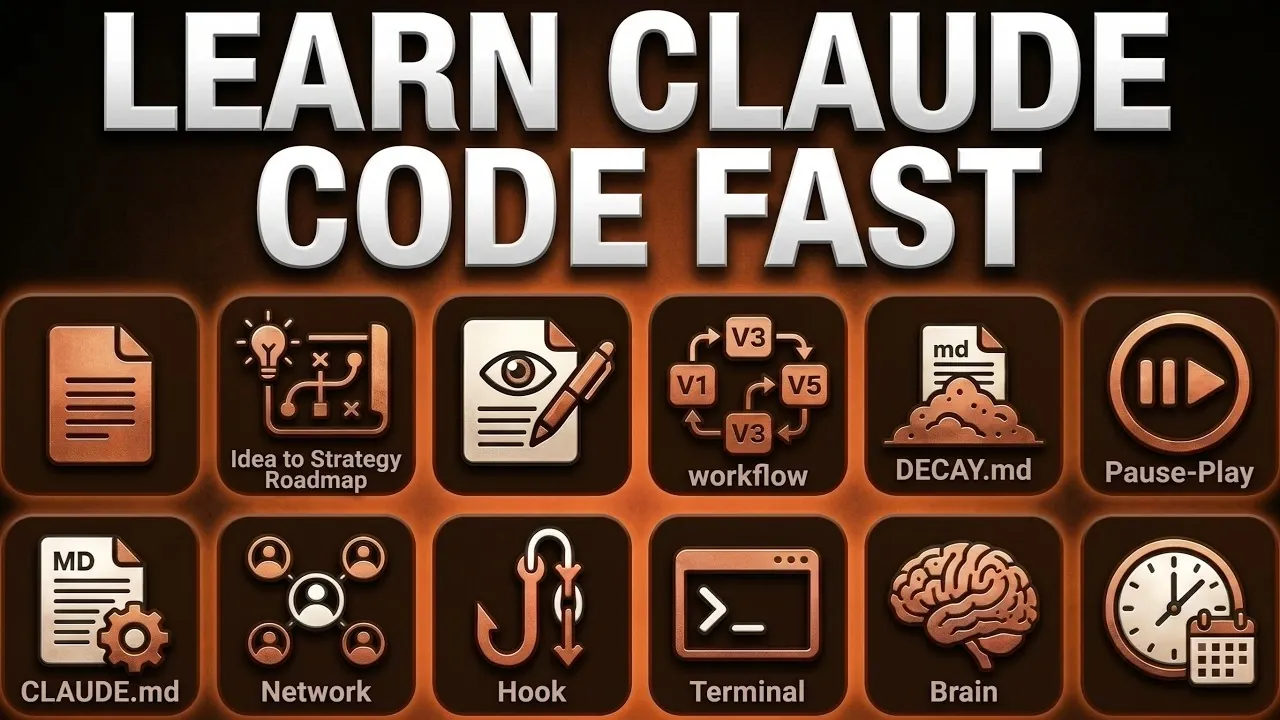
Claude Code is a system designed to simplify complex workflows through a focused set of features. Simon Scrapes explains that by mastering 15 specific concepts, users can effectively use 80% of its capabilities. One example is the Plan Mode feature, which allows users to outline tasks in advance, promoting structured and accurate outputs. This method supports better organization and improves the quality of results, making it suitable for tasks ranging from website creation to research.
Explore how to integrate Claude Code into your routine by using context management commands like `/clear` and `/compact` to streamline information flow. Learn about Model Context Protocols (MCPs) and how they connect with platforms such as Slack and Google Drive to create unified workflows. Gain insight into tailoring these features to your specific needs, allowing more efficient and focused work processes.
What Makes Claude Code Unique?
TL;DR Key Takeaways :
- Claude Code is a versatile tool that goes beyond conversational AI, allowing tasks like website creation, content generation, file organization and research through its ability to read, write and execute commands on files.
- Mastering 15 core concepts, such as Plan Mode, Context Management and Personalization, is essential to unlocking its full potential and optimizing workflows for productivity and efficiency.
- Key features include seamless integration with external tools via Model Context Protocols (MCPs), customizable workflows using modular skills and hooks and advanced memory systems for efficient data management.
- Practical applications span website development, automated content creation, data organization, team collaboration and task automation, making it suitable for professionals across industries.
- By focusing on foundational features, effective context management and personalization, users can significantly enhance operations and achieve greater precision and efficiency in their tasks.
Claude Code stands out because it goes beyond simple conversational AI. It can interact with files, execute commands and automate processes, making it a versatile solution for professionals across industries. Whether you’re building a website, organizing data, or conducting research, Claude Code can streamline your tasks. However, to use it effectively, you need to understand its foundational features and how to apply them in practical scenarios. Its ability to integrate with external tools and adapt to specific workflows makes it a innovative resource for those looking to optimize their operations.
Key Features to Master
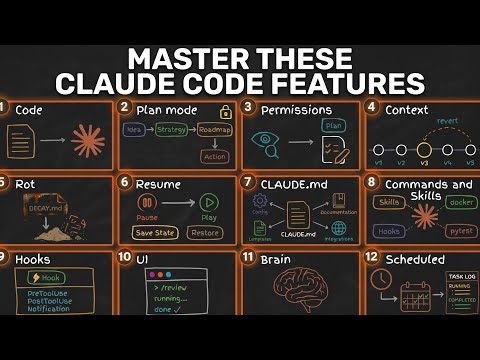
Here’s a breakdown of the 15 essential concepts that will help you harness the power of Claude Code:
- Plan Mode: This feature allows you to create structured plans before execution. For instance, when drafting a overview, Plan Mode helps outline the structure and key points, making sure accurate and high-quality outputs.
- Context Management: Tools like
/clearand/compacthelp maintain concise and relevant context, preventing “context rot,” where outdated information reduces output quality. External memory systems can also be integrated for managing complex projects. - Permissions and Notifications: Proper permissions management ensures secure operations, especially in collaborative tasks. Notification extensions, such as CC-notify, keep you updated on task progress in real time.
- Personalization: Customize workflows using slash commands and modular skills. Hooks can trigger specific actions, such as generating summaries when new documents are added to shared folders.
- Model Context Protocols (MCPs): MCPs enable standardized connections between Claude Code and external tools like Slack, Google Drive and CRMs, making sure smooth data exchange and consistent workflows.
- Interface Options: Claude Code offers multiple interfaces, including terminal access, VS Code integration and Claude Desktop. Beginners can start with basic tools before exploring advanced interfaces like VS Code for development tasks.
- Business Integration: Organizations can integrate Claude Code into broader operations by creating shared business context folders and chaining modular skills to automate recurring tasks, such as generating weekly reports.
- Memory Systems: Efficient memory systems, from static rules to advanced searchable memory, help store and retrieve information, keeping workflows organized and productive.
- Workflow Optimization: Focus on modularity and task chaining to break down complex tasks into manageable components. Built-in scheduling features can automate recurring tasks, enhancing efficiency.
Become an expert in Claude Code with the help of our in-depth articles and helpful guides.
- Anthropic Claude Code Review Preview: Multi-Agent Pull Request Reviews
- The Claude Code Leak Explained: Kyros, Ultra Plan & New Models
- Claude Code Skills 2.0 : Workflow Skills vs Capability Uplift Skills
- Claude Code 2 Feature Update: Automation, Workspace Links and Skill Scoring
- Tired of Claude Code Permission Prompts? Try This New Feature
- Claude Code Leak Reveals Architecture, Commands, Memory & More
- Nested Claude Code System for Parallel Work in Tmux on macOS
- Claude Code 2 Adds Multi-Agent Code Review for Team & Enterprise
- Anthropic Brings Full Desktop Control to Claude Code
- Turn Claude Code Into an AI Workforce With Paperclip
Deep Dive into Core Features
Let’s explore some of these features in more detail to understand how they can transform your workflows:
Plan Mode: Structuring Tasks for Success
Plan Mode is a critical tool for task execution. By outlining your objectives and refining the context beforehand, you can ensure that Claude Code delivers precise results. For example, when creating a presentation, Plan Mode allows you to map out the slides and key points, reducing errors and saving time. This structured approach ensures that your outputs are both accurate and aligned with your goals.
Context Management: Avoiding Information Overload
Managing context effectively is crucial for Claude Code’s performance. Using commands like /clear and /compact, you can eliminate irrelevant data and maintain focus on the task at hand. For larger projects, integrating external memory systems ensures that Claude Code has access to the most relevant and up-to-date information. This prevents “context rot” and ensures that your workflows remain efficient and accurate.
Personalization: Tailoring Claude Code to Your Needs
Claude Code’s personalization features allow you to create custom workflows that fit your unique requirements. Slash commands and hooks enable automation of repetitive tasks, while modular skills let you build workflows that adapt to your specific goals. For instance, you can set up a hook to automatically notify your team when a task is completed. This level of customization ensures that Claude Code works seamlessly within your existing processes.
Model Context Protocols: Seamless Integration
MCPs are essential for connecting Claude Code with your existing tools and platforms. By integrating with applications like Slack or Google Drive, you can create a unified workflow that minimizes manual effort and ensures data consistency across systems. This feature is particularly useful for teams that rely on multiple tools to manage their operations, as it eliminates the need for redundant data entry and streamlines communication.
Practical Applications for Professionals
Claude Code’s versatility makes it suitable for a wide range of professional tasks. Here are some examples of how you can use it effectively:
- Website Creation: Automate the generation of HTML templates, CSS files and JavaScript code for faster development.
- Content Generation: Draft articles, reports, or presentations with minimal input, using Plan Mode for better structure.
- Data Organization: Use memory systems to categorize and retrieve files efficiently, streamlining research and analysis.
- Team Collaboration: Set up shared context folders and notification systems to keep everyone aligned on project goals.
- Task Automation: Chain modular skills to automate recurring tasks like generating invoices, sending reminders, or compiling weekly reports.
Unlocking Claude Code’s Full Potential
To master Claude Code, focus on its foundational features, effective context management and personalization options. By integrating it into your broader systems and using its modular capabilities, you can significantly enhance productivity and streamline operations. These 15 key concepts are your roadmap to unlocking 80% of Claude Code’s potential, transforming the way you work and collaborate. Whether you’re a developer, researcher, or business professional, Claude Code offers the tools you need to achieve your goals with greater efficiency and precision.
Media Credit: Simon Scrapes
Disclosure: Some of our articles include affiliate links. If you buy something through one of these links, Geeky Gadgets may earn an affiliate commission. Learn about our Disclosure Policy.
