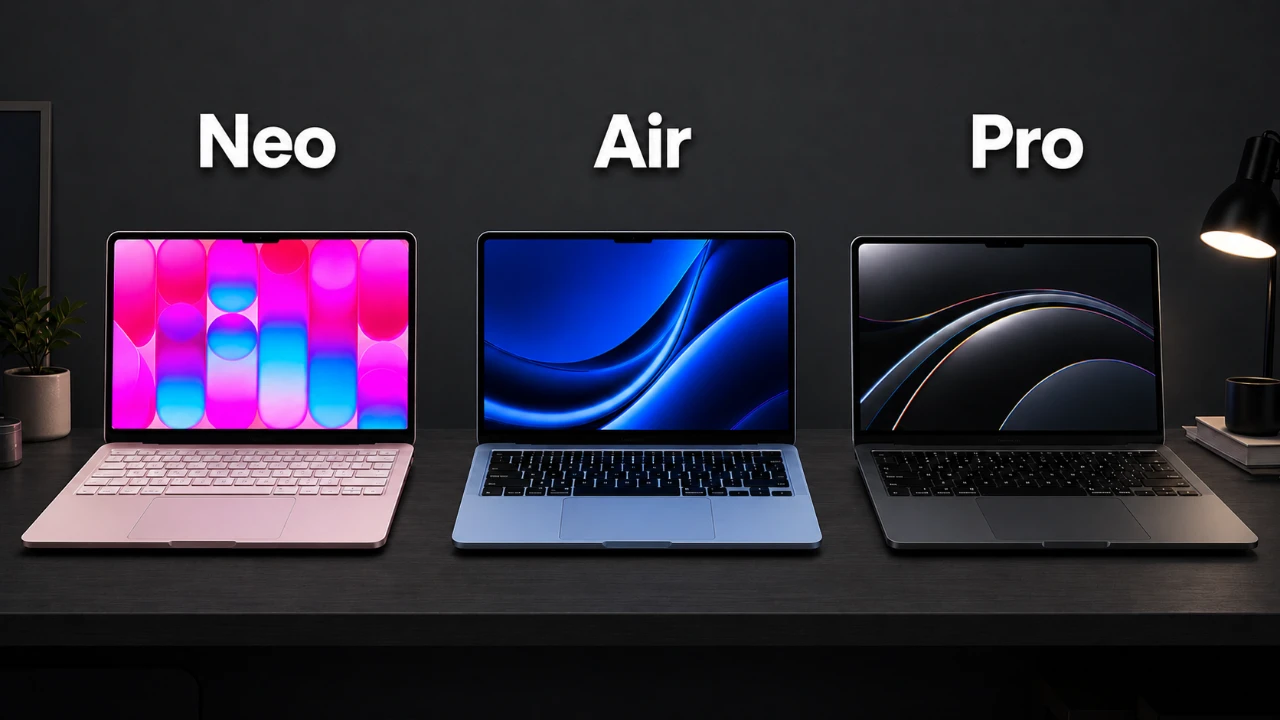
Selecting the right MacBook from Apple’s diverse lineup can be challenging, especially with each model catering to different user needs. The MacBook Neo, Air, and Pro offer varying levels of performance, features, and price points, making it essential to understand their distinctions. This guide provides a detailed breakdown of each model to help you make an informed decision based on your specific requirements. The great video below from The Tech Chap gives us a look at the three laptops so you can decide which one would be best for you.

MacBook Neo: Affordable and Straightforward
The MacBook Neo is Apple’s most budget-friendly laptop, starting at $599 (or $499 with a student discount). Designed for users with basic computing needs, it offers a simple and functional experience. Powered by the A18 Pro chip, it includes 8GB of memory and a 13-inch display with thicker bezels, making it a practical choice for everyday tasks.
Key features:
- Handles basic activities like web browsing, word processing, and video streaming.
- Optional upgrades, such as a backlit keyboard and Touch ID, are available for an additional $100.
While the Neo’s price is appealing, its limited connectivity options, two USB-C ports, one USB 3, one USB 2, and a headphone jack, may not suit users with more demanding requirements. Additionally, it lacks the power to handle resource-intensive applications, making it ideal for students, families, or casual users with light computing needs.
MacBook Air: The Perfect Balance of Performance and Portability
Priced at $1,099, the MacBook Air strikes an excellent balance between performance and affordability. Equipped with the M5 chip, 16GB of memory, and 512GB of storage, it offers a significant performance boost over the Neo. Available in 13-inch and 15-inch sizes, the Air features a sleek, modern design with thinner bezels, enhancing its portability and aesthetic appeal.
Notable features:
- MagSafe charging and Thunderbolt 4 ports for improved connectivity.
- Touch ID for secure access and a higher-quality webcam for video conferencing.
- Fanless design ensures silent operation, though it may throttle performance under heavy workloads.
The MacBook Air is well-suited for users who require reliable performance for tasks such as photo editing, multitasking, and light creative work. Its portability and modern features make it a versatile choice for students, professionals, and everyday users who want more capability without the higher cost of the Pro.
MacBook Pro: Unmatched Power for Professionals
Starting at $1,699, the MacBook Pro is designed for professionals who demand top-tier performance and advanced features. The base model includes the M5 chip, but users can upgrade to the M5 Pro or M5 Max for enhanced CPU and GPU capabilities. With memory options up to 128GB and storage capacities reaching 8TB, the Pro is built to handle the most intensive workflows.
Standout features:
- A mini-LED display with 120Hz ProMotion, HDR support, and exceptional color accuracy.
- Comprehensive connectivity options, including HDMI 2.1, an SD card reader, and Thunderbolt 4 ports.
- High-quality speakers and an optional nano-texture display to reduce glare.
The MacBook Pro is the ultimate choice for professionals in fields such as video editing, 3D rendering, and software development. While it is the most expensive option in the lineup, its performance and versatility make it a worthwhile investment for power users who need innovative technology.
How to Choose the Right MacBook
When deciding between the Neo, Air, and Pro, it’s crucial to evaluate your budget, performance needs, and intended use. Each model serves a distinct purpose, and understanding these differences will help you make the best choice.
- MacBook Neo: Ideal for basic tasks and budget-conscious users.
- MacBook Air: A versatile option for most users, offering a balance of performance and portability.
- MacBook Pro: Best for professionals requiring advanced features and top-tier performance.
For those who prioritize portability and touchscreen functionality, exploring alternatives like the iPad Pro with a Magic Keyboard may also be worthwhile.
Maximizing Your MacBook Experience
To make the most of your MacBook, consider customizing its settings to optimize your workflow. Simple adjustments can significantly enhance usability and productivity.
Suggestions for customization:
- Enable auto-hide for the taskbar to maximize screen space.
- Activate tap-to-click functionality for smoother navigation.
- Organize your desktop and dock for quick access to frequently used applications.
Additionally, with no major MacBook updates expected until 2027, now is an excellent time to invest in a new model. Assess your current and future computing needs to ensure your MacBook remains relevant and functional for years to come.
Gain further expertise in MacBook Neo by checking out these recommendations.
- MacBook Neo 2 Leaks: Faster Chip, Same Design, Similar Price
- MacBook Neo Setup Guide: First 20 Things You Must Do
- MacBook Neo Review: Is the $599 Budget Mac Actually Good?
- MacBook Neo 2: Release Date, A19 Pro Chip & Price Rumors
- Apple MacBook Neo vs MacBook Air: Key Trade-Offs at $599
Source: The Tech Chap
Disclosure: Some of our articles include affiliate links. If you buy something through one of these links, Geeky Gadgets may earn an affiliate commission. Learn about our Disclosure Policy.
