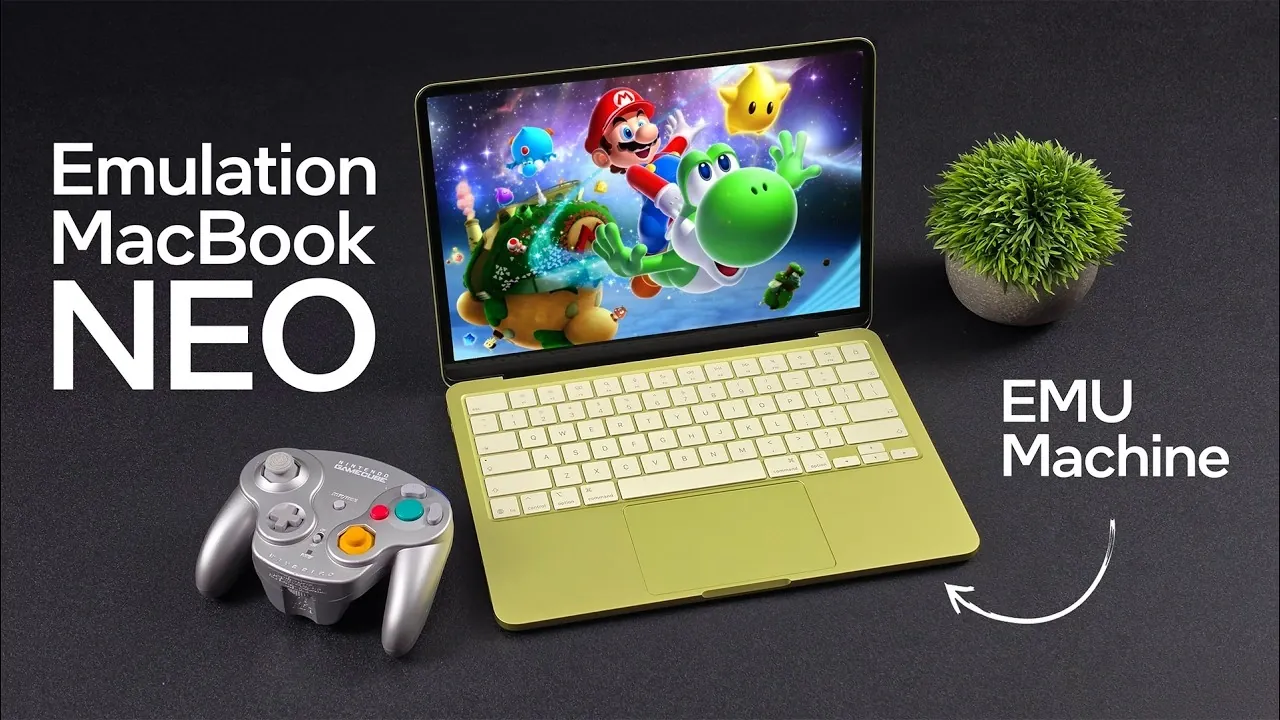
Apple’s MacBook Neo has quickly gained attention as a budget-friendly laptop with unexpected strengths in gaming and emulation. Priced at $599, or $499 for students, it combines the Apple A18 Pro chip, 8GB of unified RAM and a 13-inch LCD display to deliver a balanced experience for everyday use. In a recent breakdown, ETA Prime highlights how the Neo uses Apple’s Metal graphics API to handle emulation tasks, excelling with platforms like the Sega Genesis, GameCube and even PlayStation 2. The Dolphin emulator, in particular, benefits from this optimization, offering smooth gameplay and upscaling options for mid-2000s classics.
Dive into this deep dive to explore how the MacBook Neo handles low-end systems like the SNES, mid-range platforms such as the PSP and even more demanding setups like the Wii U. You’ll also gain insight into how its hardware limitations, including the 8GB RAM and 60Hz display, impact performance in high-end emulation scenarios. Whether you’re curious about its compatibility with popular emulators or its ability to manage resource-intensive games, this guide offers a detailed look at what the Neo can, and can’t, do in the world of emulation.
MacBook Neo Key Hardware Features
TL;DR Key Takeaways :
- The MacBook Neo is an affordable entry-level laptop priced at $599 ($499 for students), offering a balance of performance and cost-effectiveness, making it ideal for casual users and gamers.
- Powered by the Apple A18 Pro chip with a 6-core CPU and 5-core GPU, it delivers smooth performance for everyday tasks, light gaming and emulation, supported by 8GB of unified RAM.
- Its 13-inch LCD display with a 2408×506 resolution and 60Hz refresh rate provides clear visuals, while Wi-Fi 7 and Bluetooth 5.3 ensure reliable connectivity.
- The Neo excels in emulation, handling classic systems like Sega Genesis and Nintendo DS, mid-range platforms like GameCube and PSP and even some high-end systems like PlayStation 2 and Wii U with minor limitations.
- Despite its limitations, such as non-upgradable RAM and a basic display, the Neo’s affordability, portability and 16-hour battery life make it a versatile and practical choice for students, commuters and casual gamers.
The MacBook Neo strikes a careful balance between cost-effectiveness and functionality, offering hardware that prioritizes efficiency without sacrificing usability. Its design and specifications cater to users seeking a reliable device for everyday tasks, light gaming and emulation.
- Processor and Graphics: Powered by the Apple A18 Pro chip, the Neo features a 6-core CPU and a 5-core GPU. This combination ensures smooth performance for daily computing needs and moderate gaming or emulation workloads, delivering a responsive user experience.
- Memory: The laptop includes 8GB of unified RAM. While this memory is non-upgradable, its integration with the CPU and GPU enhances multitasking and graphical performance, making sure efficient operation for most applications.
- Display: The 13-inch LCD screen offers a resolution of 2408×506 and a 60Hz refresh rate. Although basic by modern standards, it provides clear and sharp visuals suitable for casual gaming, video streaming and productivity tasks.
- Connectivity: Equipped with Wi-Fi 7 and Bluetooth 5.3, the Neo supports fast wireless networking and seamless pairing with peripherals, making sure reliable connectivity for both work and entertainment.
- Battery Life: With up to 16 hours of battery life, the Neo is designed for extended use, whether for work, study, or gaming, without the need for frequent recharging.
These features make the MacBook Neo a practical choice for users who value portability, efficiency and affordability in a compact device.
Emulation Performance: A Standout Feature
One of the most notable aspects of the MacBook Neo is its ability to handle a wide range of emulation tasks, a feature that sets it apart in its price category. Using Apple’s Metal graphics API, the device delivers optimized rendering for macOS applications, making it a capable machine for retro and mid-range gaming.
- Low-End Emulation: The Neo excels at running classic systems such as the Sega Genesis, NES, SNES, Game Boy Advance and Nintendo DS. OpenEMU, a popular macOS emulator, enhances the experience with features like drag-and-drop game loading, customizable controller mapping and shader support for improved visuals.
- Mid-Range Emulation: Platforms like the Nintendo 64, GameCube and PSP perform exceptionally well on the Neo. The Dolphin emulator, optimized for Apple’s Metal API, ensures smooth gameplay with options for upscaling and stable frame rates, making it ideal for revisiting mid-2000s gaming classics.
- High-End Emulation: The Neo demonstrates surprising capability with more demanding platforms. PlayStation 2 games run at 4x resolution with occasional frame drops in resource-intensive titles. Wii U games, such as Bayonetta 2, achieve near-steady 60fps with minor dips, while PlayStation 3 emulation is more variable. Titles like Tekken 6 perform well, but others, such as Skate 3, encounter limitations due to hardware constraints.
This level of emulation performance is rare in an entry-level laptop, making the Neo an appealing choice for gamers who enjoy revisiting older titles or experimenting with emulation.

Advance your skills in MacBook Neo by reading more of our detailed content.
- MacBook Neo Review: Is the $599 Budget Mac Actually Good?
- Apple MacBook Neo vs MacBook Air: Key Trade-Offs at $599
- MacBook Neo vs. M4 MacBook Air
- MacBook Neo vs. MacBook Air: Is the $500 Savings Worth it?
- $599 MacBook Neo vs $1,099 MacBook Air M5: Key Differences
- Is the $599 MacBook Neo Worth It? Benchmarks & Specs 2026
- MacBook Neo Review: A18 Performance, 8GB RAM Cap & Cyberpunk 2077 Results
- MacBook Neo for Students: Apple’s New Laptop for $499
- MacBook Neo vs MacBook Air: Performance, Display, battery Life
- The Best Student Laptop of 2026? MacBook Neo Buying Guide
Challenges and Limitations
While the MacBook Neo offers impressive performance for its price, it does come with certain limitations that reflect its entry-level nature. These factors should be considered by potential buyers to ensure the device aligns with their needs.
- Memory Constraints: The 8GB of unified RAM, while efficient for most tasks, can become a bottleneck for demanding emulation scenarios or heavy multitasking. Users running multiple applications simultaneously may experience slowdowns.
- Display Limitations: The 60Hz refresh rate, while adequate for casual use, may feel restrictive for users accustomed to higher refresh rates, particularly during fast-paced gaming or high-action sequences.
- Compatibility Issues: Some emulators, particularly those for newer platforms like the PlayStation Vita, occasionally experience crashes or performance issues due to macOS compatibility challenges. Additionally, high-end games may require adjustments such as reducing resolution or allowing frame-skipping to maintain smooth performance.
These limitations highlight the Neo’s role as an entry-level device rather than a high-performance gaming machine. However, for its price, these trade-offs are reasonable and expected.
Affordability and Versatility
The MacBook Neo’s affordability is one of its strongest selling points. At $599, or $499 for students, it offers a cost-effective way to explore the Mac ecosystem without compromising on essential features. Its lightweight design and long battery life further enhance its appeal, making it a practical choice for students, commuters and casual users.
For those interested in gaming and emulation, the Neo provides a versatile platform capable of handling a wide range of retro and mid-range titles. Whether you’re revisiting classic games, streaming content, or tackling everyday tasks, the Neo delivers a compelling mix of value and performance. Its portability and efficiency make it an excellent companion for users seeking a reliable and affordable laptop.
The MacBook Neo demonstrates Apple’s ability to deliver a well-rounded device at an accessible price point. While it has limitations in handling the most demanding emulators and games, its overall performance is remarkable given its hardware and cost. For casual gamers, students and those seeking an affordable entry into the Mac ecosystem, the MacBook Neo is a standout option that offers impressive versatility and value.
Media Credit: ETA PRIME
Disclosure: Some of our articles include affiliate links. If you buy something through one of these links, Geeky Gadgets may earn an affiliate commission. Learn about our Disclosure Policy.
