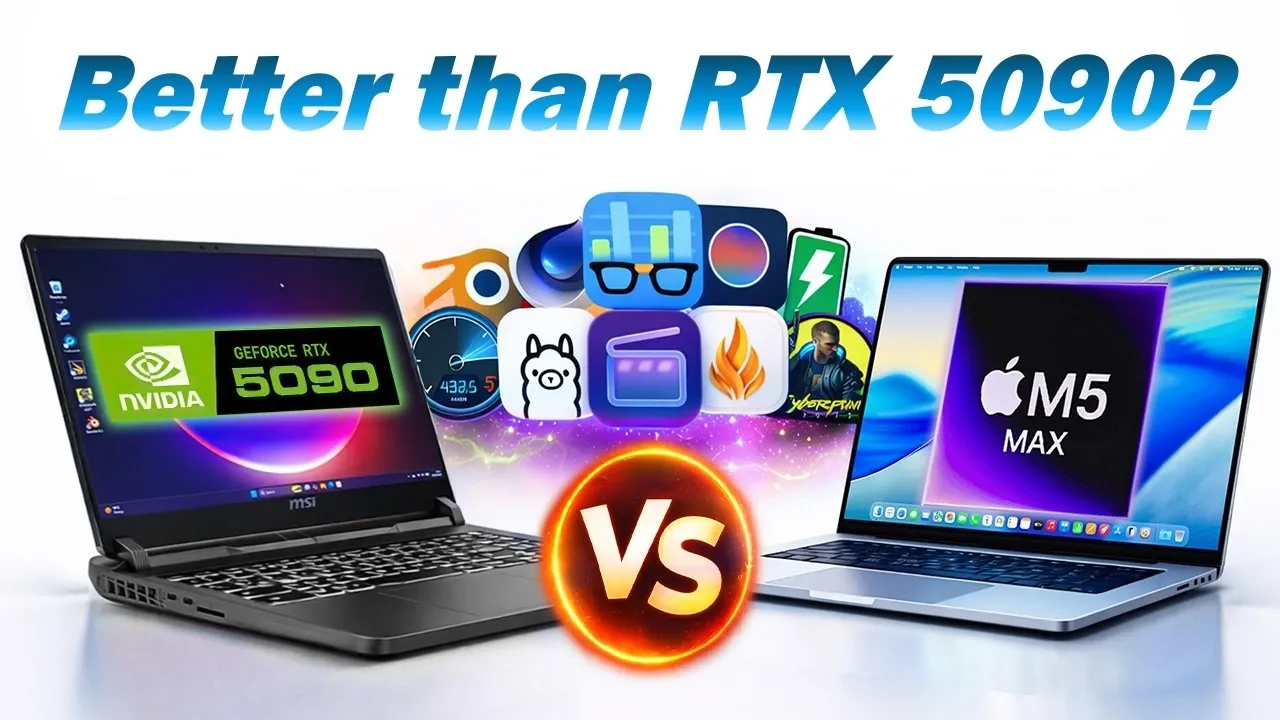
When selecting a high-performance laptop, the M5 Max MacBook Pro and an MSI laptop equipped with the RTX 5090 GPU emerge as two of the most advanced contenders. Both devices cater to users with demanding workloads, but their strengths lie in distinct areas. This comparison evaluates their performance across critical metrics, including CPU and GPU benchmarks, AI processing, media workflows, thermals, and battery efficiency, to help you identify which device best suits your needs. The video below from MattTalksTech gives us a detailed look at the two laptops.

Key Specifications
The M5 Max MacBook Pro is built with a 20-core CPU and a 40-core GPU, designed to work seamlessly with macOS for optimized power efficiency and smooth performance. Its architecture emphasizes balanced performance, making it suitable for a wide range of professional tasks. On the other hand, the RTX 5090 laptop features an Intel Ultra i9 2nd Gen CPU, 64GB of RAM, and the RTX 5090 GPU with 24GB of VRAM. This configuration highlights its focus on raw GPU power, catering to users who require exceptional performance for tasks like gaming, 3D rendering, and AI workloads.
Performance Benchmarks
- Storage Speeds: The M5 Max MacBook Pro demonstrated superior read and write speeds, making it ideal for tasks that demand rapid data access, such as large file transfers or database operations. This advantage ensures smoother workflows for professionals handling extensive datasets.
- CPU Performance: The M5 Max excelled in both single-core and multi-core benchmarks, particularly when running on battery power. Its ability to maintain consistent performance without throttling gives it an edge in mobile productivity.
- GPU Performance: The RTX 5090 laptop dominated GPU-intensive tasks, using its advanced CUDA cores to deliver exceptional results in gaming, AI workloads and 3D rendering. This makes it a top choice for users who prioritize raw graphical power.
Gaming Performance
For gaming enthusiasts, the RTX 5090 laptop is the clear leader. It delivered higher frame rates and faster rendering in graphically demanding titles like Cyberpunk 2077 and Hogwarts Legacy. The RTX 5090’s GPU power ensures smooth gameplay at ultra settings, providing an immersive experience for gamers. However, this performance comes at the cost of higher power consumption and reduced portability. The laptop performs best when connected to a power source, which may limit its usability for gaming on the go.
AI and GPU-Driven Workloads
The RTX 5090 laptop shines in AI processing and GPU-heavy applications. Its advanced CUDA cores and 24GB of VRAM make it a strong contender for machine learning, neural network training and tasks requiring significant computational power. However, its performance drops significantly when running on battery, narrowing the gap between it and the M5 Max MacBook Pro. For professionals who require consistent performance without being tethered to a power outlet, this limitation could be a deciding factor.
Media Workflows
Creative professionals will find the M5 Max MacBook Pro particularly appealing for media workflows. Its dedicated media cores and macOS optimizations enable efficient performance in applications like Adobe Lightroom and DaVinci Resolve. Tasks such as photo editing, video exports and color grading are handled with precision and speed. Conversely, the RTX 5090 laptop excels in GPU-intensive applications like Blender rendering, where raw graphical power is critical. The choice here depends on whether your work relies more on macOS-optimized software or GPU-heavy rendering tasks.
Thermal Management and Noise
Thermal performance is a significant differentiator between these two devices. The M5 Max MacBook Pro operates at cooler temperatures, averaging 41°C during intensive tasks, and generates minimal fan noise. This makes it well-suited for quiet environments such as offices or studios. In contrast, the RTX 5090 laptop runs hotter, reaching temperatures of 47-48°C and producing more audible fan noise during heavy workloads. While this may not be a concern for gamers or users in louder environments, it could be distracting for professionals working in quieter settings.
Battery Efficiency
Battery life is a critical consideration for portable devices and the M5 Max MacBook Pro outperforms the RTX 5090 laptop in this area. After extensive testing, the MacBook retained 41% of its battery after a full workload, while the RTX 5090 laptop’s battery was completely depleted. This makes the M5 Max a better choice for users who need reliable performance on the go without frequent access to a power outlet. Its ability to deliver consistent results on battery power enhances its appeal for mobile professionals.
Portability and Usability
The M5 Max MacBook Pro offers a lightweight design and consistent performance, whether plugged in or running on battery. These features make it a versatile choice for professionals who prioritize portability and balanced workflows. Its efficient power management and quiet operation further enhance its usability in various environments. In contrast, the RTX 5090 laptop, while delivering exceptional performance for gaming and GPU-intensive tasks, is bulkier and less portable. Its optimal performance requires being plugged in, which limits its flexibility for mobile use.
Making the Right Choice
The decision between the M5 Max MacBook Pro and the RTX 5090 laptop ultimately depends on your specific needs and priorities. If you are a gamer or someone who relies heavily on GPU-intensive workloads, the RTX 5090 laptop offers unparalleled performance in these areas. However, this comes with trade-offs, including higher power consumption, increased heat generation, and reduced portability.
On the other hand, the M5 Max MacBook Pro provides a more balanced approach. It excels in media workflows, thermal efficiency and battery life, making it an excellent choice for professionals who value portability, quiet operatio,n and consistent performance across a range of tasks. By carefully evaluating your requirements, you can select the device that aligns best with your workflow and lifestyle.
Here are more detailed guides and articles that you may find helpful on the M5 Max MacBook Pro.
- Apple’s M5 Pro & M5 Max MacBook Pros: Coming Next Week?
- Apple M5 Pro and M5 Max MacBook Pros Launch Wednesday
- Apple M5 Pro and M5 Max MacBook Pros Coming Soon
- 2026 MacBook Pro Rumors: M5 Pro & M5 Max Updates Explained
- MacBook Pro M5 Max Release Date, Features and More
Source & Image Credit: Matt Talks Tech
Disclosure: Some of our articles include affiliate links. If you buy something through one of these links, Geeky Gadgets may earn an affiliate commission. Learn about our Disclosure Policy.
