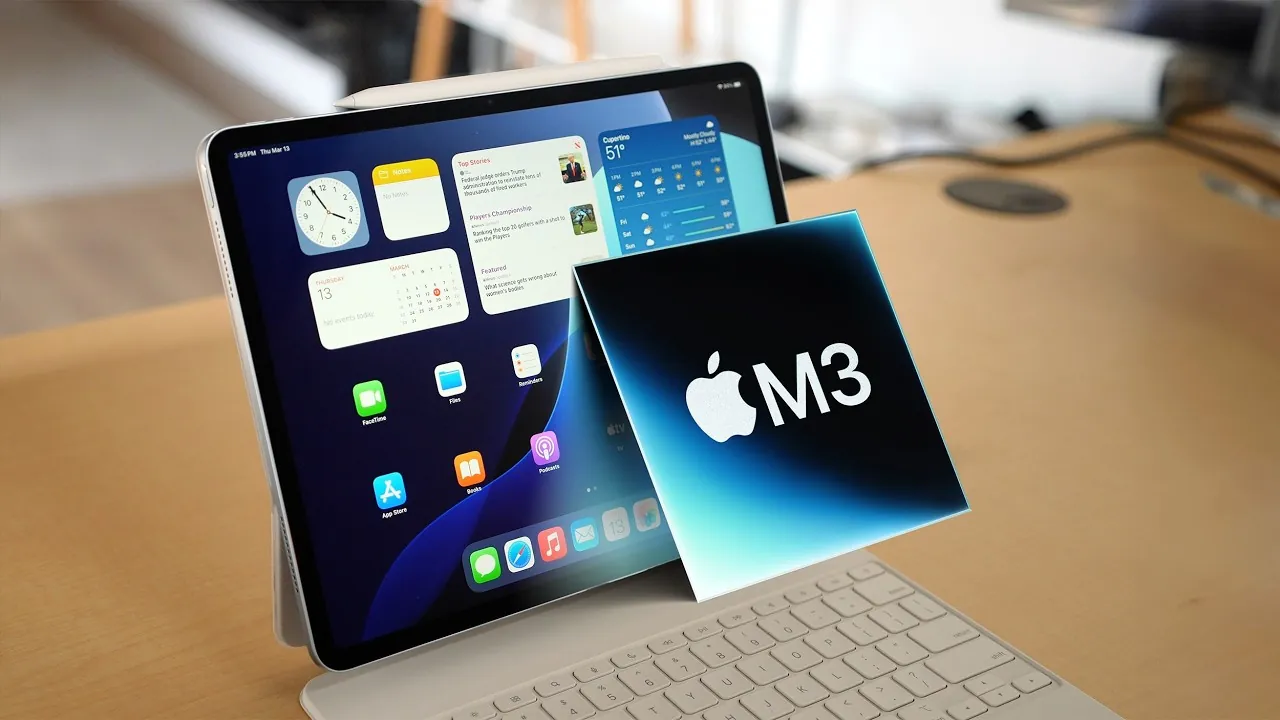
Apple’s M3 iPad Air is the latest addition to its mid-range tablet lineup, offering a seamless blend of performance, versatility, and affordability. Positioned as a practical alternative to the iPad Pro, it caters to a diverse audience, including students, professionals, and creative enthusiasts. While it lacks some of the advanced features found in the Pro series, the M3 iPad Air strikes a balance that makes it an appealing choice for users seeking a capable and cost-effective device. The video below from macRumors gives us a look at the latest iPad and its range of features.

Powerful Performance with the M3 Chip
At the heart of the M3 iPad Air lies Apple’s M3 chip, which represents a significant improvement over its predecessor, the M2. This processor delivers faster speeds and enhanced energy efficiency, allowing the tablet to handle demanding tasks such as photo editing, video rendering, and even hardware-accelerated ray tracing for gaming. For everyday users, this translates to smoother multitasking, quicker app launches, and a more responsive overall experience.
The M3 chip also ensures that the iPad Air remains future-proof for years to come, supporting the latest software updates and applications. However, for those already using the M2 iPad Air, the performance gains may not be substantial enough to justify an upgrade unless their workflow involves resource-intensive applications or innovative gaming.
Display: High Quality, But No OLED
The M3 iPad Air features a high-quality Liquid Retina display that excels in clarity, brightness, and color accuracy. This makes it ideal for a variety of activities, including streaming videos, browsing the web, and engaging in creative work such as photo editing or digital illustration. The display’s True Tone technology and wide color gamut further enhance the viewing experience, making sure accurate and vibrant visuals.
However, the absence of OLED technology, which is available in the iPad Pro, means the M3 iPad Air cannot achieve the same level of contrast or deep blacks. For most users, the display will be more than sufficient for everyday tasks and entertainment. Yet, professionals working in color-critical fields, such as graphic design or video production, may find the Pro’s OLED screen more suitable for their needs.
Touch ID and USB-C: Practical Features
The M3 iPad Air incorporates Touch ID for biometric authentication, offering a secure and reliable way to unlock the device and authorize purchases. While it may not be as seamless or futuristic as the iPad Pro’s Face ID, Touch ID remains a practical and effective solution for most users.
The inclusion of a USB-C port adds another layer of versatility, allowing users to connect a wide range of accessories and peripherals, from external storage devices to displays. However, the lack of Thunderbolt support, which is available on the iPad Pro, limits the iPad Air’s ability to handle high-speed data transfers and advanced workflows. For professionals who frequently work with large files or require ultra-fast connectivity, this could be a drawback. For the majority of users, though, the USB-C port provides ample functionality for everyday use.
Accessories That Expand Functionality
The M3 iPad Air supports a variety of accessories designed to enhance its productivity and creative potential. These accessories can transform the tablet into a versatile tool for work, study, and artistic pursuits:
- Magic Keyboard: The updated Magic Keyboard features a larger trackpad, a function key row, and an additional USB-C port for charging. It effectively turns the iPad Air into a productivity-focused device, making it a viable alternative to a traditional laptop for many users.
- Apple Pencil: Both the USB-C Apple Pencil and the Apple Pencil Pro are compatible with the M3 iPad Air. These tools are invaluable for tasks such as digital illustration, note-taking, and photo editing, catering to students, designers, and creatives alike.
While these accessories significantly enhance the iPad Air’s capabilities, they also add to its overall cost. Depending on the combination of accessories chosen, the total price could approach or even exceed that of an entry-level laptop, which may influence purchasing decisions for budget-conscious users.
Trade-Offs Compared to the iPad Pro
Despite its many strengths, the M3 iPad Air does have some limitations when compared to the more advanced iPad Pro. These trade-offs include:
- Touch ID: The iPad Air relies on Touch ID instead of the Pro’s Face ID, which may feel less seamless for some users.
- Connectivity: The absence of Thunderbolt support limits high-speed data transfer and advanced peripheral compatibility.
- Display Technology: The lack of an OLED display impacts color depth, contrast, and overall visual quality.
These differences are unlikely to matter to the average user but could be significant for professionals who require the Pro’s advanced features for their workflows.
Who Should Consider the M3 iPad Air?
The M3 iPad Air is a versatile device that caters to a wide range of users, offering a compelling mix of performance, portability, and functionality:
- Students: Its lightweight design, robust performance, and compatibility with tools like the Apple Pencil make it an excellent choice for note-taking, studying, and multimedia use.
- Professionals: When paired with the Magic Keyboard, the iPad Air becomes a capable productivity tool, ideal for on-the-go work and light office tasks.
- Creatives: The M3 chip ensures smooth performance for tasks such as photo editing, video editing, and digital illustration. However, the lack of an OLED display may be a drawback for those in color-critical fields.
Pricing and Value
The M3 iPad Air is competitively priced, offering a cost-effective alternative to the iPad Pro without sacrificing essential features. Its affordability makes it an attractive option for users who want a powerful and versatile tablet without the premium price tag of the Pro series. However, adding accessories like the Magic Keyboard and Apple Pencil can significantly increase the overall cost, potentially bringing it into the same price range as entry-level laptops.
For users upgrading from the M2 iPad Air, the decision will depend on their specific needs and whether the M3 chip’s performance improvements align with their workflows. For new buyers, the M3 iPad Air represents an excellent balance of performance, features, and value, making it a strong contender in the mid-range tablet market.
Find more information on M3 iPad Air by browsing our extensive range of articles, guides and tutorials.
- M3 iPad Air Exposed: Every Leak & Rumor in ONE Place!
- iPad Air M3: Leaked Specs Reveal HUGE Upgrades!
- Apple Launches iPad Air with M3 and Redesigned Magic Keyboard
- M3 iPad Air Design, Display, and Accessories Explained
- Apple iPad 11 and M3 iPad Air: Features, Pricing, and More
Source & Image Credit: MacRumors
Disclosure: Some of our articles include affiliate links. If you buy something through one of these links, Geeky Gadgets may earn an affiliate commission. Learn about our Disclosure Policy.
