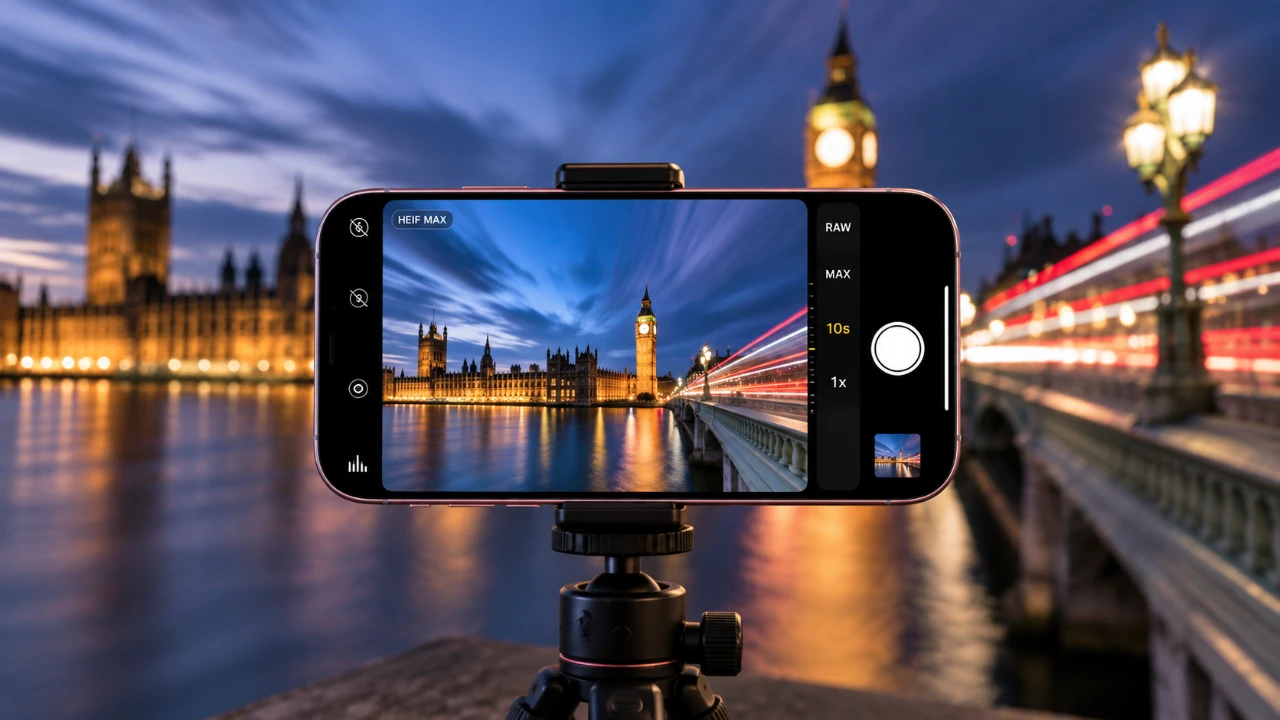
Long exposure photography, once limited to professional-grade cameras, is now within reach for iPhone users. With the right techniques and tools, you can create stunning images that capture motion blur, light trails, and other dynamic effects. This guide explores advanced methods to achieve professional-quality results, addressing the limitations of the iPhone’s native camera app and highlighting the benefits of third-party solutions like Slow Shutter Cam. By combining technical precision with creativity, you can unlock the full potential of your iPhone for long exposure photography. The video below from iPhone Photography School gives us more details.

Understanding Long Exposure Photography
Long exposure photography involves keeping the camera’s shutter open for an extended period, allowing light to accumulate on the sensor. This technique creates unique effects, such as motion blur in waterfalls, smooth flowing water, or light trails from moving vehicles. On the iPhone, the Live Photos feature provides a simple way to simulate long exposure by converting a Live Photo into a blurred image. This method is beginner-friendly and effective for basic long exposure shots.
However, the Live Photos feature has notable limitations:
- The exposure time is fixed at three seconds, restricting creative flexibility.
- Image quality may not meet professional standards, especially in low-light conditions.
To overcome these constraints, third-party apps like Slow Shutter Cam offer enhanced control and customization, allowing you to achieve more refined and artistic results.
Enhancing Your Photography with Slow Shutter Cam
Slow Shutter Cam is a powerful app designed to unlock advanced long exposure capabilities on your iPhone. It allows you to adjust key settings such as exposure time, motion blur intensity and light sensitivity, giving you greater creative freedom. Stability is critical for long exposure photography, so using a tripod is essential to prevent camera shake and ensure sharp, high-quality images.
To optimize your settings in Slow Shutter Cam for the best results:
- Set the resolution to maximum (12 MP) to capture detailed and crisp images.
- Enable the HEIF format for efficient storage without compromising image quality.
- Turn on gridlines to improve composition and framing accuracy.
- Activate geotagging to save the location of your photos for future reference or organization.
By mastering these settings, you can elevate your long exposure photography and achieve professional-grade results.
Capturing Nature’s Motion with Long Exposure
Long exposure photography is particularly effective for capturing the dynamic beauty of natural scenes. Flowing water, moving clouds and wind-swept landscapes can be transformed into visually striking images with the right techniques. To create these effects:
- Compose your shot to emphasize movement, such as a cascading waterfall or drifting clouds.
- Adjust your exposure settings to match the lighting conditions, making sure balanced highlights and shadows.
- Use bulb mode (available in some apps) to manually control the exposure duration, especially in changing light conditions.
Experimenting with different angles, lighting and exposure times can help you achieve the desired artistic effect. For example, a long exposure of a river can create a smooth, glass-like surface, while moving clouds can add a sense of drama and motion to your composition.
Creating Vibrant Light Trails in Urban Settings
Urban environments provide exciting opportunities for long exposure photography, particularly when capturing light trails from vehicles. The blue hour, just after sunset, is an ideal time for this type of photography, as the blend of natural and artificial light creates a visually appealing contrast. To capture vibrant light trails:
- Set a longer exposure time to allow the light trails to fully develop and create a sense of motion.
- Adjust light sensitivity to balance brightness and avoid overexposure, especially in areas with intense artificial lighting.
- Lock focus and exposure on key elements, such as a busy intersection or a bridge, to ensure clarity and sharpness.
- Compose your shot symmetrically or use leading lines to guide the viewer’s eye through the image.
Light trails add energy and movement to your photos, making them stand out and capturing the vibrancy of urban life.
Practical Tips for Sharper and More Creative Shots
To achieve sharper and more creative long exposure images, consider these practical tips:
- Use a remote shutter release, such as your iPhone headphones or a Bluetooth remote, to minimize camera shake when taking the shot.
- Scout your composition by experimenting with handheld shots before setting up your tripod for the final capture.
- Monitor exposure carefully to avoid blown-out highlights or overly dark shadows. Stop the capture at the right moment to preserve important details.
- Incorporate foreground elements, such as rocks or trees, to add depth and context to your images.
These adjustments can significantly enhance the quality and impact of your long exposure photography, helping you create images that are both technically precise and visually compelling.
Exploring Creative Possibilities
Long exposure photography opens up a world of creative possibilities. You can capture blurred clouds against a sharp city skyline, the glow of a lighthouse illuminating the night, or the vibrant trails of car lights weaving through urban streets. By combining technical precision with artistic vision, you can create images that tell compelling stories and stand out from the ordinary. Whether you’re photographing natural landscapes or bustling cityscapes, long exposure techniques allow you to transform everyday scenes into extraordinary works of art.
Enhance your knowledge on iPhone Photography by exploring a selection of articles and guides on the subject.
- Unlock Stunning Photography With These iPhone Hacks and Tools
- Hidden iPhone Camera Features That Instantly Improve Photos
- Shoot Like a Pro: 13 iPhone Camera Tips for Cinematic Photos in 2026
- Master iPhone Camera Settings in 10 Minutes!
- iPhone Photography: The Complete Guide to Mastering Your Camera in 2026
- Why Your iPhone Photos Look Amateur (and How to Fix It)
Source: iPhone Photography School
Disclosure: Some of our articles include affiliate links. If you buy something through one of these links, Geeky Gadgets may earn an affiliate commission. Learn about our Disclosure Policy.
