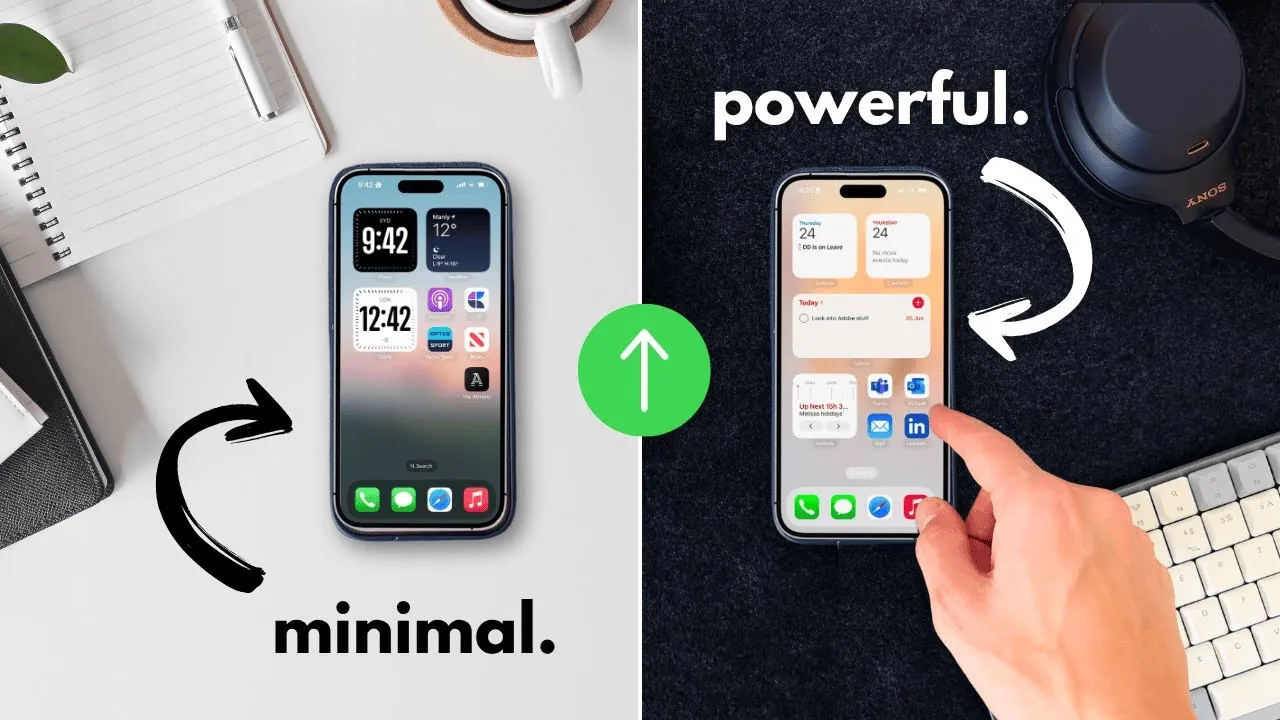
What if the device you carry everywhere—the one you often blame for distractions and wasted time—could actually become your secret weapon for getting more done? It’s no secret that smartphones, especially iPhones, are often seen as productivity killers, constantly buzzing with notifications or tempting you to scroll endlessly. But here’s the twist: with a few strategic changes, your iPhone can transform into a powerful productivity machine, helping you reclaim your time, sharpen your focus, and achieve your goals. Imagine a home screen that inspires clarity, apps that streamline your workflow, and features that block out distractions when you need to concentrate most. The potential is already in your pocket—it just needs to be unlocked.
In this guide by Future Simplified, you’ll discover how to turn your iPhone into a productivity powerhouse by decluttering your device, mastering focus modes, and using innovative tools like generative AI. From organizing your apps to adopting proven techniques like the Pomodoro method, these strategies will help you work smarter, not harder. You’ll also learn how small, intentional habits can lead to big changes in how you use your phone—and your time. Whether you’re looking to reduce distractions, boost efficiency, or simply feel more in control of your digital life, this piece will show you how to make your iPhone work for you, not against you. After all, the key to productivity isn’t just about doing more—it’s about doing what matters most.
Transform Your iPhone Productivity
TL;DR Key Takeaways :
- Declutter your iPhone by removing unnecessary apps, organizing essential ones, and simplifying your home screen to minimize distractions and promote intentional usage.
- Use Focus Modes to customize your phone’s functionality, silence non-essential notifications, and restrict access to distracting apps during specific times of the day.
- Integrate productivity tools like calendar, note-taking, project management, and to-do list apps to streamline task management and enhance organization.
- Boost efficiency with generative AI tools for brainstorming, writing, content consumption, and task automation to save time and focus on high-value activities.
- Adopt techniques like the Pomodoro Method and build micro habits, such as disabling unnecessary notifications and limiting social media usage, to sustain long-term productivity improvements.
Declutter Your Device for a Clean Start
A clutter-free iPhone is the foundation of a productive experience. A chaotic home screen filled with apps can overwhelm you and lead to impulsive usage. Simplifying your device’s layout can help you focus on what truly matters.
- Remove unnecessary apps: Move rarely used apps off your home screen. You don’t need to delete them—just keep them out of sight.
- Organize essential apps: Group related apps into folders or place them on secondary screens for a cleaner, more intentional layout.
- Limit your home screen: Keep only the apps you use daily on your main screen to minimize distractions and create a focused interface.
A streamlined home screen encourages intentional phone usage, helping you stay aligned with your goals and priorities.
Use Focus Modes for Intentional Usage
Focus modes are a powerful feature that allows you to customize your iPhone’s functionality to suit different parts of your day. By tailoring your phone’s behavior to your schedule, you can minimize distractions and stay on task.
- Create customized modes: Set up modes like “Work,” “Morning,” or “Evening” to match your daily routines.
- Silence non-essential notifications: Block interruptions during work hours to maintain concentration.
- Restrict access to distracting apps: Limit usage of apps like social media when you need to focus.
- Personalize lock screens: Use different lock screens and notification settings for each mode to reinforce your productivity goals.
By using focus modes effectively, you can create an environment that supports deep work and intentional phone usage.
Boost Your Efficiency: iPhone Productivity Tips That Work

Unlock more potential in iPhone productivity by reading previous articles we have written.
- The Ultimate iOS 18 Productivity Setup (iPhone 16)
- 12 Awesome iPhone Productivity Tips
- How to Turn Your iPhone Into The Ultimate Productivity Machine
- iPhone Productivity Tips: 25 Ways to Work Smarter in 2025
- Best iPhone Apps for Productivity, Learning, and More
- Best iPhone Apps in 2025 to Boost Productivity and Creativity
- The 5 iPhone Apps That Will Transform Your Productivity in 2024
- How to Use the iPhones Built In Productivity Apps
- 20 Genius iPhone Hacks to Skyrocket Your Efficiency
- The Best iPhone And iPad Productivity and Orginization Apps
Integrate Essential Productivity Tools
Your iPhone can serve as a central hub for managing tasks, projects, and ideas when equipped with the right apps. These tools can help you stay organized and efficient:
- Calendar Apps: Use Google Calendar or Apple Calendar to schedule tasks, set reminders, and visualize your day.
- Note-Taking Apps: Capture ideas and organize information with apps like Apple Notes, Evernote, or Notion.
- Project Management Apps: Manage complex projects with tools like Obsidian, Craft, or Trello.
- To-Do List Apps: Track tasks and deadlines efficiently using Todoist, TickTick, or Microsoft To Do.
When combined, these apps provide a comprehensive framework for managing your time, responsibilities, and creative ideas.
Boost Efficiency with Generative AI
Generative AI tools can elevate your productivity by automating tasks and simplifying workflows. These tools can save time and enhance efficiency:
- Brainstorming and Writing: Use apps like ChatGPT to draft emails, generate ideas, or refine your writing.
- Content Consumption: Tools like Notebookm can convert text into interactive audio, making it easier to absorb information on the go.
- Task Automation: Use AI-powered apps to handle repetitive tasks, freeing up time for more meaningful work.
By integrating AI tools into your routine, you can focus on high-value activities and streamline your daily processes.
Adopt the Pomodoro Technique for Deep Focus
The Pomodoro Technique is a time management method designed to promote sustained focus and prevent burnout. It’s simple to implement and highly effective:
- Work in intervals: Break your work into 25-minute sessions, known as “Pomodoros,” followed by short breaks.
- Use tracking apps: Apps like Focus Keeper or Forest can help you monitor your sessions and stay on schedule.
- Adjust intervals as needed: Customize the length of your work and break periods to suit your workflow, but maintain a consistent structure.
This technique helps you maintain concentration, manage your energy, and accomplish tasks more effectively.
Build Micro Habits for Long-Term Success
Small, consistent changes in how you use your iPhone can lead to significant improvements in productivity over time. Start with these micro habits:
- Disable unnecessary notifications: Reduce interruptions by turning off alerts for non-essential apps.
- Limit social media usage: Move social media apps to less accessible locations on your phone or set time limits for their use.
- Establish routines: Check your phone only during designated times to avoid constant distractions.
- Curate your apps: Keep only the apps that align with your work and creative goals.
These small adjustments can help you develop a sustainable approach to using your iPhone intentionally and productively.
Measure the Impact of Intentional Usage
Implementing these strategies can lead to noticeable improvements in your productivity. Here are some measurable benefits you can expect:
- Reduced screen time: Spend less time on your phone and more time on meaningful tasks.
- Fewer interruptions: Manage notifications effectively, decreasing distractions by up to 80%.
- Improved focus: Allocate your time and energy to high-priority activities, enhancing your overall efficiency.
By using your iPhone with intention, it becomes a tool that supports your goals rather than detracting from them.
Media Credit: Future Simplified
Disclosure: Some of our articles include affiliate links. If you buy something through one of these links, Geeky Gadgets may earn an affiliate commission. Learn about our Disclosure Policy.
