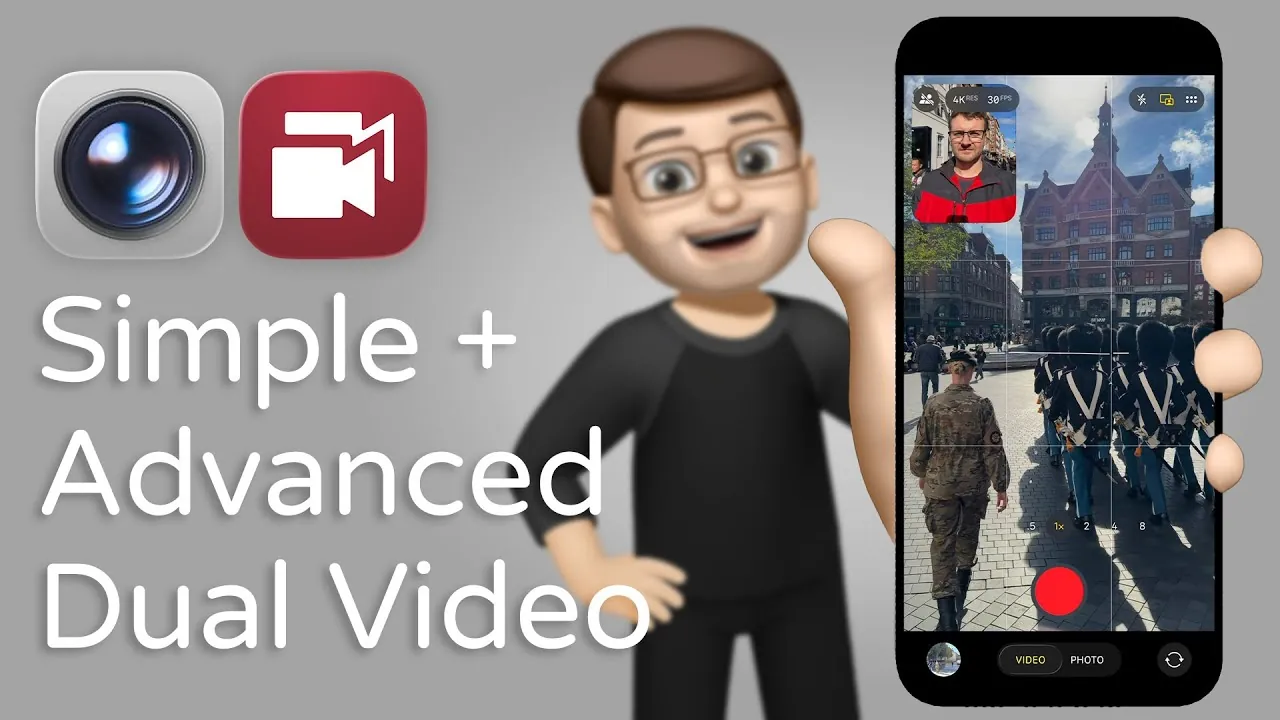
The iPhone 17 series introduces a new dual capture feature, allowing you to record video from two cameras at the same time. This functionality expands the creative possibilities for users, allowing you to capture both the primary scene and your reactions simultaneously. For example, vloggers can film their surroundings with the rear camera while using the front-facing camera to record their commentary or expressions. While the feature is intuitive and efficient, it does come with certain limitations, particularly in post-recording adjustments. For those seeking greater flexibility, third-party apps like Double Take offer advanced editing capabilities to enhance your content creation experience. The video below from Jacob’s QuickTips for iPhone shows us how this is done.

Dual Capture: A New Standard in Mobile Video
The dual capture feature on the iPhone 17 sets a new benchmark for mobile video recording by allowing simultaneous use of the front and rear cameras. This capability is especially beneficial for content creators, educators, and vloggers who aim to add a personal or interactive touch to their videos. By combining two perspectives into a single recording, you can create dynamic and engaging content that resonates with your audience.
During recording, the iPhone 17 enables you to position the reaction box—captured by the front-facing camera—in any corner of the screen. This ensures that your reactions do not obstruct the main footage. However, a key limitation of this feature is its lack of post-recording flexibility. Once the video is recorded, you cannot adjust the size or position of the reaction box. This means you must carefully plan and finalize your framing decisions during the recording process, as there is little room for post-production modifications.
Double Take App: A Flexible Alternative
For users who require more control over their video content, the Double Take app offers a versatile alternative to the iPhone 17’s built-in dual capture feature. Unlike the iPhone’s native functionality, Double Take records two separate video files—one for each camera. This separation provides you with the freedom to edit each file independently, allowing for precise adjustments to angles, timing, and positioning during post-production.
The app also supports creative layouts, such as picture-in-picture and side-by-side formats. For instance, you can embed your reaction video in a smaller frame within the main footage or display both perspectives equally in a split-screen view. While this approach demands additional editing time and effort, it offers unparalleled creative flexibility. This makes Double Take an excellent choice for professional content creators who prioritize customization and advanced editing options.
Key Comparisons: Simplicity vs. Flexibility
Deciding between the iPhone 17’s dual capture feature and the Double Take app depends largely on your content creation priorities. Below is a comparison to help you evaluate which option aligns better with your needs:
- iPhone 17 Dual Capture: Designed for simplicity and efficiency, this feature is ideal for users who want to create content quickly without delving into extensive editing. It is particularly suited for casual users, vloggers, or those working under tight deadlines.
- Double Take App: Offers greater creative freedom by recording separate video files for each camera. This option is best for users who are willing to invest time in post-production to refine their content and explore advanced editing possibilities.
While the iPhone 17’s built-in feature emphasizes convenience and ease of use, the Double Take app caters to those who value flexibility and the ability to customize their videos extensively.
Exclusivity to Video Mode
It is important to note that the dual capture feature on the iPhone 17 is exclusive to video mode. This means that the functionality cannot be used for still photography. While this restriction may be a drawback for some users, it underscores the feature’s primary focus on enhancing video content creation. By concentrating on video recording, Apple has optimized the dual capture feature to meet the needs of users who prioritize dynamic and engaging video production.
Choosing the Right Tool for Your Needs
The iPhone 17’s dual capture feature represents a significant step forward in mobile video recording, offering a user-friendly way to create engaging and dynamic content. However, its limitations in post-recording adjustments may not suit everyone. For those who require more creative control and flexibility, the Double Take app provides a robust alternative. While it involves a steeper learning curve and additional editing time, it enables users to produce highly customized and professional-quality videos.
By understanding the strengths and limitations of each option, you can make an informed decision based on your content creation goals. Whether you prioritize simplicity and efficiency or advanced editing capabilities, both the iPhone 17’s dual capture feature and the Double Take app offer unique advantages that cater to different creative needs.
Here are more guides from our previous articles and guides related to Dual Camera Recording that you may find helpful.
- 1080P AI Smart Camera Recording Sunglasses | StackSocial
- Discover the iPhone 17 Series: Design, Battery, and Camera Upgrade
- How to Customize and Optimize Your iPhone Air
- iPhone 17 Rumors: A Bold New Direction for Apple?
- iPhone 17 Pro Leak: Massive Camera Upgrade & Dual Video Feature
Source & Image Credit: Jacob’s QuickTips for iPhone
Disclosure: Some of our articles include affiliate links. If you buy something through one of these links, Geeky Gadgets may earn an affiliate commission. Learn about our Disclosure Policy.
