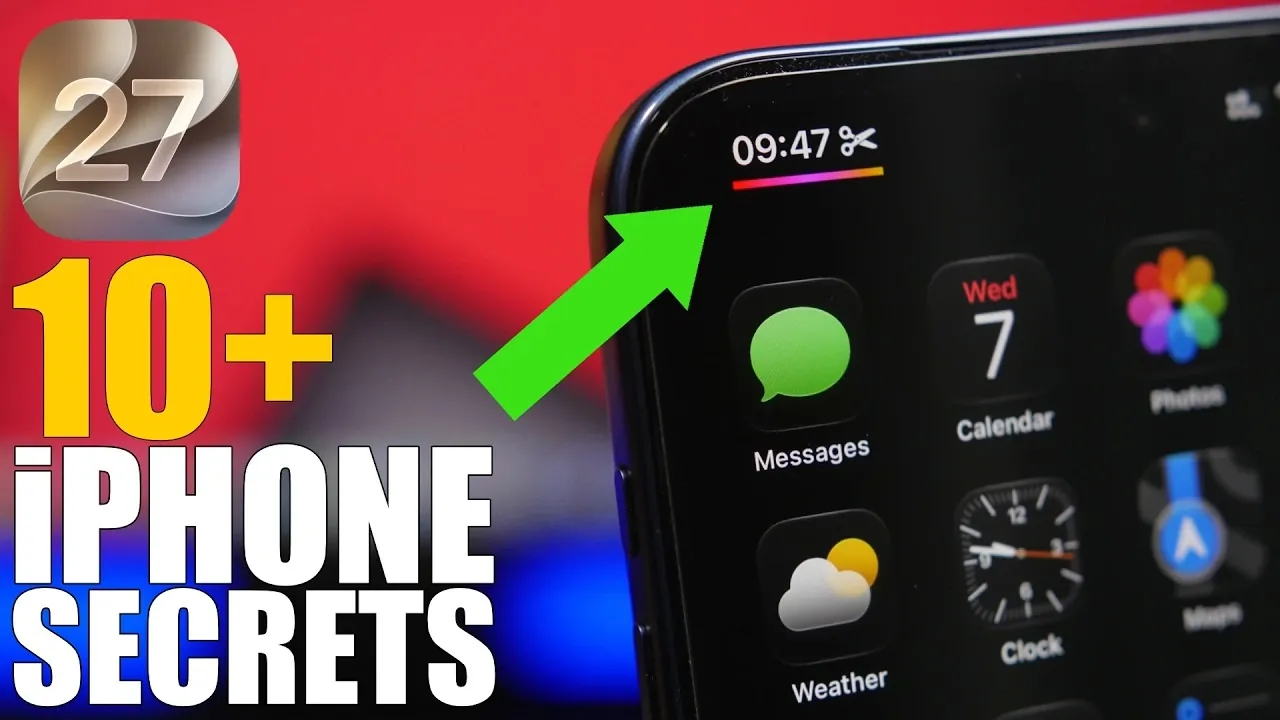
iOS 27 introduces a series of subtle yet impactful updates aimed at enhancing your iPhone experience. While the interface remains familiar, the focus is on improving functionality, customization, and efficiency. From smarter virtual assistants to refined audio controls and lock screen updates, these features are designed to make your daily interactions smoother and more intuitive. By exploring these hidden gems in the video below from iReviews, you can unlock the full potential of your device.

Siri Meets ChatGPT: A Smarter Virtual Assistant
One of the standout features in iOS 27 is the integration of ChatGPT into Siri. This dual-assistant system allows you to seamlessly switch between Siri and ChatGPT depending on your needs. Siri continues to excel at quick tasks like setting reminders, sending messages, or checking the weather. Meanwhile, ChatGPT steps in for more complex queries, such as generating creative ideas, drafting detailed responses, or answering in-depth questions. This combination makes your virtual assistant more versatile, making sure you have the right tool for every situation. The integration enhances productivity and creativity, offering a more dynamic way to interact with your iPhone.
Customizable Audio Playback in Messages
The Messages app now includes adjustable playback speeds for voice messages, giving you greater control over how you consume audio content. With options like 1x, 1.25x, 1.5x and 2x speeds, you can tailor playback to suit your preferences. Whether you’re catching up on a lengthy voice note or quickly reviewing a brief update, this feature ensures you can save time without missing key details. This small but impactful change enhances the way you communicate and stay connected, making voice messages more accessible and efficient.
Lock Screen Enhancements for a Personalized Experience
iOS 27 brings subtle yet meaningful updates to the lock screen, focusing on both aesthetics and functionality. Notifications now animate from beneath the clock, creating a visually dynamic experience that feels more integrated with the overall design. Additionally, you can now dismiss the media player to reveal your full wallpaper, offering a cleaner and more personalized lock screen. These enhancements strike a balance between style and usability, giving you greater control over how your device looks and feels. The updates ensure that your lock screen remains both practical and visually appealing.
Independent Time and Time Zone Settings
For frequent travelers or individuals managing multiple time zones, iOS 27 introduces the ability to configure time and time zone settings independently. You can now manually set your time zone or allow it to adjust automatically, while keeping the time itself consistent. This flexibility ensures your device stays accurate and aligned with your schedule, no matter where you are in the world. Whether you’re coordinating international meetings or simply keeping track of different time zones, this feature simplifies time management and reduces confusion.
Streamlined Timer Controls in Control Center
Setting timers has never been easier thanks to the new slider in Control Center. This intuitive feature allows you to adjust timer durations between 1 minute and 2 hours with a simple swipe, eliminating the need for manual input. Whether you’re timing a workout, cooking a meal, or focusing on a task, this streamlined control saves time and effort. The improved interface ensures that setting timers is quick and hassle-free, making it a valuable addition for users who rely on precise time management.
Wi-Fi Connectivity Assist for Seamless Internet
iOS 27 introduces Wi-Fi Connectivity Assist, a feature designed to ensure uninterrupted internet access. When your Wi-Fi connection becomes weak or unstable, your iPhone will automatically supplement it with cellular data to maintain a smooth experience. For instance, if you’re streaming a video or participating in a video call on a spotty network, your device will seamlessly switch to cellular data without requiring manual adjustments. This feature enhances reliability and ensures consistent performance, making it easier to stay connected wherever you are.
Adaptive Audio Controls for AirPods
AirPods users gain more precise control over their listening experience with the introduction of a new slider for audio settings. This feature allows you to adjust between transparency mode and noise cancellation, offering a customizable listening experience. Whether you want to block out background noise during a commute or stay aware of your surroundings while walking, this slider lets you fine-tune your audio settings to match your environment. The enhanced controls provide greater flexibility, making sure that your AirPods adapt seamlessly to your needs.
Improved Shortcuts App for Enhanced Automation
The Shortcuts app receives significant upgrades in iOS 27, making automation more accessible and user-friendly. You can now describe a shortcut in plain language and the app will generate it for you, simplifying the process for beginners. For advanced users, the traditional editor remains available, allowing for the creation of complex workflows. Additionally, a new toggle lets you enable or disable automations without deleting them, offering greater flexibility in managing your shortcuts. These improvements make it easier to streamline tasks and enhance productivity, whether you’re a casual user or an automation enthusiast.
Refining the iPhone Experience
iOS 27 focuses on delivering features that prioritize customization, efficiency, and control. From the integration of ChatGPT with Siri to enhanced audio playback, lock screen updates and improved automation tools, these updates are designed to adapt to your needs seamlessly. By taking advantage of these hidden features, you can enjoy a more personalized and efficient digital experience, making sure your iPhone remains a powerful tool in your daily life.
Explore further guides and articles from our vast library that you may find relevant to your interests in iOS 27.
- Apple Delaying iOS 27 Beta 5? Here’s When to Expect the Next Update
- New iOS 27 Beta 5 Release Arrives with a Big Shift Coming
- iOS 27 Beta 5 Is Late: What’s Holding Up Apple’s Next Release?
- The iOS 27 Beta 5 Release Imminent with More New Features
- Apple iOS 27 Beta 5 Preview: a Look at the Next Release
- iOS 27 is Finally Coming: Apple to Confirm Release Date Today
Source & Image Credit: iReviews
Disclosure: Some of our articles include affiliate links. If you buy something through one of these links, Geeky Gadgets may earn an affiliate commission. Learn about our Disclosure Policy.
