Apple’s iOS 27 has officially launched, bringing over 250 new features designed to enhance customization, improve performance, and integrate advanced AI capabilities. This update redefines the way you interact with your iPhone, offering tools that make your experience more intuitive, efficient, and personalized. Below is a detailed look at the most noteworthy features you should explore to unlock the full potential of this update in a great new video from Brandon Butch.

Wallet App Upgrades
The Wallet app in iOS 27 has been significantly enhanced to support custom passes for tickets, memberships, and more. You can now personalize these passes by adjusting colors, adding photos, and editing text to suit your preferences. This feature not only simplifies organization but also allows you to create a digital wallet that reflects your unique style. Whether it’s a concert ticket or a gym membership, managing your passes has never been this seamless.
Enhanced Lock Screen Customization
iOS 27 introduces a range of new options to personalize your lock screen. The Liquid Glass slider lets you adjust transparency levels, creating a sleek and modern aesthetic. Minimalist time and date displays, along with a swipe-away music player, help declutter your screen for a cleaner look. Additionally, AI-powered wallpaper extensions adapt visuals to your preferences, offering a dynamic and engaging lock screen experience. These updates make it easier than ever to create a lock screen that feels both functional and visually appealing.
Smarter Siri Features
Siri has received a major upgrade in iOS 27, with the introduction of a standalone app that enhances its personal context and on-screen awareness. The improved voice assistant now allows you to perform tasks such as organizing photos, analyzing utility bills, or even managing your daily schedule. Siri’s enhanced conversational abilities, real-time knowledge updates, and adjustable voice pacing make it more versatile and user-friendly. Devices with higher RAM capacities will particularly benefit from these improvements, as Siri can handle more complex tasks with ease.
Advanced Photo and Video Tools
Photography and videography enthusiasts will appreciate the new AI-driven tools introduced in iOS 27. These features include:
- Generative AI for seamless object removal and photo extension, allowing you to perfect your images effortlessly.
- The Reframe tool, which lets you adjust angles and perspectives with precision.
- The ability to save high-quality video frames as photos, making sure you never miss a moment.
- A photo rating system to help you organize and prioritize your library.
- Nutritional analysis of food images, catering to health-conscious users who want to track their diet.
These tools make it easier to capture, edit, and manage your media, whether you’re a casual user or a professional content creator.
Improved Keyboard and Messaging
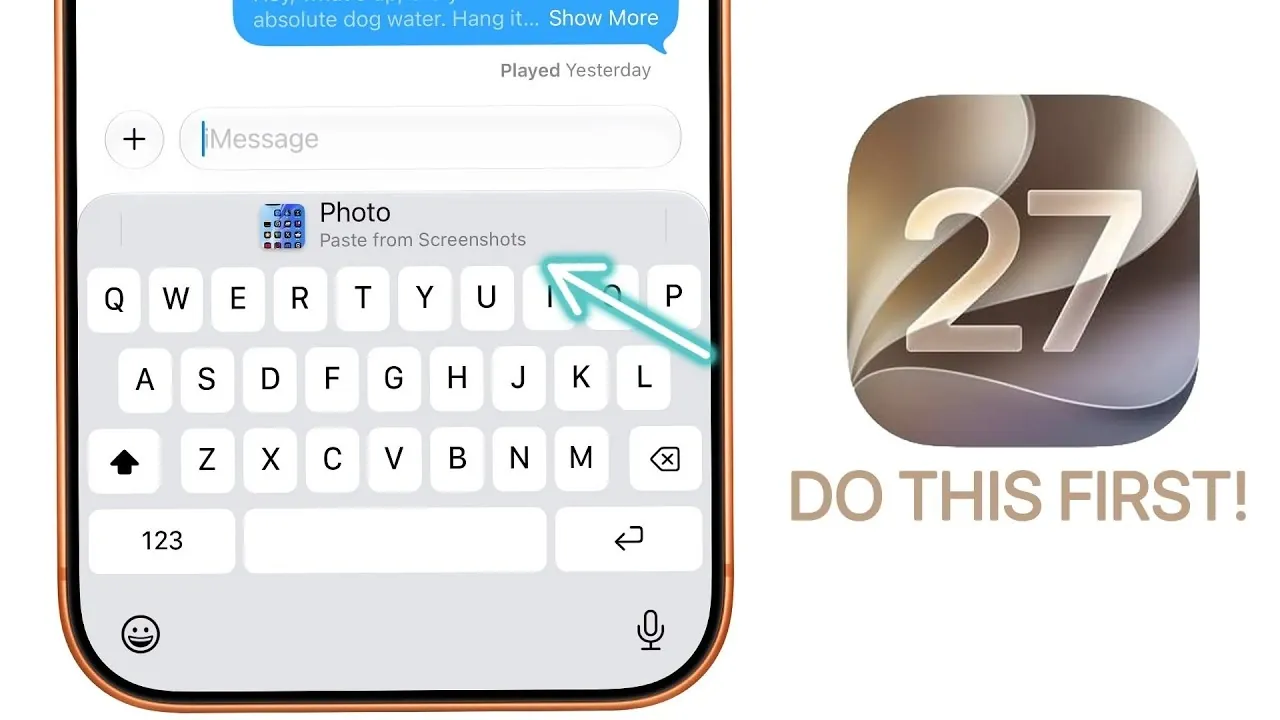
Typing and messaging have been refined in iOS 27 to enhance efficiency and creativity. Key updates include:
- Quickly pasting items across apps, allowing seamless multitasking and improved productivity.
- The option to disable the voice notes or dictation icon in Messages, resulting in a cleaner and more streamlined interface.
- An emoji combination tool that allows you to merge emojis, offering a fun and creative way to express yourself.
These updates ensure that communication on your device is both practical and enjoyable.
Audio Customization for AirPods
Audio settings for AirPods have been redesigned to provide greater control and flexibility. A custom equalizer now allows you to fine-tune lows, mids and highs to match your listening preferences. Additionally, separate volume sliders for alarms and ringtones give you more precise control over your device’s audio output. These features make it easier to tailor your audio experience, whether you’re listening to music, taking calls, or managing notifications.
Streamlined Shortcuts and Automation
Creating shortcuts in iOS 27 is now more intuitive, thanks to the introduction of natural language input. You can describe tasks in plain language, making automation accessible even for beginners. Simplified event creation in Calendar and Reminders further streamlines your workflow, allowing you to manage your schedule with minimal effort. These updates make it easier than ever to automate repetitive tasks and stay organized.
FaceTime Dual Capture Mode
For users of iPhone 17 and newer models, FaceTime now supports dual capture mode, allowing you to use both the front and rear cameras simultaneously. This feature is particularly useful for video calls where you want to share your surroundings without interrupting the conversation. Whether you’re showing off a scenic view or demonstrating a task, dual capture mode adds a new layer of functionality to your video calls.
Contextual Call Features
iOS 27 introduces call context integration, a feature that retrieves relevant information during calls. For example, if you’re discussing a reservation or confirmation number, the system can automatically display the necessary details. Additionally, birthday-related call context ensures you never miss an opportunity to celebrate with friends and family. These updates make phone calls more informative and personalized.
Flexible Location Sharing
Location sharing has become more customizable in iOS 27. You can now set specific timeframes for sharing your location or temporarily hide your location without notifying others. These updates provide greater control over your privacy, allowing you to share your location only when it’s convenient or necessary.
Apple Card Enhancements
Managing your finances is easier with the new calendar view for tracking recurring charges. This feature accommodates variable amounts, helping you stay organized and on top of your expenses. Whether you’re monitoring subscriptions or planning your budget, these enhancements make financial management more straightforward.
Performance Boosts
iOS 27 delivers noticeable improvements in performance, making sure your device operates at peak efficiency. Key optimizations include:
- Faster AirDrop transfers for quicker file sharing.
- Quicker app launches, reducing wait times.
- Smoother system animations for a more polished user experience.
- Improved camera responsiveness, allowing you to capture moments instantly.
These enhancements ensure that your device feels faster and more responsive in everyday use.
Explore the Future of iOS
iOS 27 represents a significant step forward in Apple’s ongoing commitment to innovation. By combining personalization, AI-driven functionality, and performance enhancements, this update offers a seamless and intuitive user experience. Take the time to explore these features and discover how they can transform the way you use your device. With iOS 27, your iPhone becomes more than just a tool, it becomes an extension of your lifestyle.
Here is a selection of other guides from our extensive library of content you may find of interest on iOS 27 Features.
- iOS 27: Features That Change Everything
- iOS 27: Apple’s Massive Siri AI Upgrade Finally Delivers
- Apple’s iOS 27: Here Are the Features That Matter
- Apple iOS 27 Reportedly Resolves a Major iPhone Problem
- New AirPods Features Coming to Your iPhone in iOS 27
Source & Image Credit: Brandon Butch
Disclosure: Some of our articles include affiliate links. If you buy something through one of these links, Geeky Gadgets may earn an affiliate commission. Learn about our Disclosure Policy.
