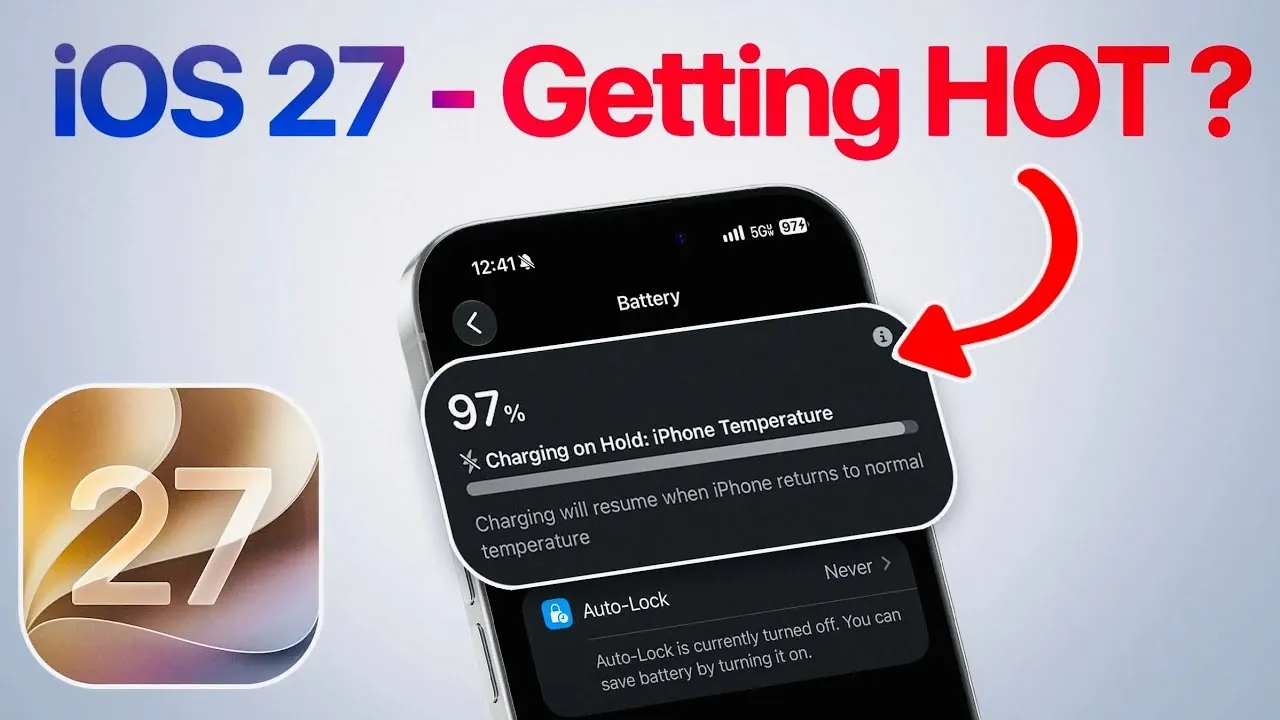
Apple’s iOS 27 Developer Beta 8 marks a pivotal stage in the journey toward the official release. This phase introduces a range of notable enhancements, innovative features and essential preparation steps to ensure a seamless transition for users. With updates like Siri optimization, the “Charging on Hold” notification and a clearer release timeline, The video below from iDeviceHelp provides a comprehensive guide to navigating the pre-release phase effectively.

Siri Optimization: Faster, Smarter, and More Efficient
One of the standout improvements in iOS 27 Beta 8 is the enhanced performance of Siri and Search indexing. If you’ve experienced delays in accessing personalized search results or voice assistant features in the past, this update is designed to resolve those issues. The indexing process has been streamlined to complete within 24 hours, making sure faster access to tailored results and a more responsive Siri experience.
To fully use these improvements, it is strongly recommended to update your device to iOS 26.6 before upgrading to iOS 27. This step reduces potential disruptions caused by prolonged indexing times and ensures your device is optimized for the advanced capabilities of the new operating system. By taking this precaution, you can enjoy a smoother transition and enhanced functionality.
“Charging on Hold” Notification: Protecting Your Device
iOS 27 introduces the “Charging on Hold” notification, a feature designed to protect your iPhone during extreme temperature conditions. When your device becomes too hot or too cold while charging, this notification activates to temporarily pause the charging process. This proactive measure helps prevent potential damage caused by temperature fluctuations, safeguarding your device’s longevity.
While this feature is active, you might notice a slight dip in performance as the system prioritizes temperature regulation. Apple has also integrated a support page link within the notification, providing users with detailed information and actionable steps to address the issue. This feature underscores Apple’s commitment to user safety and device durability, making sure your iPhone remains in optimal condition even in challenging environments.
Release Schedule: Key Dates to Know
The release timeline for iOS 27 is becoming increasingly clear as Apple prepares for its next major announcement. The Release Candidate (RC) is expected to debut on September 9, shortly after Apple’s annual iPhone event. If Apple follows its traditional schedule, the official release of iOS 27 will likely occur on September 14. While these dates are not yet confirmed, they align with the company’s historical launch patterns.
For those eager to explore iOS 27, it’s important to remember that Beta 8, while refined, remains pre-release software. Minor bugs or performance inconsistencies may still be present. To ensure a smooth upgrade, take the following steps:
- Back up your data to protect against potential issues during the upgrade process.
- Verify that your device is compatible with iOS 27.
- Stay informed about updates and announcements from Apple regarding the release schedule.
By preparing in advance, you can minimize potential disruptions and enjoy the full benefits of the new operating system.
Performance Enhancements and Preparation Tips
iOS 27 Beta 8 continues to refine system performance, addressing issues identified in earlier versions. These enhancements reflect Apple’s dedication to delivering a stable and efficient operating system. However, as with any pre-release software, it’s essential to approach this version with caution and take proactive steps to prepare for the transition.
To ensure a smooth upgrade experience, consider the following recommendations:
- Update your device to the latest version of iOS 26.6. This step reduces indexing times and ensures compatibility with iOS 27’s features.
- Perform a full backup of your data using iCloud or a computer to safeguard against potential data loss during the upgrade process.
- Familiarize yourself with Apple’s support resources, which provide valuable guidance on pre-release software and troubleshooting common issues.
By following these steps, you can make the most of iOS 27’s new features and optimizations while minimizing potential challenges during the transition.
Looking Ahead to iOS 27
As the iOS 27 Release Candidate approaches, the latest Developer Beta offers a glimpse into the enhancements and features that will define Apple’s next-generation operating system. From faster Siri performance to the protective “Charging on Hold” notification, Apple continues to refine its software to enhance user experience and device longevity. By staying informed, updating your device, and preparing for the transition, you can ensure a seamless upgrade to iOS 27, which is expected to officially launch in mid-September.
Take a look at other insightful guides from our broad collection that might capture your interest in iOS 27.
- Apple Delaying iOS 27 Beta 5? Here’s When to Expect the Next Update
- New iOS 27 Beta 5 Release Arrives with a Big Shift Coming
- iOS 27 Beta 5 Is Late: What’s Holding Up Apple’s Next Release?
- The iOS 27 Beta 5 Release Imminent with More New Features
- Apple’s iOS 27 Beta 3 Is Just Days Away: Here’s When It Drops
- Apple iOS 27 Beta 5 Preview: a Look at the Next Release
Source & Image Credit: iDeviceHelp
Disclosure: Some of our articles include affiliate links. If you buy something through one of these links, Geeky Gadgets may earn an affiliate commission. Learn about our Disclosure Policy.
