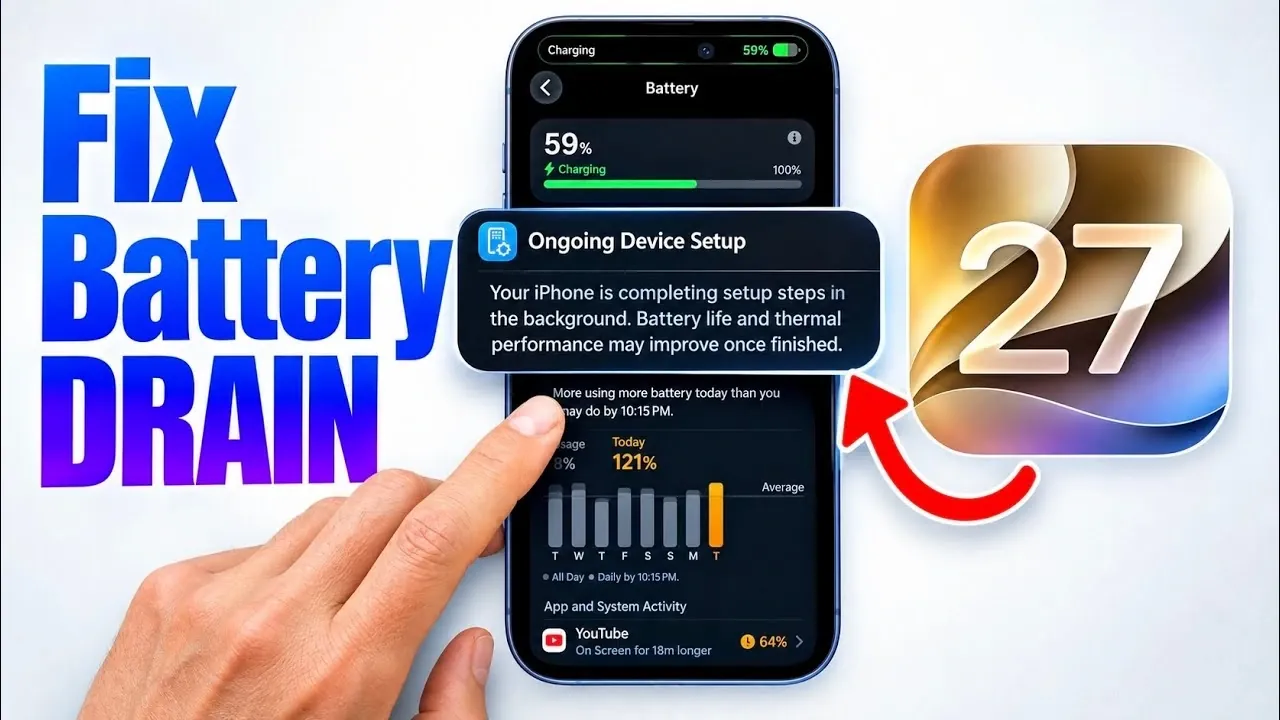
If you’ve noticed your iPhone’s battery life plummeting after updating to iOS 27, you’re not alone. Many users have experienced rapid battery drain and occasional overheating following major software updates. While these issues can be frustrating, they are typically temporary and linked to essential background processes that occur after the update. Understanding the reasons behind these changes and how to manage them effectively can help you minimize disruptions and maintain your device’s performance. The video below from iDeviceHelp gives us more details on how to fix battery drain in iOS 27.

What’s Causing the Battery Drain?
After installing iOS 27, your iPhone initiates several background tasks designed to optimize its performance and functionality. These processes include activities such as “Optimizing Search and Siri” and “Ongoing Device Setup.” During this period, your device works to download, index and reorganize files to improve system efficiency and ensure compatibility with the new software.
While these tasks are necessary for the long-term stability of your device, they can temporarily place a significant strain on your battery. Additionally, the increased workload may cause your iPhone to feel warmer than usual. This behavior is expected and is not indicative of a hardware issue or a problem with the update itself.
How Long Will This Last?
The duration of these background activities varies depending on your iPhone model and how much data needs to be processed. For newer models like the iPhone 14 or iPhone 15, these tasks are typically completed within 24 to 48 hours. However, if you’re using an older model such as the iPhone 11, iPhone 12, or iPhone 13, the process may take several days to finish.
During this adjustment period, you may experience reduced battery life and occasional overheating. While this can be inconvenient, it’s important to note that these effects are temporary. Once the background tasks are complete, your device’s performance and battery life should return to normal.
Steps to Minimize the Impact
Although you cannot bypass these background processes, there are several steps you can take to reduce their impact and help them complete more efficiently:
- Charge Overnight: Plugging your iPhone in overnight ensures that it has a consistent power source to complete background tasks without interruptions. This is especially helpful for devices with larger data libraries that require more time to process.
- Limit Usage: Reducing your phone usage during this period can help conserve battery life and allow the optimization processes to run more smoothly. Avoid using resource-intensive apps, streaming services, or games that could slow down the system.
- Keep Your Device Cool: Prevent overheating by keeping your iPhone away from direct sunlight or heat sources. If your device feels excessively warm, consider removing any bulky or insulating cases to improve heat dissipation.
- Update Apps: Ensure that all your apps are updated to their latest versions. Outdated apps may not be fully optimized for iOS 27, which can contribute to additional battery drain.
By following these steps, you can help your iPhone adjust to the new software more efficiently while minimizing the temporary inconveniences caused by the update.
What Happens Next?
Once the background tasks are completed, you should notice a significant improvement in your iPhone’s battery life and overall performance. The system will operate more efficiently, and any overheating issues should subside. For most users, this adjustment period lasts only a few days. However, if you’re using an older device, it may take slightly longer for the optimization processes to finish.
It’s also worth noting that Apple designs these updates to enhance your device’s functionality over time. While the initial adjustment period may be inconvenient, the long-term benefits of improved performance, security, and new features often outweigh the temporary drawbacks.
Why You Shouldn’t Worry
It’s natural to feel concerned when your iPhone’s battery drains faster than usual, but these post-update processes are a standard part of Apple’s software optimization. They are designed to ensure that your device operates smoothly and takes full advantage of the new features introduced in iOS 27.
By taking a few proactive steps, such as charging your device overnight, limiting usage, and keeping it cool, you can help these processes complete more quickly and with minimal disruption. Remember, these changes are temporary, and your iPhone’s performance will stabilize once the optimization period is over.
In the meantime, patience is key. Trust that your device is working to adapt to the new software and rest assured that these adjustments are part of Apple’s efforts to deliver a better user experience. With a little time and care, your iPhone will soon return to its usual performance, allowing you to enjoy the benefits of iOS 27 without further interruptions.
Deep dive into the latest on iOS 27 battery drain by exploring our other resources and articles.
- To Update or Not to Update: the Truth About iOS 27
- Did Apple Finally Fix iPhone Battery Health in iOS 27?
- iOS 27 Beta 6 Arrives: What Apple Fixed Ahead of the Public Launch
- The Biggest Surprise Hidden Inside the iOS 27 Update
- How to Instantly Stop iOS 26.5.2 Battery Drain and Overheating
Source & Image Credit: iDeviceHelp
Disclosure: Some of our articles include affiliate links. If you buy something through one of these links, Geeky Gadgets may earn an affiliate commission. Learn about our Disclosure Policy.
