Apple Notes in iOS 27 introduces updates designed to improve organization and functionality for a variety of use cases. Peter Akkies highlights the addition of advanced linking capabilities, which enable users to create direct connections between notes. This feature is particularly valuable for managing complex workflows, such as organizing research materials or structuring brainstorming sessions, where quick access to related content is essential.
Discover how these updates refine the Apple Notes experience. From enhanced home screen widgets that provide faster access to key information to markdown support for consistent formatting across platforms, iOS 27 offers practical improvements for everyday use. You will also gain insight into upgraded voice transcription and Siri integration, which simplify hands-free note-taking and improve accuracy.
New Notes Features at a Glance
TL;DR Key Takeaways :
- Apple Notes in iOS 27 introduces enhanced home screen widgets for quicker access and improved usability.
- New formatting tools, including divider lines and customizable headings, improve note organization and visual clarity.
- Advanced linking capabilities allow seamless interconnection between notes and specific sections for better navigation.
- Markdown support ensures cross-platform compatibility and preserves formatting when sharing or transferring notes.
- Expanded Siri integration and refined voice transcription enable smarter, hands-free note-taking and efficient workflows.
The latest version of Apple Notes brings several noteworthy enhancements that cater to a wide range of user needs:
- Enhanced home screen widgets for quicker and more intuitive access to your notes.
- Improved formatting tools for better organization and visual clarity.
- Advanced linking capabilities to interconnect notes seamlessly.
- Markdown support for smooth cross-platform compatibility.
- Expanded Siri integration for smarter and more efficient workflows.
- Refined voice transcription for accurate hands-free note-taking.
Each of these features has been thoughtfully designed to improve usability and productivity. Let’s explore them in greater detail to understand their practical applications.
Enhanced Widget Functionality
The updated home screen widgets in iOS 27 make accessing your notes faster and more efficient. With the introduction of an extra-large portrait widget, users can now view more content at a glance, which is particularly beneficial for larger devices like iPads or the rumored foldable iPhone models. Additionally, the ability to pin specific notes or folders directly to your home screen ensures that critical information is always just a tap away.
This feature is especially useful for users managing ongoing projects, frequently referencing specific notes, or needing immediate access to essential information. Whether it’s a shopping list, a project timeline, or a brainstorming session, the enhanced widgets provide a more dynamic and personalized experience.
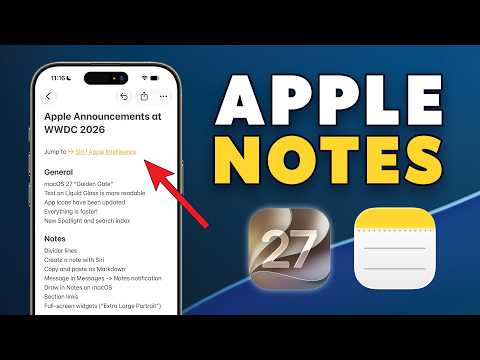
Deep dive into the latest in Apple Notes by exploring our other resources and articles.
- Connect Apple Notes to Claude and Work Smarter Not Harder in 2026
- Apple Notes vs Notion : Why Apple Notes Might Be the Simpler, Smarter Choice Over Notion
- How to Create Apple Notes Templates You Can Reuse to Save Hours
- Apple Notes is Now a Professional Powerhouse—If You Know These 10 Tips
- Stay Organizied in 2026 With Apple Notes : Simplify Everyday Planning & Productivity
- 40 Hidden iPad Apple Notes Features You’re Probably Not Using
- Combine Apple Freeform with Apple Notes for Faster Planning, Workflows & More
- Apple Notes Vertical Kanban System : Simplify Task Management Without Extra Apps
- Use Apple Notes to Simplify Your Life : Ditch the Overwhelm & Paid Apps
- How to Sync Apple Notes to Notion in Minutes with These Easy Methods
Improved Note Formatting
Formatting tools in Apple Notes have been significantly upgraded, offering users greater control over how their content is organized and presented. New divider lines allow you to separate sections within a note, making it easier to visually distinguish between different ideas or topics. Enhanced customization options for headings and subheadings enable you to create cleaner, more professional layouts that are ideal for structured documents, outlines, or presentations.
These improvements are particularly valuable for users who rely on Apple Notes for detailed planning or collaborative work. By providing tools to create visually appealing and well-organized notes, iOS 27 ensures that your content is not only functional but also easy to navigate and understand.
Advanced Linking Features
One of the standout features in iOS 27 is the introduction of advanced linking capabilities. Users can now create direct connections between related notes by selecting text or using intuitive linking tools. This allows you to form a web of interconnected ideas, making it easier to manage complex projects, research, or brainstorming sessions.
Additionally, the ability to link to specific sections within a note enhances navigation and usability. For example, you can quickly jump to a particular section of a lengthy document or reference related content without having to search manually. This feature is particularly beneficial for professionals, students and anyone managing large volumes of information.
Markdown Support
Apple Notes now supports markdown formatting, a feature that significantly enhances its compatibility with other platforms and applications. With markdown, you can copy and paste text while preserving formatting elements such as headings, lists and links. This is especially useful for users who integrate Apple Notes with task management tools like Todoist or collaborate on projects using external platforms.
Markdown support ensures that your notes maintain their structure and readability, saving you time and effort when transferring content between different tools. Whether you’re working on a personal project or collaborating with a team, this feature simplifies the process of sharing and organizing information.
Expanded Siri AI Integration
Siri’s capabilities have been expanded in iOS 27, making it a more powerful assistant for managing your notes. You can now use voice commands to create, locate, or edit notes, allowing hands-free operation that’s perfect for multitasking. Siri also offers intelligent suggestions, such as adding relevant emails, messages, or links directly to your notes, streamlining your workflow and reducing manual effort.
On newer iPhone models, voice transcription accuracy has been significantly improved, making sure that your spoken notes are captured with precision. These updates make Siri a more reliable and efficient tool for organizing your thoughts, tasks and projects.
Refined Voice Transcription
Voice transcription in Apple Notes has been refined to deliver greater accuracy and usability. Whether you’re dictating a quick idea or recording a lengthy meeting, the improved transcription ensures that your notes are clear and reliable. This feature is particularly useful for users who prefer hands-free note-taking or need to capture ideas while on the move.
The enhanced transcription capabilities also make it easier to review and organize your recordings later. By providing a seamless way to convert spoken words into text, Apple Notes continues to support users in capturing and managing their ideas efficiently.
System Optimization and Ecosystem Integration
Apple Notes in iOS 27 is designed to work seamlessly within the broader Apple ecosystem, making sure a cohesive and personalized user experience. From syncing notes across devices to integrating with other Apple services, the app adapts to your needs and preferences. Features like advanced formatting tools, AI-driven suggestions and cross-platform compatibility make Apple Notes a central hub for productivity and organization.
These updates not only enhance the app’s functionality but also ensure that it remains a reliable tool for managing tasks, projects and ideas. Whether you’re using an iPhone, iPad, or Mac, Apple Notes in iOS 27 provides a unified and efficient experience that supports your goals.
Media Credit: Peter Akkies
Disclosure: Some of our articles include affiliate links. If you buy something through one of these links, Geeky Gadgets may earn an affiliate commission. Learn about our Disclosure Policy.
