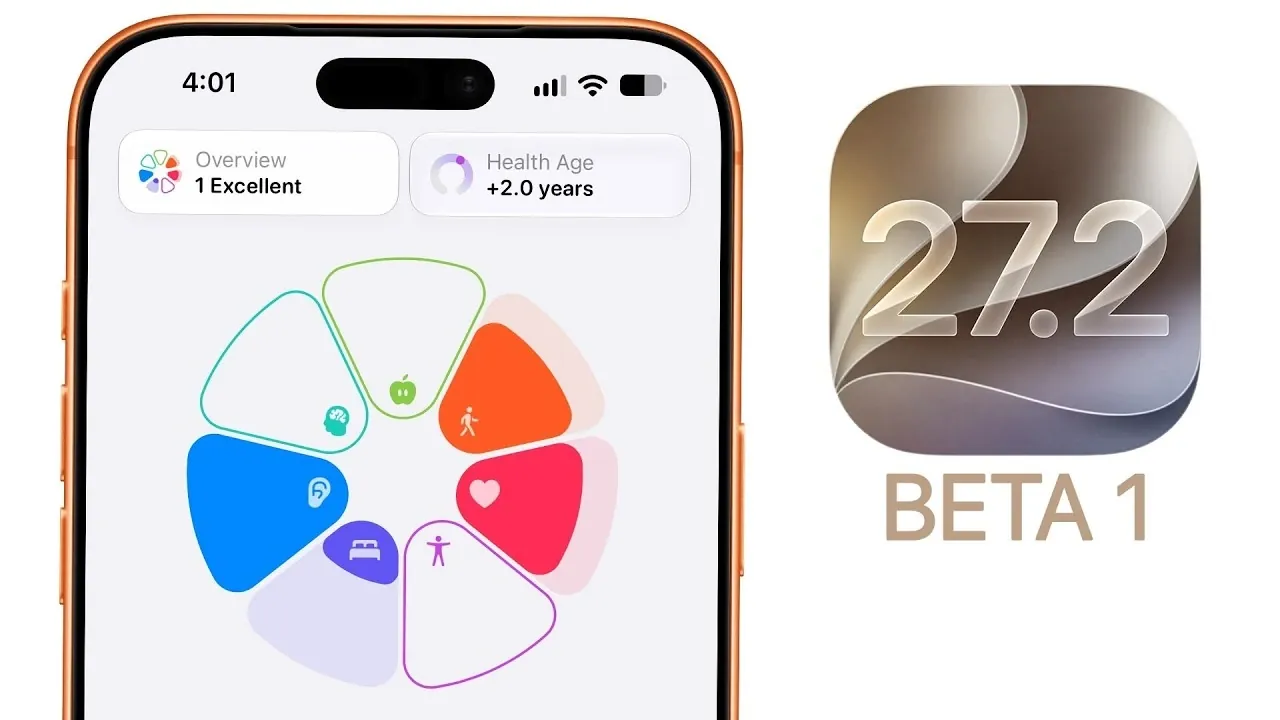
Apple has officially launched iOS 27.2 Beta 1 for developers, bypassing the anticipated iOS 27.1 release entirely. This update introduces a range of enhancements, including significant updates to the Health app, expanded Siri language support, and improvements across FaceTime, Podcasts, and Apple TV. Additionally, minor design tweaks and performance adjustments are included. With the final release expected in October, here’s a closer look at what this beta version offers. The video below from Brandon Butch gives us more details on the update.

Why Did Apple Skip iOS 27.1?
Apple’s decision to skip iOS 27.1 has sparked curiosity among users and industry analysts. Experts suggest this move aligns with Apple’s strategy to maintain secrecy around upcoming products, such as the rumored iPhone Duo. By jumping directly to iOS 27.2, Apple avoids revealing features or updates that might hint at future hardware. This version jump is not exclusive to iOS; it applies across Apple’s ecosystem, including iPadOS, watchOS, macOS, tvOS, HomePod, and VisionOS, all of which are transitioning directly to version 27.2.
Health App: A Comprehensive Overhaul
The Health app receives a substantial update in iOS 27.2 Beta 1, introducing new features and a redesigned interface aimed at improving how you monitor and manage your well-being. Key enhancements include:
- Insights: Personalized recommendations based on trends in your health data, helping you identify patterns and areas for improvement.
- Longevity: Long-term health assessments that focus on critical metrics such as heart health, sleep quality, and mental well-being.
- Browse Section: A streamlined view for pinned data, quick logging, and access to medical records, making navigation more intuitive.
- Full-screen metrics for sleep, fitness, and heart rate tracking, offering a more detailed and visually engaging analysis.
- Health age tracking to provide a comprehensive view of your overall health status and how it compares to your actual age.
These updates aim to make health monitoring more actionable, empowering you to make informed decisions about your lifestyle and long-term wellness.
Siri Expands Its Linguistic Reach
Siri’s capabilities grow with the addition of five new language options: French, Japanese, Korean, Portuguese and Spanish. This expansion enhances Siri’s accessibility for a global audience, making it more practical for multilingual households, workplaces, and travelers. By broadening its linguistic support, Siri becomes a more versatile and inclusive virtual assistant.
FaceTime Dual Capture: A New Way to Connect
The new FaceTime Dual Capture feature introduces the ability to use both the front and rear cameras simultaneously during group calls. This functionality is particularly useful for sharing your surroundings while remaining visible to others, creating a more dynamic and engaging video conferencing experience. Whether you’re showcasing a location, demonstrating a process, or simply adding a creative touch to your calls, this feature enhances the way you connect with others.
Podcasts App: Streamlined Navigation
The Podcasts app receives a refreshed “Up Next” view, designed to simplify navigation and improve usability. Key changes include:
- New Episodes: A dedicated row that highlights the latest episodes from your subscribed shows.
- Continue Playing: A separate section that allows you to easily pick up where you left off.
These updates make it easier to manage your favorite shows and ensure you never miss an episode, enhancing the overall listening experience.
Apple TV: Personalized Profiles and Multi-View Streaming
Apple TV introduces two notable features in this beta, catering to both individual and shared use:
- Individual Profiles: Personalized profiles enable each user to have tailored recommendations, watchlists and preferences on shared devices.
- Multi-View Streaming: A live sports feature that allows you to stream up to four games simultaneously, making it ideal for sports enthusiasts who want to keep track of multiple events at once.
These updates enhance the Apple TV experience, offering greater flexibility and personalization for users.
Design and UI Refinements
iOS 27.2 Beta 1 includes subtle design tweaks that contribute to a more polished and visually appealing interface. Key highlights include:
- New wallpapers that provide a refreshed aesthetic for your device.
- Updates to the Music app, such as black glyph icons and yellow stars to mark favorited playlists, improving usability and visual clarity.
While these changes may seem minor, they collectively enhance the overall user experience, making the interface more engaging and intuitive.
Performance and Battery Life
As is typical with early beta releases, iOS 27.2 Beta 1 shows slightly lower performance scores compared to iOS 27.0. Battery life remains similar or slightly reduced, reflecting the ongoing optimization process. These metrics are expected to improve in subsequent updates as Apple continues to refine the software. For now, users should anticipate minor trade-offs in performance during the testing phase.
Known Issues in the Beta
As with any beta release, iOS 27.2 Beta 1 comes with a few known issues that may affect your experience. These include:
- Problems with app tracking transparency, which may cause inconsistencies in privacy settings.
- Minor glitches in the Health app and Shortcuts, potentially impacting functionality.
- Issues with in-app subscription bundles, which may disrupt access to certain services.
While these bugs are not critical, they may cause occasional inconveniences. Users should proceed with caution and report any issues to Apple for resolution in future updates.
What’s Next for iOS 27.2?
Apple plans to release iOS 27.2 Beta 2 by late September, with the final version expected to roll out in mid-to-late October. Some features, particularly those related to the Health app, may remain in beta and launch later in the year. As development progresses, further refinements and additional features are anticipated, enhancing the overall user experience.
By staying informed about these updates, you’ll be well-prepared to explore the new features and improvements once the final version becomes available.
Uncover more insights about iOS 27 in previous articles we have written.
- Apple Delaying iOS 27 Beta 5? Here’s When to Expect the Next Update
- New iOS 27 Beta 5 Release Arrives with a Big Shift Coming
- iOS 27 Beta 5 Is Late: What’s Holding Up Apple’s Next Release?
- The iOS 27 Beta 5 Release Imminent with More New Features
- Apple’s iOS 27 Beta 3 Is Just Days Away: Here’s When It Drops
- Apple iOS 27 Beta 5 Preview: a Look at the Next Release
Source & Image Credit: Brandon Butch
Disclosure: Some of our articles include affiliate links. If you buy something through one of these links, Geeky Gadgets may earn an affiliate commission. Learn about our Disclosure Policy.
