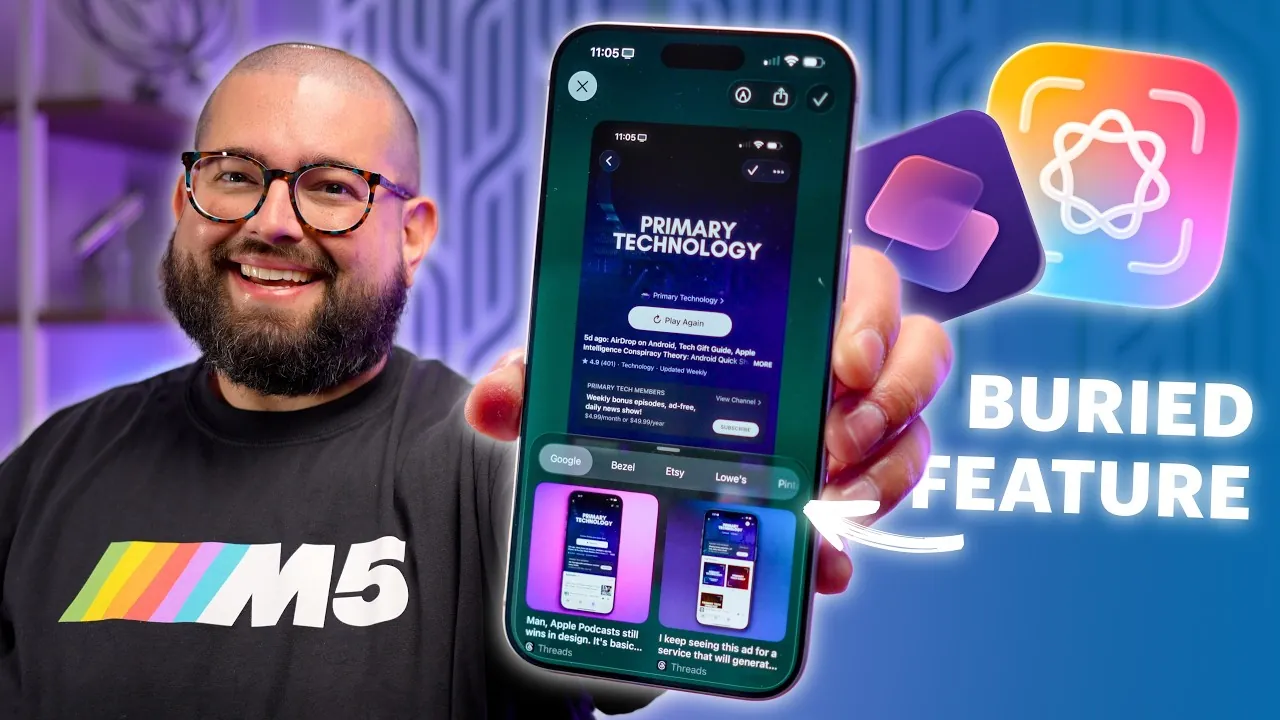
iOS 26 introduces a new Visual Intelligence feature set, reshaping the way you interact with screenshots. By using advanced recognition technologies, this update enables you to extract actionable insights from captured content. Whether you need to identify objects, summarize text, translate languages, or integrate with third-party apps, Visual Intelligence offers a suite of tools designed to streamline your digital experience. However, while the feature is robust, certain limitations highlight areas for potential improvement. The video below from Stephen Robles gives us a look at these features in iOS 26.

Core Features of Visual Intelligence
The Visual Intelligence feature in iOS 26 is engineered to analyze screenshots with exceptional accuracy, allowing a range of practical applications. This functionality allows you to:
- Extract critical details from images, such as event information, product specifications, or contact details.
- Identify objects within photos and provide relevant insights, including purchase options or contextual information.
One of the most notable tools is the built-in translation feature, which enables you to translate foreign text directly from screenshots. This is particularly useful for navigating menus, signs, or documents in unfamiliar languages. Additionally, the reverse image search capability enhances your ability to explore visual content. By analyzing a screenshot, you can search for similar images or gather related information across multiple platforms, offering deeper context and insights.
These features collectively make Visual Intelligence a powerful tool for simplifying tasks, improving productivity, and enhancing your ability to interact with visual data.
Integration with Third-Party Apps
Visual Intelligence extends its capabilities through seamless integration with third-party apps, offering tailored solutions for specific needs. These integrations allow you to maximize the feature’s potential in various scenarios. For example:
- Apps like Pinterest, Etsy, and Lowe’s enable you to identify products from screenshots, providing purchase options or design inspiration.
- Bezel offers tools for framing and sharing screenshots, making it easier to prepare content for social media or professional presentations.
These partnerships demonstrate the potential for other platforms, such as Amazon or Wayfair, to adopt similar extensions. By expanding the ecosystem of supported apps, iOS 26 enhances your ability to interact with visual content for shopping, creative projects, or everyday tasks. This integration not only improves convenience but also opens up new possibilities for how you use screenshots in your daily life.
Limitations and Areas for Improvement
Despite its advanced capabilities, Visual Intelligence is not without its limitations. One significant drawback is its inability to analyze photos directly from your camera roll. Instead, you must take a screenshot for the system to process the content, which can be inconvenient in certain situations. Additionally, the absence of a dedicated shortcut to activate Visual Intelligence means you must manually navigate through steps to access its tools.
These limitations highlight opportunities for future updates to refine the feature. For instance, allowing direct analysis of photos from your camera roll or introducing a streamlined activation method could significantly enhance usability. Addressing these issues would make Visual Intelligence more accessible and efficient for a wider range of users.
Custom Shortcuts for Enhanced Functionality
To fully harness the potential of Visual Intelligence, you can create custom shortcuts that automate tasks and optimize workflows. These shortcuts allow you to tailor the feature to your specific needs, unlocking additional functionality. Examples of practical applications include:
- Analyzing screenshots of social media clips to identify movies, TV shows, or trending topics.
- Extracting text from screenshots to generate reminders, grocery lists, or contextual notes for future reference.
- Using location-based search tools to identify restaurants, landmarks, or venues from social media posts, simplifying travel planning or local exploration.
- Automating the framing and sharing of screenshots for social media or professional presentations, saving time and effort.
By using these shortcuts, you can customize Visual Intelligence to suit your lifestyle, whether for personal productivity, creative projects, or professional tasks. This flexibility ensures that the feature remains relevant and adaptable to your evolving needs.
The Future of Visual Intelligence
The introduction of Visual Intelligence in iOS 26 marks a significant advancement in how you interact with visual content, but its potential is far from fully realized. Encouraging more third-party apps to adopt Visual Intelligence extensions could greatly expand its utility, offering you even more ways to derive value from screenshots. Additionally, the ability to create user-defined shortcuts opens the door to endless possibilities for customization, allowing you to tailor the feature to your unique requirements.
As the technology continues to evolve, Visual Intelligence has the potential to become an indispensable tool for managing and interpreting visual data. By addressing its current limitations and fostering innovation, Apple can refine this feature to better meet the diverse needs of its users. With ongoing development, iOS 26’s Visual Intelligence could redefine how you interact with and extract value from visual content, making it an essential part of your digital toolkit.
Here are more detailed guides and articles that you may find helpful on iOS 26 Visual Intelligence.
- iOS 26: Liquid Glass & The TOP Features You Need to See!
- Top 10 Hidden iOS 26 Features You Need to Know About
- Top iOS 26 Features You Shouldn’t Miss
- iOS 26: Apple’s Grand Vision for the Future of iPhone
- Top iOS 26 Features That Redefine iPhone Usability
Source & Image Credit: Stephen Robles
Disclosure: Some of our articles include affiliate links. If you buy something through one of these links, Geeky Gadgets may earn an affiliate commission. Learn about our Disclosure Policy.
