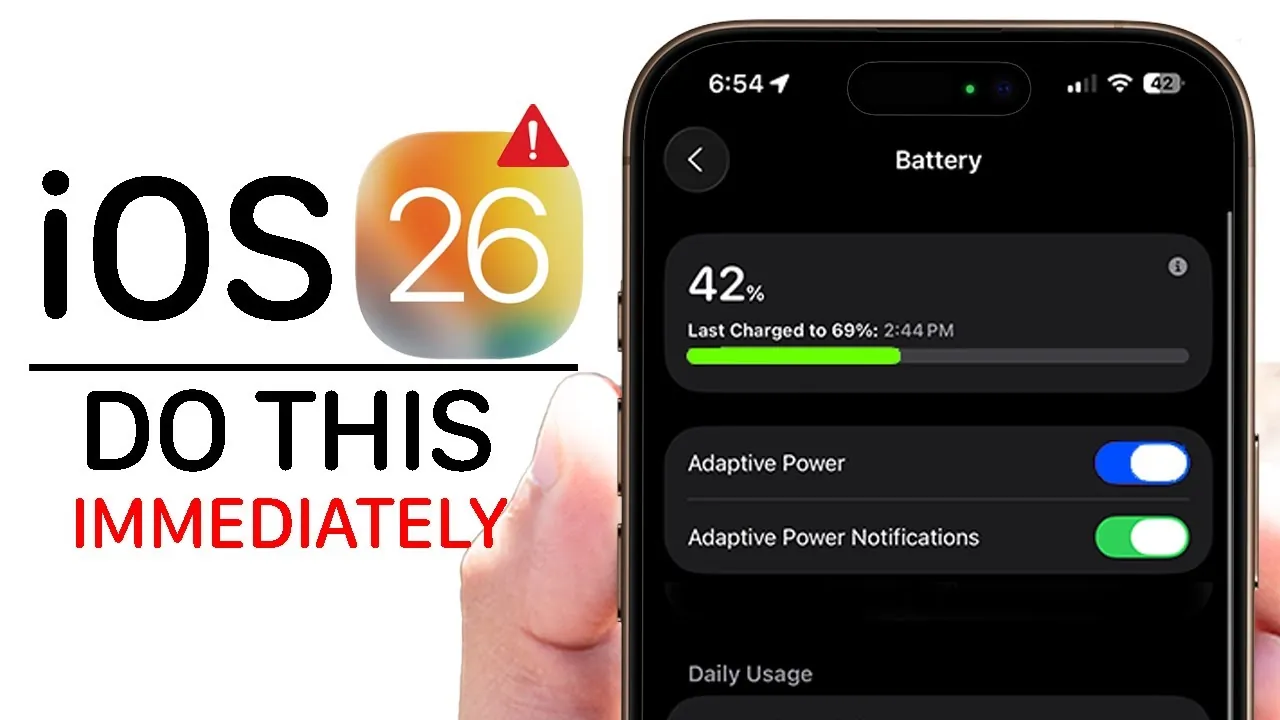
iOS 26 brings a host of new features designed to enhance your iPhone experience. With improvements in battery management, privacy, personalization, and usability, this update aims to make your device more efficient, secure, and tailored to your needs. While some features are immediately visible, others require activation to unlock their full potential. Below is a detailed look at the top 10 features you should explore to get the most out of iOS 26 in a new video from HotshotTek.

Battery Optimization: Adapted Power Mode
One of the standout features in iOS 26 is the “Adapted Power Mode”, which intelligently manages your device’s power consumption. By analyzing your usage patterns, this feature limits background activity for apps you use less frequently while prioritizing performance for essential ones. This dynamic adjustment helps extend battery life during periods of high demand. You can activate this feature in the battery settings, making it an essential tool for anyone looking to maximize their device’s uptime without compromising functionality.
Enhanced Security for Your Digital Wallet
The Wallet app in iOS 26 introduces secure storage for physical credit card information, complementing your existing digital payment methods. With end-to-end encryption, your sensitive data is protected from unauthorized access, making sure peace of mind during financial transactions. This update also integrates seamlessly with Apple Pay, allowing you to manage both physical and digital cards in one convenient location. For users who value security and organization, this feature is a significant enhancement to the Wallet app’s functionality.
Customizable Icons and Themes
iOS 26 improves personalization with the introduction of the “Liquid Glass” theme, a sleek and modern design compatible with both light and dark modes. This theme gives your device a polished and sophisticated appearance. Additionally, customization options now extend to Apple CarPlay, allowing you to align your vehicle’s display with your iPhone’s aesthetic. Whether you prefer a minimalist or vibrant interface, these tools allow you to tailor your device’s look to reflect your personal style.
Streamlined Call Management
Managing calls becomes more intuitive in iOS 26 with two key updates. The “Hold Assist Detection” feature notifies you when a call on hold is ready to resume, saving you from unnecessary waiting. Meanwhile, the “Screen Unknown Caller” function filters calls from unknown numbers, making sure your phone only rings for verified contacts. These updates reduce interruptions and make your communication more efficient, offering a smoother and more organized calling experience.
Improved Privacy in Safari
Safari in iOS 26 introduces advanced privacy features to protect your online activity. Anti-tracking measures are now enabled by default, preventing advertisers from monitoring your browsing habits. Additionally, customizable profiles allow you to separate cookies and browsing data for different purposes, such as work and personal use. These enhancements provide a more secure and tailored browsing experience, giving you greater control over your online footprint and making sure your privacy remains intact.
Audio Personalization: Ringtones and More
Customizing your iPhone’s audio settings is now more versatile with iOS 26. You can create custom ringtones using voice memos or MP3 files, in addition to selecting from a variety of new default tones. Whether you want a unique ringtone for incoming calls or a specific sound for alarms, this feature allows you to personalize your device’s audio to match your preferences. It’s a simple yet impactful way to make your iPhone truly yours.
Camera Maintenance: Lens Cleaning Hint
For photography enthusiasts, the “Lens Cleaning Hint” feature is a practical addition. Your device can now detect when the camera lens is dirty and prompt you to clean it before capturing a photo. This ensures your images remain sharp and clear, preserving the quality of your memories. By maintaining your camera’s performance, this feature adds a layer of convenience for users who prioritize high-quality photography.
Adjustable Alarm Snooze Duration
The Clock app in iOS 26 introduces greater flexibility with alarm snooze settings. You can now customize the snooze duration, with options ranging up to 15 minutes. This feature is particularly useful for those who prefer shorter or longer intervals between snoozes, allowing you to tailor your morning routine to your specific needs. It’s a small but meaningful update that enhances the functionality of your device’s alarm system.
Why These Features Stand Out
The updates in iOS 26 reflect Apple’s commitment to improving usability, privacy, and personalization. By exploring these features, you can optimize your device to better suit your lifestyle. Whether it’s extending battery life with Adapted Power Mode, enhancing security in the Wallet app, or customizing your device’s appearance with the Liquid Glass theme, these tools are designed to make your iPhone experience more efficient and enjoyable. Each feature addresses a specific aspect of user convenience, making sure that your device adapts seamlessly to your needs.
Unlock the Full Potential of iOS 26
iOS 26 delivers a comprehensive suite of features that enhance functionality and usability across the board. By activating and experimenting with these updates, you can unlock the full potential of your iPhone. From smarter power management to advanced privacy tools and enhanced personalization options, these features are tailored to meet a wide range of user needs. Take the time to explore these updates and discover how they can transform the way you use your device, making it more efficient, secure, and uniquely yours.
Here are more detailed guides and articles that you may find helpful on iOS 26 features.
- iOS 26 Beta 6 Features: What’s New and Improved
- iOS 26 Release: Key Features and Updates for Apple Users
- iOS 26 Features and Updates: Everything You Need to Know
- Hidden Features in iOS 26 You Need to Know About
- iOS 26: Liquid Glass & The TOP Features You Need to See!
Source & Image Credit: HotshotTek
Disclosure: Some of our articles include affiliate links. If you buy something through one of these links, Geeky Gadgets may earn an affiliate commission. Learn about our Disclosure Policy.
