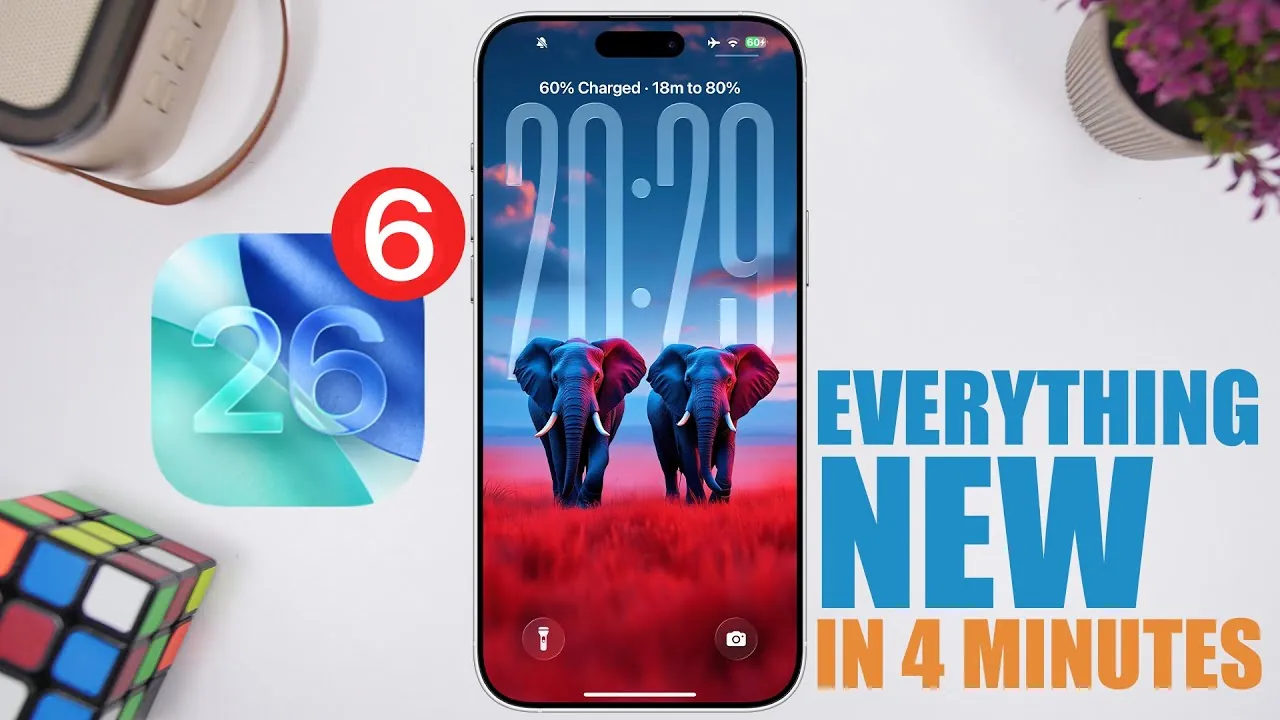
Apple has officially released iOS 26 Beta 6, marking a pivotal step in the development of its next major software update. Arriving sooner than anticipated following Beta 5, this release highlights Apple’s commitment to an accelerated development timeline. With a build number of 23A5318C, it is anticipated that two additional beta versions and a Release Candidate (RC) will follow before the final version is made available. This update introduces a range of performance improvements, visual refinements, new features, and feature removals, offering a clearer picture of the evolving iOS experience. The video below from iReviews gives us more details about the new beta.

Performance Enhancements: Speed and Fluidity
iOS 26 Beta 6 places a strong emphasis on improving system performance, making sure a faster and more seamless user experience.
- App animations, such as opening and closing applications, are now twice as fast, providing a smoother and more responsive interaction.
- System settings load and toggle more quickly, reducing the time required to navigate through menus and adjust preferences.
These enhancements aim to make everyday tasks more efficient, making sure that devices running iOS 26 feel noticeably faster and more intuitive.
Refined Visual Design: A Polished Aesthetic
Apple continues to refine the visual design of iOS 26, focusing on creating a more cohesive and immersive aesthetic.
- The lock screen has received a significant update, with the clock now featuring a liquid glass design. This design dynamically adapts to the selected wallpaper, blending seamlessly with the overall theme.
This update reflects Apple’s ongoing dedication to combining functionality with elegance, making sure that the operating system not only performs well but also looks visually appealing.
Personalization Options: Expanded Ringtone Library
Customization remains a key focus in iOS 26 Beta 6, with the introduction of new personalization options for users.
- Six new ringtones have been added under the “Reflection” category, offering a variety of tones that range from subtle and soothing to more pronounced and attention-grabbing alerts.
These additions provide users with fresh ways to personalize their devices, enhancing the auditory experience and allowing for greater individuality.
Feature Removal: Updates to the Camera App
While iOS 26 Beta 6 introduces several new features, it also includes the removal of certain functionalities, particularly in the Camera app.
- The classic mode-switching option has been removed, signaling a shift toward a more streamlined interface.
- This change aligns with Apple’s broader goal of simplifying the user experience, although it may disappoint users accustomed to the previous layout.
The removal suggests that Apple is prioritizing modernization and efficiency in its app designs, even if it means retiring older features.
Update Size and Onboarding Animation
The iOS 26 Beta 6 update is substantial, with a download size of approximately 9.46 GB on the iPhone 15 Pro Max.
- This large file size reflects the extensive changes, optimizations, and new features included in this release.
- A new onboarding animation has been introduced, providing users with a visually engaging overview of the update’s key highlights and improvements.
This onboarding experience ensures that users are immediately familiarized with the most significant changes, enhancing the transition to the new version.
Looking Ahead
iOS 26 Beta 6 represents a significant milestone in Apple’s software development process. With faster animations, refined visuals, expanded personalization options, and streamlined features, this update demonstrates Apple’s focus on enhancing both performance and usability. While the removal of certain features may generate mixed reactions, the overall direction of iOS 26 points toward a more polished and efficient user experience. As the final release draws closer, these updates provide a clear preview of the innovations and improvements users can expect in the next iteration of iOS.
Browse through more resources below from our in-depth content covering more areas on iOS 26 Beta 6.
- iOS 26 Beta 6 Release Date, Features, and Updates
- iOS 18.1 Beta 6: Apple Intelligence Hidden Gems You Need to See
- iOS 12 Beta 6 vs iOS 11.4.1 Speed Test (Video)
- iOS 18.1 Beta 6: Surprise Features You Won’t Believe
- Another Look at iOS 18 Beta 6
Source & Image Credit: iReviews
Disclosure: Some of our articles include affiliate links. If you buy something through one of these links, Geeky Gadgets may earn an affiliate commission. Learn about our Disclosure Policy.
