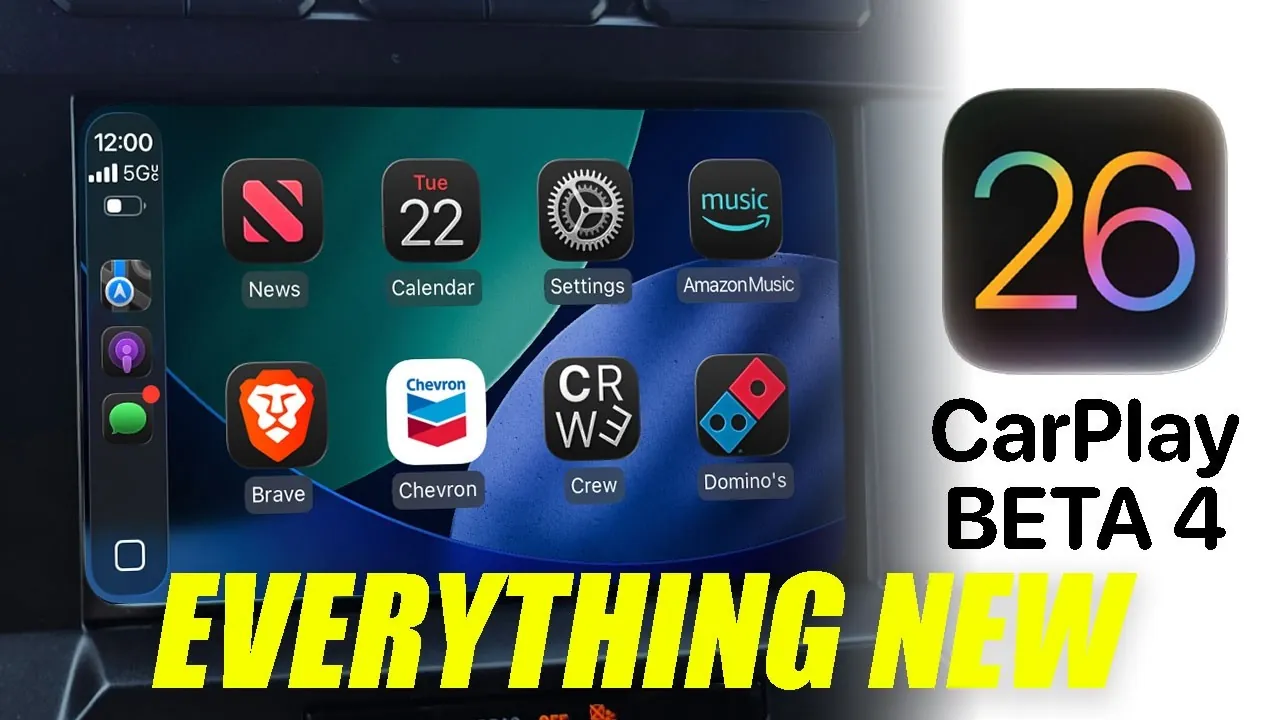
The iOS 26 Beta 4 update brings a series of significant improvements to Apple CarPlay, focusing on enhancing usability, customization, and functionality. This release is designed to refine the in-car experience with a more intuitive interface, personalized options, and streamlined tools. While some features remain in development, the update introduces several noteworthy enhancements that elevate the overall driving experience. The video below from HotshotTek gives us more details on the new features in Apple CarPlay in iOS 26 beta 4.

Refined User Interface and Visual Enhancements
Apple CarPlay’s interface has received several updates aimed at improving visual appeal and functionality. Animations for live activities and Siri suggestions have been refined, delivering a smoother and more fluid user experience. The liquid glass design has been enhanced, offering improved translucency that adapts seamlessly to different backgrounds, creating a polished and modern aesthetic. Additionally, a long-standing issue with the calendar icon displaying incorrect dates has been resolved, making sure that users can rely on accurate information at a glance.
These updates collectively enhance the interface, making it more visually cohesive and user-friendly, especially during on-the-go interactions.
Expanded Customization and Personalization Features
Customization takes a prominent role in iOS 26 Beta 4, offering users more ways to personalize their CarPlay experience. A broader selection of wallpapers is now available, including new color options that allow you to tailor the interface to your preferences. However, some older wallpaper designs have been removed to streamline the options.
The Music app has also received a notable update. The “Now Playing” tab now features dynamic bounce animations, adding a visually engaging element to your listening experience. These enhancements not only improve aesthetics but also provide users with greater control over how CarPlay looks and feels, ensuring a more personalized and enjoyable interface.
Enhanced Music Library and Widget Functionality
Managing your music library has become more efficient with the introduction of a pinning feature. This allows you to quickly pin or unpin albums, playlists, and songs for instant access. Changes made on your iPhone are reflected in real time on CarPlay, making sure that your library remains organized and up to date. This feature is particularly useful for drivers who frequently update their playlists or want quick access to their favorite tracks.
Widget functionality has also been expanded, offering greater flexibility in how you access essential information. New clock widgets and third-party app widgets can now be added to your CarPlay dashboard, allowing you to customize the display to better suit your needs. These updates improve both usability and accessibility, making it easier to stay informed while keeping your focus on the road.
Navigation and Driving Tools
Navigation tools have seen incremental improvements in this beta. Pinch-to-zoom functionality has been extended to more vehicles, making it easier to adjust map views while driving. However, this feature remains unsupported by certain automakers, limiting its availability depending on your vehicle model. While Apple Maps itself hasn’t received major updates in this release, the improved interaction tools enhance the overall navigation experience.
The Smart Zoom feature has also been optimized for various vehicle display sizes, ensuring better readability and usability across different screen configurations. These updates aim to make navigation more intuitive and adaptable, regardless of the car you drive.
Streamlined Podcast Playback and Future Features
The Podcast app has been updated to simplify playback controls. Adjusting playback speeds now requires fewer steps, reducing distractions while driving. This improvement is particularly beneficial for commuters and long-distance drivers who frequently listen to podcasts during their journeys.
Looking ahead, one of the most anticipated features is YouTube streaming support via CarPlay. This functionality, expected in future updates, will allow users to stream YouTube content while the vehicle is stationary. Motion sensors on your iPhone will ensure that this feature is used safely. However, as of Beta 4, this feature remains unavailable, leaving users to anticipate its official release.
Considerations and Current Limitations
Despite the numerous enhancements, some limitations persist in this beta release. Dual-widget functionality has been removed for certain vehicle displays, reducing multitasking options for users who rely on this feature. Additionally, while pinch-to-zoom functionality has been expanded, it remains unsupported by some automakers, limiting its accessibility.
The highly anticipated YouTube streaming feature is still under development, and its absence in Beta 4 highlights an area where further updates are needed. These limitations underscore the ongoing evolution of CarPlay and the areas where future improvements could enhance its functionality.
Advancing the Apple CarPlay Experience
iOS 26 Beta 4 represents a meaningful progression for Apple CarPlay, delivering updates that enhance its interface, customization options, and core functionalities. From smoother animations and expanded widget support to streamlined music and podcast controls, these changes aim to make your time on the road more enjoyable and efficient. While some features, such as YouTube streaming, are still in development, the update reflects Apple’s commitment to refining the in-car experience and addressing user needs. As CarPlay continues to evolve, these updates lay the groundwork for a more seamless and personalized driving experience.
Find more information on Apple CarPlay User Interface Enhancements by browsing our extensive range of articles, guides and tutorials.
- Apple CarPlay iOS 26 Beta 3: Key Features and Updates
- Apple CarPlay in iOS 18 RC Features Revealed
- Everything New in Apple CarPlay in iOS 18.1 Beta 3
- What’s New in iOS 26 Beta 2? Key Features and Improvements
- More Apple CarPlay Features Added in iOS 18 Beta 3
Source & Image Credit: HotshotTek
Disclosure: Some of our articles include affiliate links. If you buy something through one of these links, Geeky Gadgets may earn an affiliate commission. Learn about our Disclosure Policy.
