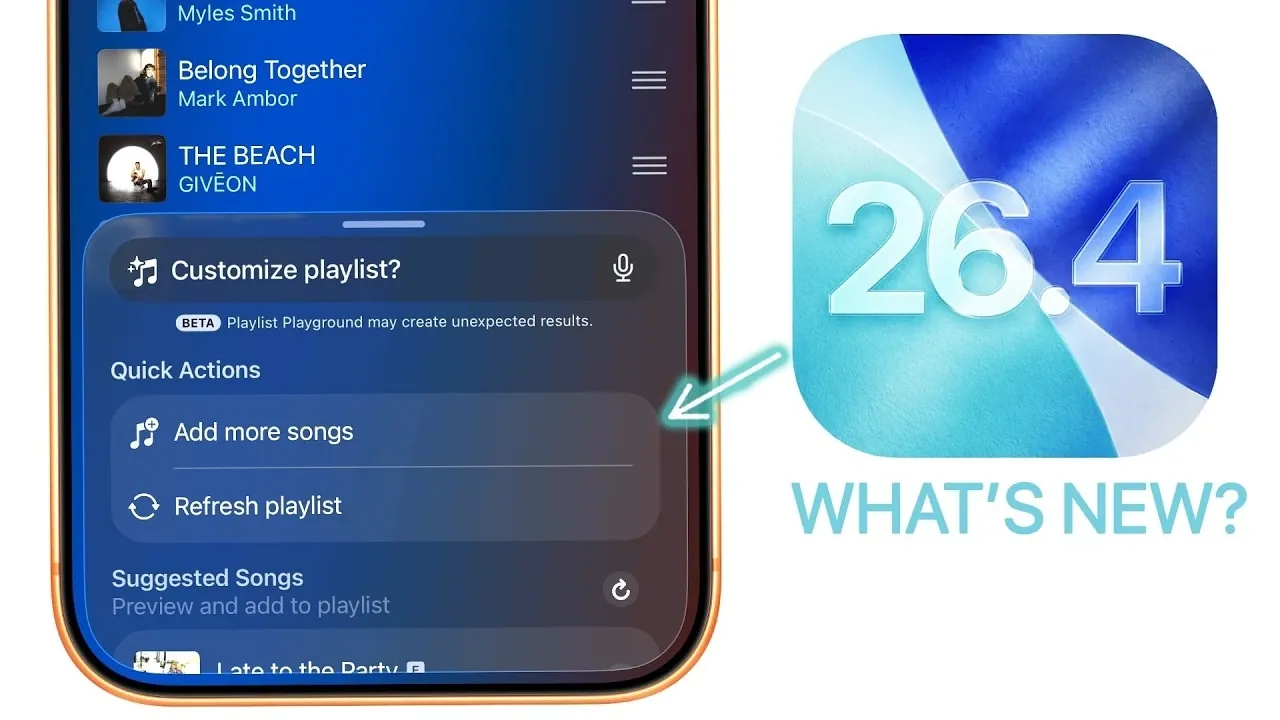
Apple has officially launched iOS 26.4, a feature-packed update designed to enhance functionality, improve design, and address critical bugs. With updates spanning the Music app, accessibility tools, privacy features, and performance optimizations, this release offers something for every user. Whether you’re a casual iPhone owner or a tech-savvy enthusiast, iOS 26.4 delivers meaningful improvements that refine the overall experience. Below is an in-depth look at the key updates and why they matter. The video below from Brandon Butch gives us more details about the new iOS software update and its range of features.

Music App: Smarter, Sleeker, and More Engaging
The Music app receives a prominent overhaul in iOS 26.4, introducing features that prioritize usability, personalization, and visual appeal. These updates aim to make music discovery and playback more intuitive and enjoyable:
- Playlist Playground: Use Apple Intelligence to create playlists using text prompts, simplifying the curation process.
- Visual Enhancements: Full-screen artwork for playlists and albums provides a more immersive browsing experience.
- Streamlined Controls: Redesigned buttons for shuffle, download, and playlist management improve navigation and usability.
- Live Music Integration: A “Nearby Concerts” feature and artist-specific concert details make discovering live events easier than ever.
- Offline Features: Music recognition now functions without an internet connection and ambient music widgets enhance accessibility.
These enhancements make the Music app a more dynamic and visually appealing platform, catering to both casual listeners and audiophiles.
New Features: Emojis, Podcasts, and CarPlay
iOS 26.4 introduces a variety of new features that enhance communication, entertainment, and convenience. These updates are designed to enrich your daily interactions and expand your device’s capabilities:
- Emojis: Eight new emojis, including a distorted face, Bigfoot, orc, and treasure chest, provide fresh ways to express yourself.
- Podcasts: Inline video playback for video podcasts allows seamless viewing, with the flexibility to switch to audio-only mode when needed.
- Animations: New animations for composing messages and creating wallpapers add a touch of fluidity to routine tasks.
- CarPlay Enhancements: Integration with AI tools like ChatGPT, Claude, and Gemini, along with video playback in park mode, improves the in-car experience.
These additions cater to diverse user needs, from creative expression to practical functionality, ensuring a more engaging and versatile experience.
Accessibility: Making Technology More Inclusive
Apple continues its commitment to inclusivity with accessibility improvements in iOS 26.4. These updates aim to make the iPhone experience more user-friendly for individuals with varying needs:
- Reduce Bright Effects: A new setting minimizes bright flashes in menus, reducing eye strain for sensitive users.
- Enhanced Motion Settings: The “Reduce Motion” feature now supports liquid glass animations, offering smoother visuals without compromising accessibility.
- Automatic Subtitles: Videos with mismatched languages now feature automatic subtitles, improving accessibility for global audiences.
- TV App Updates: Expanded subtitle and captioning options provide greater customization for users with hearing impairments.
These updates reflect Apple’s dedication to creating a more inclusive digital environment, making sure that technology remains accessible to all.
Design and Interface: Sleek and User-Friendly
iOS 26.4 introduces subtle yet impactful design changes that enhance both aesthetics and usability. These refinements contribute to a polished and intuitive user interface:
- Liquid Glass Elements: Apps like Contacts now feature sleek, modern visual effects that elevate the overall design.
- App Store Redesign: Improved navigation and an updated profile page make account management more straightforward.
- Wallpaper Downloads: Default wallpaper packs now require manual downloads, giving users greater control over customization.
- Search Bar Adjustments: Refined placement and text updates in the App Store improve browsing efficiency.
These design updates ensure a seamless and visually appealing experience across the system.
Performance and Battery Life: Optimized for Efficiency
Performance enhancements in iOS 26.4 deliver faster response times and smoother operation compared to its predecessor, iOS 26.3. Battery life has also been optimized, allowing devices to last longer on a single charge. These improvements make the update particularly appealing for users who prioritize efficiency and reliability in their daily device usage.
Privacy and Security: Enhanced Protection
Privacy and security remain central to iOS 26.4, with new features designed to safeguard user data and enhance device protection:
- Managed Device Option: Provides greater control over location tracking for managed devices, ensuring privacy in shared environments.
- Stolen Device Protection: Enabled by default, this feature adds an extra layer of security to protect against theft.
- Beta Update Management: Automatic transitions from beta to public releases after four months of inactivity ensure system stability.
These updates reinforce Apple’s ongoing commitment to user privacy and data security, offering peace of mind to users.
Additional Updates: Small Changes, Big Impact
Several smaller updates in iOS 26.4 contribute to a more convenient and functional user experience. These incremental changes, while subtle, have a meaningful impact:
- Family Sharing: Support for individual payment methods simplifies account management for families.
- Health App: Blood oxygen tracking and average bedtime monitoring help users stay on top of their wellness goals.
- Shortcuts App: A new “Set Battery Charge Limit” action optimizes battery health and longevity.
- Video Recording: An option to disable audio zoom provides greater control over sound quality during video capture.
These updates demonstrate Apple’s attention to detail, making sure that even minor features contribute to an improved overall experience.
Should You Update?
iOS 26.4 is a comprehensive update that offers valuable new features, critical bug fixes and improved performance. Whether you’re drawn to the revamped Music app, accessibility enhancements, or privacy upgrades, this release has something for everyone. Updating to iOS 26.4 is a practical choice for users seeking a more secure, efficient, and feature-rich experience.
Explore further guides and articles from our vast library that you may find relevant to your interests in iOS 26.4.
- iOS 26.4 Icon Changes: How Apple’s New Liquid Glass Look Works
- Everything New in iOS 26.4 Beta 4: CarPlay, AI, and More
- iOS 26.4 Guide: New Features, Release Date, and Performance
- iOS 26.4 Release Date, Features, and Performance Details
- When Will iOS 26.4 Be Released? Full Details Inside
- iOS 26.4 RC Fixes iPhone Keyboard Accuracy Bug: What’s New
Source & Image Credit: Brandon Butch
Disclosure: Some of our articles include affiliate links. If you buy something through one of these links, Geeky Gadgets may earn an affiliate commission. Learn about our Disclosure Policy.
