
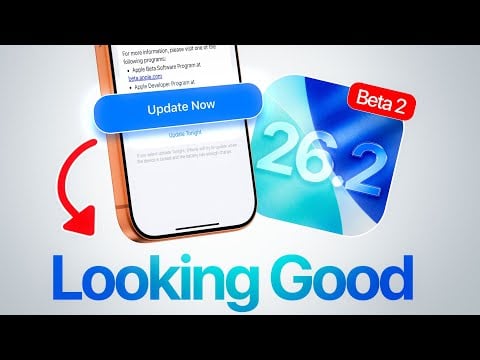
Apple has officially released iOS 26.2 Beta 2, offering developers and public beta testers a closer look at its latest software enhancements. This update introduces a range of practical improvements and visual refinements, designed to enhance usability and functionality across Apple devices. From digital identification tools to enhanced animations, iOS 26.2 Beta 2 reflects Apple’s ongoing commitment to innovation and user-centric design. Below is a detailed exploration of the most notable features and their potential impact.
Digital IDs in the Wallet App: A Step Toward Convenience
One of the most significant updates in iOS 26.2 Beta 2 is the integration of digital IDs within the Wallet app. This feature allows users in the United States to scan and securely store their passports and other forms of identification directly on their iPhones or Apple Watches. By doing so, Apple aims to simplify identification processes, such as during travel, age verification, or official documentation checks.
This feature is part of Apple’s broader push toward digital transformation, where everyday tasks are streamlined without compromising security. The use of cloud-based encryption technology ensures that sensitive data remains both accessible and protected. While digital IDs are not entirely new to Apple’s ecosystem, their inclusion in this beta demonstrates the company’s focus on expanding their functionality and making them more widely available. For users, this means greater convenience and fewer physical documents to carry.
CarPlay Settings: Reducing Distractions on the Road
CarPlay, Apple’s in-car connectivity platform, receives a thoughtful update in iOS 26.2 Beta 2. Users now have the ability to disable pinned messages directly within CarPlay settings. This small but impactful change is designed to reduce distractions while driving, making sure that drivers can focus on the road without being overwhelmed by notifications.
This update highlights Apple’s commitment to driver safety, balancing the need for connectivity with the importance of minimizing distractions. By allowing users to customize their notification preferences, Apple ensures that CarPlay remains a reliable and user-friendly tool for drivers. This feature is particularly beneficial for those who rely on CarPlay for navigation, communication, and entertainment during their commutes.
Liquid Glass Animation Effect: A Smoother Experience
The introduction of the liquid glass animation effect in iOS 26.2 Beta 2 brings a new level of polish to the user interface. This feature enhances the visual experience by delivering smoother transitions and dynamic, bouncy effects across various apps and controls. For instance, the Photos app now incorporates these refined animations, creating a more immersive and visually appealing interaction.
While the liquid glass effect primarily focuses on aesthetics, it also contributes to a seamless and intuitive user experience. By making transitions feel more fluid, Apple ensures that navigating the interface is not only functional but also enjoyable. This update underscores the company’s dedication to combining usability with design excellence, further solidifying its reputation for delivering high-quality software.
Beta Testing: A Collaborative Development Process
The release of iOS 26.2 Beta 2 is part of Apple’s broader beta testing initiative, which also includes updates for iPadOS, macOS, tvOS, VisionOS, and watchOS. The extended build number in this beta suggests that Apple is actively refining the software based on user feedback and internal testing. This iterative process ensures that the final release will be as stable and polished as possible.
By participating in the Apple Developer Beta Program or the public beta testing program, users can gain early access to these features and provide valuable feedback. This collaborative approach allows Apple to address real-world issues and incorporate user suggestions, making sure that its software evolves in line with customer needs. For developers, this is also an opportunity to test app compatibility and optimize their software for the latest iOS version.
What This Means for You
iOS 26.2 Beta 2 offers a glimpse into Apple’s ongoing efforts to enhance its ecosystem with user-focused updates. From the convenience of digital IDs to the safety improvements in CarPlay and the visually appealing liquid glass animations, this beta release demonstrates Apple’s commitment to delivering practical and innovative solutions.
Whether you’re a developer exploring new features or a tech enthusiast eager to experience the latest advancements, iOS 26.2 Beta 2 provides an opportunity to engage with innovative technology. By participating in the beta program, you not only gain early access to these updates but also play a role in shaping their final implementation. This release is a testament to Apple’s dedication to creating software that is both functional and enjoyable, making sure that its ecosystem continues to meet the evolving needs of its users.
Master Digital IDs in Wallet App with the help of our in-depth articles and helpful guides.
- How to Unlock the Full Potential of Apple Wallet
- The iOS 18.6.2 Update Apple Doesn’t Want You to Ignore
- Apple iOS 26.1 Update: Everything You Need to Know
- iOS 26.1 Review: Design Enhancements and What They Mean
- How iOS 26 Improves Battery Life and Performance on iPhones
Source & Image Credit: iDeviceHelp
Disclosure: Some of our articles include affiliate links. If you buy something through one of these links, Geeky Gadgets may earn an affiliate commission. Learn about our Disclosure Policy.
