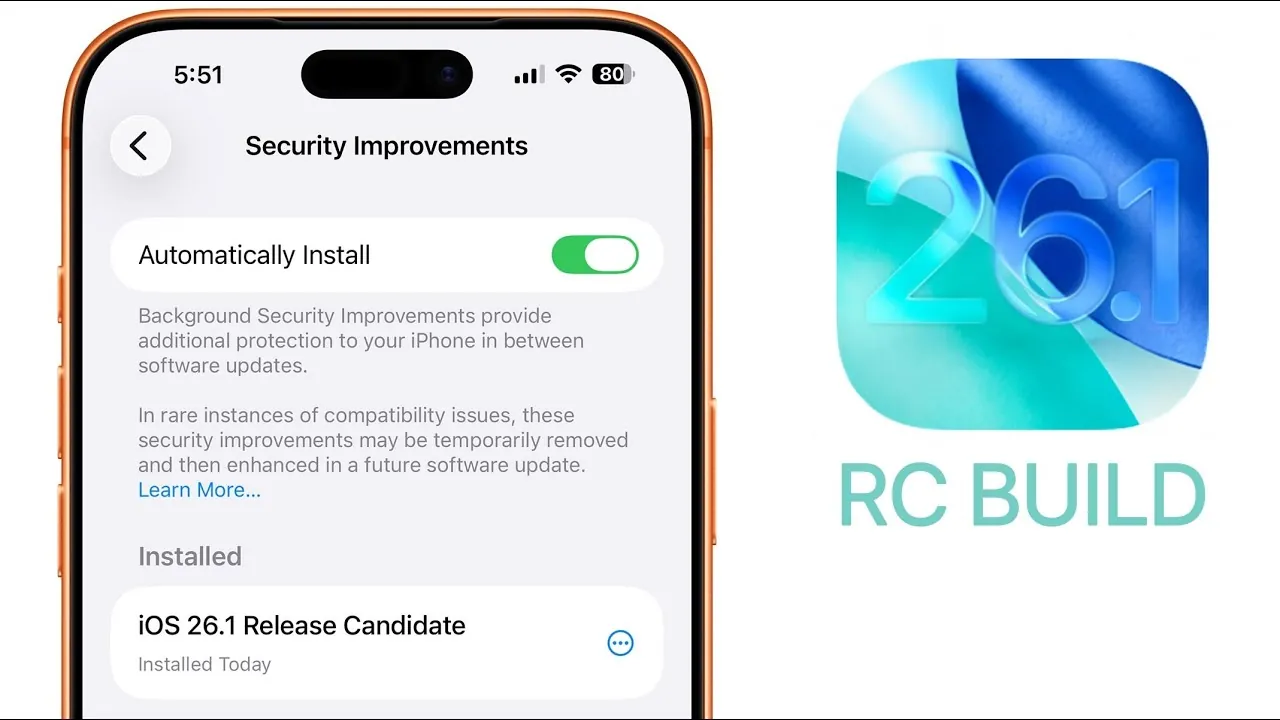
Apple has unveiled the iOS 26.1 Release Candidate (RC), offering a comprehensive preview of the final version expected to roll out soon. This update introduces a blend of new features, performance enhancements, and bug fixes, all aimed at refining usability and addressing previous issues. With a file size of approximately 8.5 GB on the iPhone 17 Pro Max and build number 23B82, this RC version is likely the final step before the public release. Below is a detailed look at the most significant updates in iOS 26.1 in a new video from Brandon Butch.
Key User Interface Enhancements
The iOS 26.1 RC brings several updates to the user interface, focusing on improving both visual appeal and functionality:
- Photos App: Enhanced animations for slideshow, favorite, and hide options create a smoother, more polished experience. Additionally, the updated video scrubber offers improved precision and seamless transitions.
- Phone App: A new “Liquid Glass” effect on the keypad introduces a sleek, modern design, elevating the aesthetic of the calling interface.
- Haptic Feedback: Subtle vibrations now accompany call connections and disconnections, providing a tactile layer of feedback for a more engaging user experience.
These updates aim to make navigation more intuitive while adding a layer of visual sophistication to everyday interactions.
Enhanced App Functionality
Several built-in apps receive functional upgrades in this release, enhancing usability and expanding their capabilities:
- Music App: Gesture-based navigation now allows users to swipe left or right to skip tracks effortlessly. Additionally, the new auto-mix feature, integrated with AirPlay, ensures seamless playback across compatible devices.
- FaceTime: Audio quality has been significantly improved, particularly in low-bandwidth conditions, making sure clearer and more reliable communication even in challenging network environments.
These updates are designed to streamline app interactions and provide a more enjoyable and efficient experience for users.
System Performance and Battery Optimization
Performance and efficiency remain central to iOS 26.1, with several key improvements:
- System Responsiveness: Benchmark tests, including Geekbench scores, indicate a slight performance boost compared to earlier beta versions. This translates to smoother multitasking, faster app launches, and an overall more responsive system.
- Battery Life: Optimizations have been implemented to address concerns from previous builds, resulting in extended usage time, particularly for power-intensive tasks such as gaming and video streaming.
These enhancements ensure a more reliable and efficient experience, catering to both casual and power users.
Gesture-Based Navigation and Customization
iOS 26.1 introduces new gesture controls and customization options, offering users greater flexibility and control:
- Timer App: A new slide-to-stop gesture allows users to end timers with a simple swipe, making the app more intuitive to use.
- Camera Settings: Users can now disable the lock screen swipe-to-camera gesture, reducing accidental activations and improving device security.
- Display Customization: A “Liquid Glass” toggle in the Display and Brightness settings enables users to choose between clear or tinted screen appearances, allowing for a more personalized look.
These features empower users to tailor their devices to their preferences, enhancing both functionality and personalization.
Privacy and Security Enhancements
Apple continues to prioritize user privacy and security with several key updates in iOS 26.1:
- Background Security Updates: Automatic installation of security patches ensures that devices remain protected against emerging threats without requiring manual intervention.
- Siri Settings: The beta tag for Apple Intelligence has been reinstated, signaling ongoing efforts to refine AI capabilities while maintaining transparency and user trust.
These updates reinforce Apple’s commitment to safeguarding user data and ensuring a secure digital environment.
Bug Fixes and Additional Features
In addition to major updates, iOS 26.1 addresses several minor issues and introduces new features to enhance overall system stability:
- Resolved visual defects in the AirDrop icon, ensuring a consistent and polished appearance.
- Fixed unexpected device sleep occurrences in apps such as Calculator, Timer, and Notes, improving reliability during usage.
- Introduced a regional warning for the photo cleanup feature in India, ensuring compliance with local regulations and user awareness.
- Code hints at a new private cloud compute server, labeled Compute Module 17A1, suggesting potential advancements in cloud-based services in future updates.
These fixes and additions contribute to a more stable and user-friendly experience, addressing both minor inconveniences and broader system improvements.
Release Timeline
The final release of iOS 26.1 is anticipated early next week, likely on Monday, November 3, 2025. Following this release, Apple is expected to launch iOS 26.2 beta 1, continuing its iterative development cycle and introducing further refinements and features.
Refining the User Experience
The iOS 26.1 Release Candidate highlights Apple’s ongoing commitment to enhancing the user experience through thoughtful updates and optimizations. From improved app functionality and system performance to robust privacy measures, this update addresses user needs while laying the groundwork for future advancements. As the final release approaches, iOS 26.1 promises to deliver a polished, reliable, and feature-rich experience for all users.
Explore further guides and articles from our vast library that you may find relevant to your interests in iOS 26.1 Release Candidate.
- iOS 26.1 Release: Everything You Need to Know
- iOS 26.1 Release Date and Key Features Explained
- Get Ready for iOS 26: Release Candidate is Here
- iOS 26 RC: Everything Apple Perfected for the Final Version
- What’s New in iOS 26 RC? Features, Performance, and More
Source & Image Credit: Brandon Butch
Disclosure: Some of our articles include affiliate links. If you buy something through one of these links, Geeky Gadgets may earn an affiliate commission. Learn about our Disclosure Policy.
