Good news for owners of the HTC Droid DNA on Verizon Wireless, as the HTC Droid DNA Android 4.4.2 Update is now available to the handset and it brings a range of new features to the device.
As well as the Android 4.4.2 Kit Kat update, the Droid DNA also gets HTC Sense 5.5, the update is available as an over the air update for the handset.
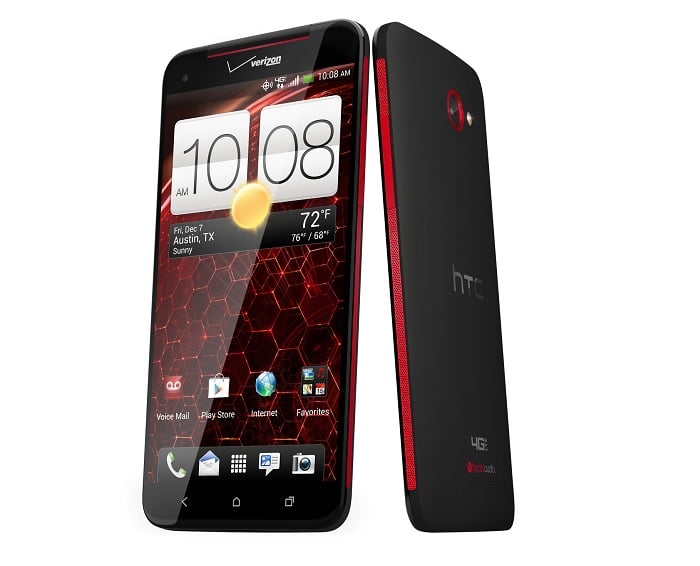
If you have yet to receive notification that the update is available for your Droid DNA, you can get the update from the settings menu on your handset.
The HTC Droid DNA Android 4.4.2 update is around 33mb , you can find out full details about the update over at Verizon Wireless.
New Features and Enhancements
The Android 4.4.2 Kit Kat update brings a host of new features and enhancements to the HTC Droid DNA. One of the most notable improvements is the introduction of the new immersive mode, which allows apps to use the full screen, hiding the system UI for a more engaging experience. Additionally, the update includes enhanced security features, such as improved encryption and better app permissions management.
HTC Sense 5.5, which comes bundled with the update, offers a refreshed user interface and several new features. BlinkFeed, HTC’s content aggregator, has been improved with more customization options and the ability to save articles for offline reading. The camera app has also been enhanced with new editing tools and filters, making it easier to capture and share stunning photos.
Performance Improvements
In addition to new features, the Android 4.4.2 update brings significant performance improvements to the HTC Droid DNA. The update optimizes memory usage and enhances the overall responsiveness of the device. Users can expect faster app launches, smoother multitasking, and improved battery life.
The update also includes support for new wireless printing standards, allowing users to print documents and photos directly from their device to compatible printers. This feature is particularly useful for professionals who need to print on the go.
Furthermore, the update addresses several bugs and stability issues that were present in previous versions of the software. This results in a more stable and reliable user experience, with fewer crashes and glitches.
If you have yet to receive notification that the update is available for your Droid DNA, you can manually check for the update by going to the settings menu on your handset. Simply navigate to “Settings,” then “About phone,” and finally “Software updates” to see if the update is available for download.
The HTC Droid DNA Android 4.4.2 update is around 33mb, so it is recommended to download the update over a Wi-Fi connection to avoid any potential data charges. Once the update is downloaded, follow the on-screen instructions to install it on your device.
For more information about the update and its features, you can visit the official Verizon Wireless website. They provide detailed instructions and support for updating your device.
Source Phone Arena
Disclosure: Some of our articles include affiliate links. If you buy something through one of these links, Geeky Gadgets may earn an affiliate commission. Learn about our Disclosure Policy.
