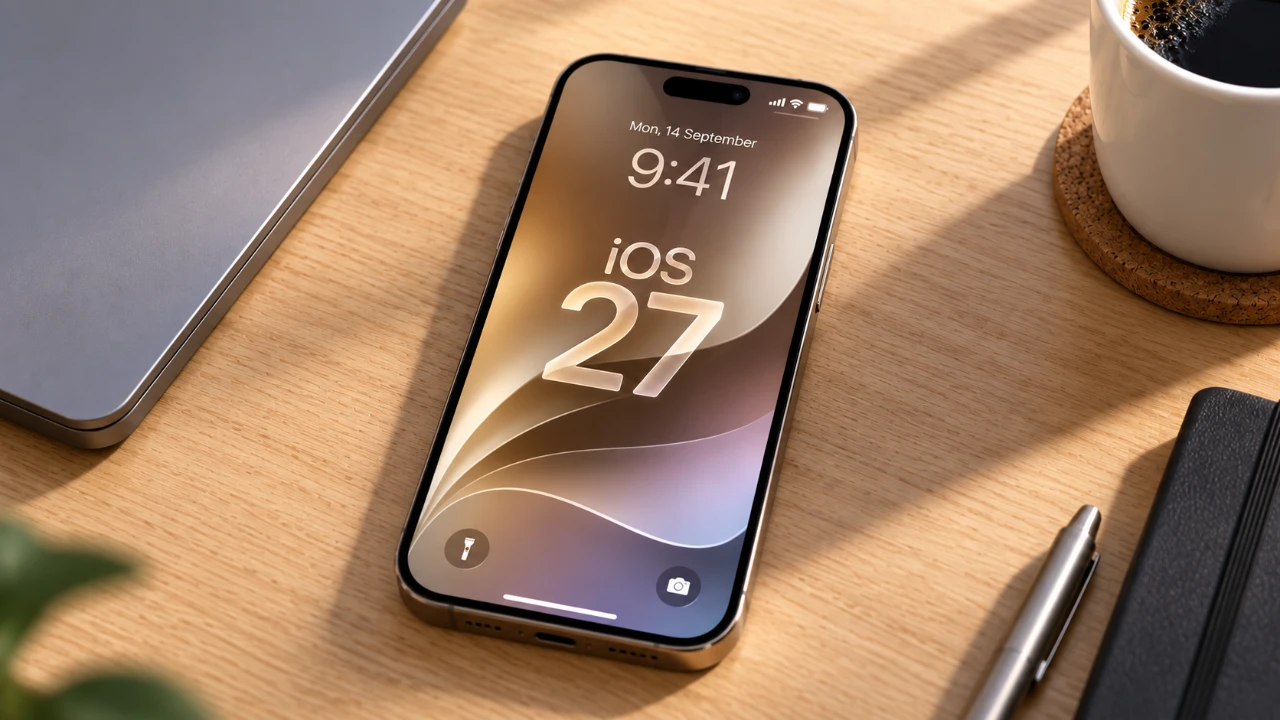
Apple’s iOS 27 introduces a range of refined features designed to improve the iPhone’s usability and functionality. These updates focus on enhancing everyday tasks, optimizing core apps, and delivering a smoother user experience. Importantly, these improvements are accessible across a wide range of devices, making sure users don’t need the latest hardware to benefit. Below is an in-depth exploration of the new features and how they can make your iPhone more intuitive and efficient. The video below from Proper Honest Tech shows us a range of hidden features in iOS 27.

Photo Ratings: A Smarter Way to Organize Your Library
The Photos app now includes a star-based rating system, allowing you to assign 1-5 stars to your images. This feature is particularly useful for managing extensive photo libraries, making it easier to identify and sort your favorite shots. With the added ability to bulk select and rate photos, organizing your collection becomes a seamless process. Whether you’re curating a personal album or preparing images for a project, this tool simplifies photo management.
Extract Video Frames as High-Quality Photos
Capturing specific moments from videos is now effortless. iOS 27 enables you to save high-resolution still frames directly from your videos in the Photos app. This eliminates the need for third-party tools, offering a convenient way to preserve key moments as standalone images. Whether it’s a memorable smile or an important detail, this feature ensures you can extract and save the exact frame you need.
Unfinished Message Drafts: Never Forget to Send
The Messages app now highlights unfinished drafts directly in conversation previews. This subtle yet effective feature ensures you won’t overlook incomplete messages, helping you stay on top of your communication. Whether it’s a work-related text or a personal note, this addition keeps important conversations from slipping through the cracks.
Streamlined Bulk Photo Selection for Better Control
Managing multiple photos is now more efficient with the new “Show Selected” option in the Photos app. This feature allows you to refine your selections when editing, sharing, or organizing images. By focusing only on the photos you’ve chosen, you gain greater control over your photo management process, saving time and reducing errors.
Customizable Lock Screen Clock for Personalization
iOS 27 introduces the ability to toggle between large and small clock displays on your lock screen. This simple yet meaningful addition allows you to tailor your iPhone’s appearance to better suit your preferences. Whether you prefer a bold, prominent clock or a more subtle display, this feature adds a touch of individuality to your device.
Contextual Call Information for Enhanced Conversations
The Phone app now provides contextual information during calls. For example, if you’re discussing an event or booking, the app may display relevant details such as reference numbers, addresses, or birthdays. This feature ensures you have the right information at your fingertips, making conversations more convenient and productive.
Independent Message Sending Indicators
In areas with poor connectivity, tracking message delivery can be challenging. iOS 27 addresses this with independent progress indicators for text and media messages. This allows you to monitor the sending status of each message type separately, reducing uncertainty and providing greater clarity when communicating.
Drawing Tools in Messages for Creative Expression
The Messages app now includes a drawing feature, allowing you to create and send hand-drawn sketches directly within conversations. Whether it’s a quick doodle, a personalized note, or a creative expression, this feature adds a layer of engagement and fun to your communication.
Clipboard Autofill Suggestions for Streamlined Workflows
Copied content, such as text or images, is now intelligently suggested for pasting in relevant apps. For instance, if you copy an address, Maps might prompt you to paste it into the search bar. This context-aware feature reduces repetitive actions, saving time and making workflows more efficient.
Enhanced Note Linking for Better Navigation
Navigating detailed notes is easier with improved note linking. Links within the Notes app can now direct you to specific sections of a document, making it simple to reference or jump to key information. This is particularly useful for managing complex projects, lengthy documents, or collaborative work.
Full-Screen Widgets for a More Immersive Experience
Widgets can now occupy an entire home screen, offering a customizable and immersive experience. Whether you want to dedicate a screen to weather updates, calendar events, or fitness tracking, full-screen widgets provide a powerful way to stay informed at a glance. This feature enhances the utility of widgets, allowing you to prioritize the information that matters most.
Refining the iPhone Experience
The iOS 27 update delivers a thoughtful collection of features designed to enhance usability and efficiency. From smarter photo organization and message tracking to lock screen personalization and contextual call enhancements, these updates address common user needs while streamlining workflows. By focusing on practical improvements, Apple ensures that your iPhone remains an indispensable tool for managing daily life.
Gain further expertise in iOS 27 by checking out these recommendations.
- Apple Delaying iOS 27 Beta 5? Here’s When to Expect the Next Update
- New iOS 27 Beta 5 Release Arrives with a Big Shift Coming
- iOS 27 Beta 5 Is Late: What’s Holding Up Apple’s Next Release?
- The iOS 27 Beta 5 Release Imminent with More New Features
- Apple’s iOS 27 Beta 3 Is Just Days Away: Here’s When It Drops
- Apple iOS 27 Beta 5 Preview: a Look at the Next Release
Source & Image Credit: Proper Honest Tech
Disclosure: Some of our articles include affiliate links. If you buy something through one of these links, Geeky Gadgets may earn an affiliate commission. Learn about our Disclosure Policy.
